new
 new
newPachca for iOS v3.81
Voice messages
Say it out loud and read the reply. Voice messages now come with automatic transcripts, playback speed controls and drafts.
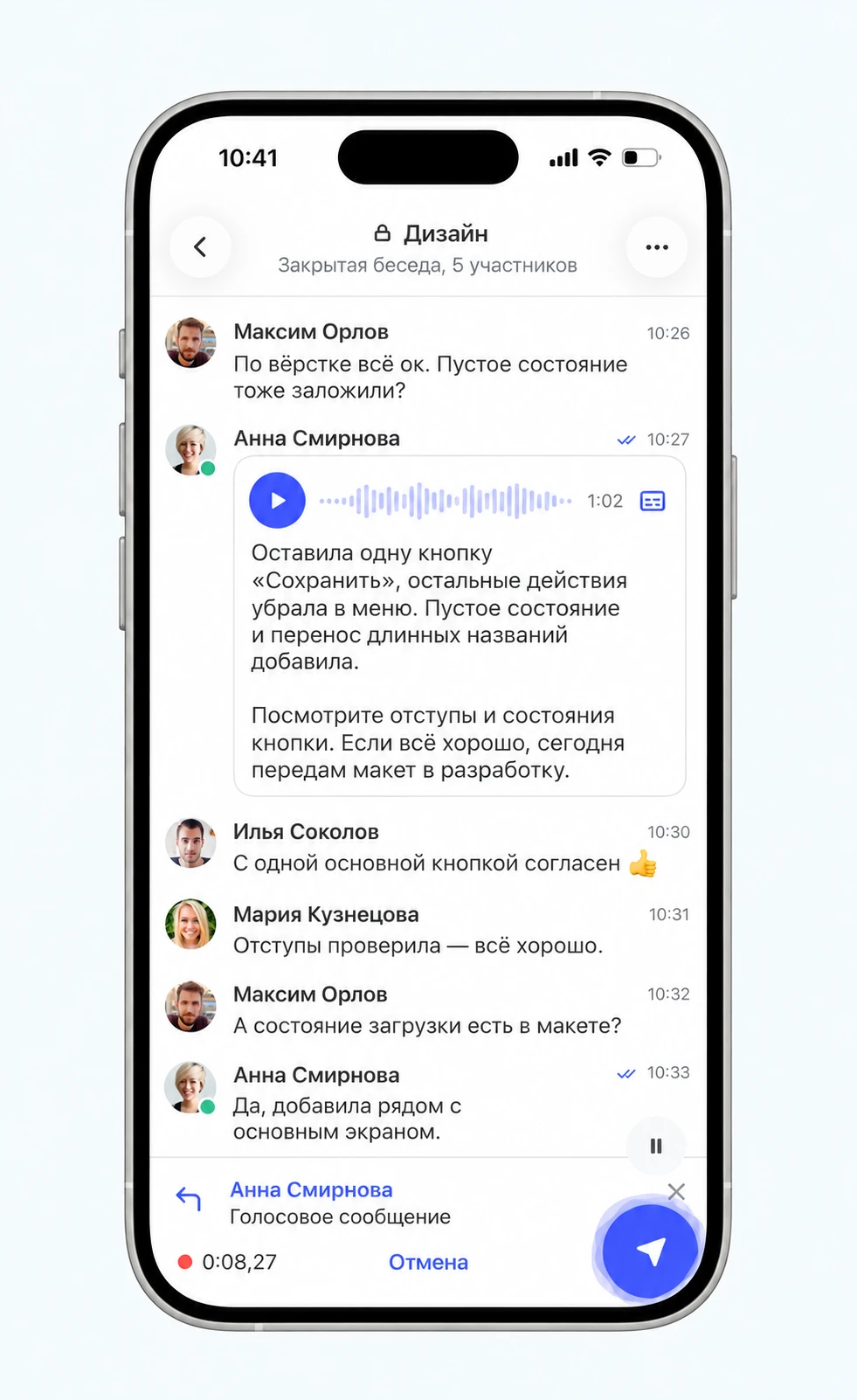
Voice messages have all the features you'd expect:
- Automatic transcripts for when you can't listen.
- 1.5× and 2× playback, with your preferred speed saved.
- Pause and resume recording, then listen and trim before sending.
- Recordings stay in drafts when you switch to another chat.
- Scheduled sending: record now, send later.
- Up to 30 minutes per message.
Log in with a QR code
You can now log in to Pachca on your iPhone without entering your email or a code. Open Pachca on your computer, go to Personal settings → Account → Log in with a QR code and scan the code in the app.
Redesigned threads and faster Favorites
We redesigned the threads screen. Both Threads and Favorites now load faster.
See active video calls in your chat list
When a video call is in progress, you'll see it right in the chat list on the home screen.
Other improvements
- Lock screen notifications from the same chat now appear in their own group instead of one shared stack.
- After creating a reminder, you return to the list and see confirmation that it was saved.
- Message search snippets are longer and always include the matching word.
- Swiping back now works correctly on the input panel.
- Fixed an issue where messages could appear twice after sending a screenshot.
- Photos on iPad once again open in the orientation you're holding the device.