What to replace Slack with in 2026: a team chat app where more than just people get work done
We compared Pachca, eXpress, MTS Link Chats, Compass, Yandex Messenger and VK WorkSpace not just on chat and calls, but on whether you can connect your own AI agents to them.
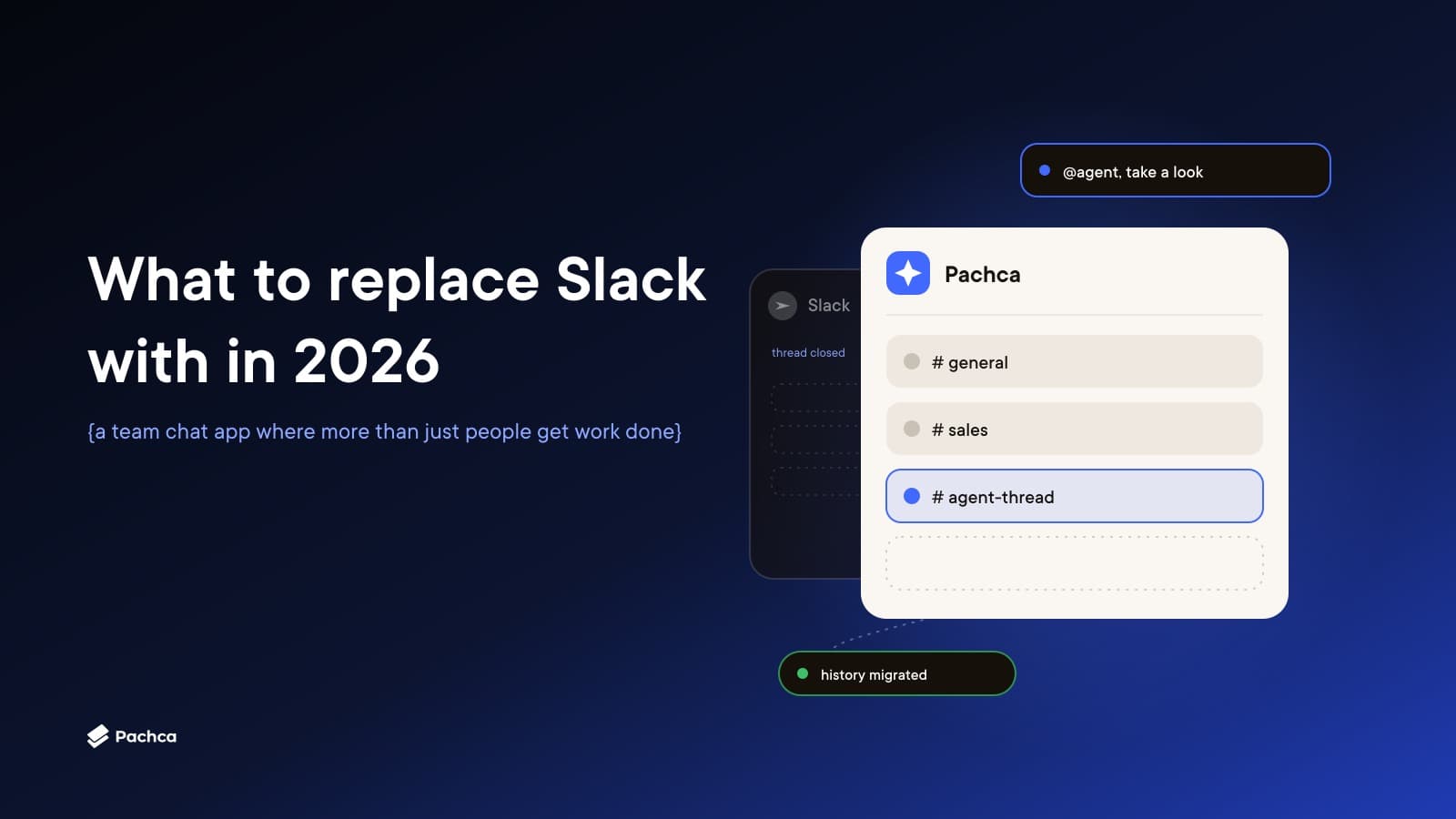
A thread in a work chat. Someone describes a bug: how to reproduce it, what was expected, what happened instead. A colleague mentions an AI agent in the thread, and after a while the agent replies in the same thread: found the cause, made a fix, opened a pull request. Nobody copied the description into a separate window or re-explained the context.
That's already how teams work when their agents are connected to the conversation. So when you're picking a replacement for Slack, it helps to look past the feature checklist. Chats, channels, video calls, SSO and a listing in the Russian Software Registry — almost every Russian team chat app has those by now. What matters more is whether you can connect your own agents to it, and whether they'll work in the same threads as the people on your team.
Assistant vs. agent
"AI" shows up in almost every corporate messenger these days, but it's usually a built-in assistant: a "summarize this" button or a tab where you can ask something about the conversation. It helps you catch up quickly on what was discussed while you were in a meeting.
An agent gets called into a thread by name. It sees the discussion, picks up the task, and comes back with the result in that same thread. And it's the agent you chose — cloud or local, whichever one your team already uses.
To figure out what a given messenger actually offers, ask three things. Can you connect your own agent? Through what — an API, a CLI? Does it see the discussion it was called into?
Four more questions before you move
What happens to your Slack history. Ask about import and test it on a small archive: do files, authors, dates and thread structure survive? Old conversations matter to people for finding past decisions, and to agents as context. If there's no migration path, decide in advance where the archive will live.
Where the data is stored and who holds the keys. A cloud in Russia, your own server, or a hybrid setup where the data sits with the vendor but you hold the encryption keys. That determines whether you'll need your own team to maintain it.
What external participants cost. Companies often work with a lot of contractors and clients, so check whether guest accounts exist and whether they count as paid licenses.
Whether the messenger is comfortable to work in all day. This only shows up with real people. Ask employees to find a colleague, discuss a document in a thread, hop on a call, and a week later find the decision that was made.
Pachca
In Pachca, an AI agent is a member of the team. You mention it in a thread, and it replies in that same thread. Describe a bug — the agent finds the cause, makes a fix and opens a pull request. Drop in a meeting transcript — decisions and tasks show up in the thread.
You can connect any agent, cloud or local, through the Pachca CLI, llms.txt, ready-made Agent Skills for 40+ agents, or OpenAPI. Discussion history becomes company context, and over time agents take on more tasks. At Flowwow, Pachca runs 270+ automations, and an AI agent answers employee questions from a knowledge base of more than 10,000 documents.
You can migrate history from Slack, Mattermost and Telegram into your workspace. Servers are in Russia, and Pachca is listed in the Russian Software Registry. The "Corporation" plan includes hybrid on-premise under a BYOK model: encryption keys live in your own KMS, and Pachca has no access to them. Up to three guests per paid employee are free. Cross-chat threads work even without being tied to a conversation, and video meetings support up to 1,000 participants with recording and transcription (in beta).
Pachca is used by Burger King, Lamoda, Ivi and Yandex Praktikum. The free plan has no participant limit and includes 2,000 messages a month; paid plans start at 159 ₽ per employee per month billed annually, VAT-free.
Other team chat apps
eXpress
eXpress is a platform that bundles video conferencing, a messenger, an email client and apps for accessing company services. These apps are called SmartApps: in 2020, eXpress announced a platform that lets you embed full graphical interfaces right inside the messenger. The result is a superapp where an employee opens both their chats and internal company systems.
Inside, it's the usual set of work tools: one-on-one and group chats, channels, threaded replies and polls, plus email and calendar integration. Video conferences support up to 512 participants and can be recorded with screen sharing. For automation, there are ready-made and customizable chatbots.
eXpress's main selling point is security. In March 2020, it received FSTEC certification and became the first messenger with that certification; it now holds trust level 4. It can be deployed on your own server or in a private cloud, and it offers three-factor authentication and device control policies, while "Federation" lets you communicate with other organizations. A solid choice for companies with strict information-security requirements. The AI assistant lives in a separate tab, and the product doesn't offer a way to bring your own agents into working threads.
MTS Link Chats
Chats is part of the MTS Link platform, and its developers focus on tying it to the rest of the suite. The ecosystem includes Meetings, Tasks, Boards, Courses, Webinars, Forms, Mail and Disk. The messenger itself does what you'd expect from a work chat: one-on-one and group chats, threads, reactions, video calls straight from a conversation, and department-level commands. There's SSO login and archive migration from Telegram.
MTS Link is actively building out AI, but in an assistant format. You can write it a request in free text, like any GPT-style assistant, and in Chats it saves time reading through long conversations. In 2025, the assistant learned to combine context from meetings, chats, the company's knowledge bases and open sources. Meetings get automatic summaries, text transcripts and video highlights.
A good fit for companies that already hold meetings and webinars in MTS Link and want their messaging close by. The assistant answers context-based questions well, but you can't hand it a task in a thread the way you would a colleague.
Compass
Compass is a messenger with video calling that you can deploy on your own server without a lengthy setup. It has chats, channels, threads, chatbots and video conferences for 1,000+ participants, plus protected spaces for individual teams or projects. Data is encrypted via TLS 1.3, SRTP and DTLS, the source code is open, and the product is listed in the Russian Software Registry. It integrates with DLP, SIEM and Active Directory.
The setup process is worth noting separately. Unlike classic on-premise deployments, where you have to stand up your own servers, Docker containers, databases and network, Compass deploys in a few clicks through the Yandex Cloud web panel, in about 15 minutes. The first 30 days are free to use, and you only pay for the server.
A good option for teams that need their own infrastructure but don't want to keep a dedicated team for it. The company doesn't advertise any scenarios for working with AI agents in a thread.
Yandex Messenger
Messenger is part of Yandex 360 for Business. The bundle includes 12 services: Mail, Calendar, Disk, Docs, Messenger, Telemost, Tracker and Forms, among others. So the main argument in its favor is that everything is already connected, if your company already lives in Yandex 360.
The messenger itself has conversations, channels and threads, and in threads you can choose which discussions to follow and manage notifications. Meetings can be recorded, and a one-on-one call can be expanded into a group call. Since May 2026, there's a bot that migrates work chats from Telegram. Alice Pro writes meeting summaries.
A logical choice for teams already working in Yandex 360. On the AI side, it's Yandex's own assistant — you can't bring your own agent into a thread.
VK WorkSpace
VK WorkSpace is a full office suite: mail, the VK Teams messenger, calendar, cloud storage with a document editor, tasks and video calling, in the cloud or on your own servers. The messenger is just one part of a larger superapp, and companies choose it along with the whole stack. VEB.RF, for instance, deployed VK Teams on its own servers, partly for its DLP integration.
VK Teams has a built-in bot platform with an open Bot API, voice-message-to-text transcription, and file transfer up to 4 GB. On the agent side, VK is actively moving: VK Tech is building a unified AI assistant for the platform, along with semantic search and support for connecting autonomous agents that will be able to look up information, prepare materials for meetings and perform actions inside other services. Agents built in VK AI Space will also be connectable. The assistant will work with messenger conversations first, with the rest rolling out gradually.
A good option if you're switching your entire office stack at once and want a single vendor for everything.
At a glance
| Pachca | eXpress | MTS Link Chats | Compass | Yandex Messenger | VK WorkSpace | |
|---|---|---|---|---|---|---|
| AI in conversations | Your own agents in threads, via CLI and API | AI assistant | AI assistant: summaries, context-based Q&A | Chatbots | Alice Pro | Assistant; agent support in development |
| Where data lives | Cloud in Russia or hybrid BYOK | On-premise or private cloud | Cloud or on-premise | Cloud or on-premise, incl. Yandex Cloud | Yandex 360 cloud | Cloud or on-premise |
| History migration | Slack, Mattermost, Telegram | Check with vendor | Telegram | Check with vendor | Telegram | Microsoft 365, Google Workspace |
| Video calls | Up to 1,000 participants | Up to 512 participants | MTS Link Meetings | 1,000+ participants | Telemost | Built-in video conferencing |
A two-week pilot
The best way to evaluate a messenger is on a single team, and an agent needs to be part of the pilot.
Days 1–2. Create a workspace, migrate a small archive from Slack, and check that files and threads came through intact. Invite one team and a couple of external participants.
Days 3–5. Move all of that team's work communication into the messenger: conversations, calls, document discussions. Leave the old chat read-only.
Days 6–10. Connect the agent your team already uses and give it three real tasks in a thread: work through a bug, pull together meeting notes, and answer a newcomer's question from the knowledge base. Pay attention to whether it sees the context, how much you still need to explain manually, and where it sends the result.
Days 11–14. Ask the team what got easier and what's getting in the way. Have someone find a decision made in the first week and time how long it takes.
By the end of the second week, you'll know whether the messenger actually helps discussions turn into results.
You can start a pilot in Pachca on the free plan, with no limit on the number of participants. If questions come up, support replies in chat within 10–15 minutes, even on weekends.
Pachca is a team chat app where people and AI agents work together. A Slack alternative built for the age of agents.