
Bring your Slack history over for free

Free with annual billing on any plan
Slack is a powerful tool for team communication. Pachca matches it on the core features and sometimes goes further, with no payment headaches and no risk of getting blocked. Here's why companies in Russia are better off on Pachca than on Slack.
Familiar features that just make sense

Pachca has every key Slack feature: public and private chats, chat folders, threads, calls, third-party integrations, a bot platform and more. See everything Pachca can do.
That said, Slack is always measuring itself against work email, because in most of the world, email is what team chat replaces. In Russia, companies moved from email to Telegram and other personal messaging apps a long time ago, and that shapes Pachca. For example, unread messages and muting work more like Telegram than Slack, and the same goes for channels. So if your team is used to Telegram, Pachca will feel familiar from day one.
Manage your team through the API

On top of bulk invites, access levels and a member directory, Pachca lets you manage your workspace through the API. Use it to add, remove and update members, and to create chats, channels and messages. It's available on every plan, including the free one. Explore the API docs.
Slack also lets you manage a workspace through its API, but only on its most expensive plan (Enterprise Grid, typically used by giants like Airbnb and Uber). For everyone else, API-based admin is off the table.
Member tags

Tags are another powerful admin tool in Pachca. Group people by anything you like (“marketing_team”, “moscow_office” and so on), then use those tags to add people to chats. To fill a new chat, just assign it the right tags and everyone who has them joins automatically. It works the other way too: when someone new joins the company, give them the right tags and they're added to every relevant chat at once.
Slack has a similar tool, user groups, but the logic is flipped: in Pachca you add tags to people, while in Slack you add people to groups. So when a new hire starts, Pachca lets you assign all their tags right from their profile in two clicks. In Slack, you have to add them to every group one by one.
Member directory

Every tag in Pachca also shows up right in the member directory, and you can filter by tag. In Slack, to see who's in a group, you have to open each group separately. One more thing: unlike Pachca tags, Slack user groups can't include guests. All of this makes admin work in Slack much slower.
Cross-chat threads
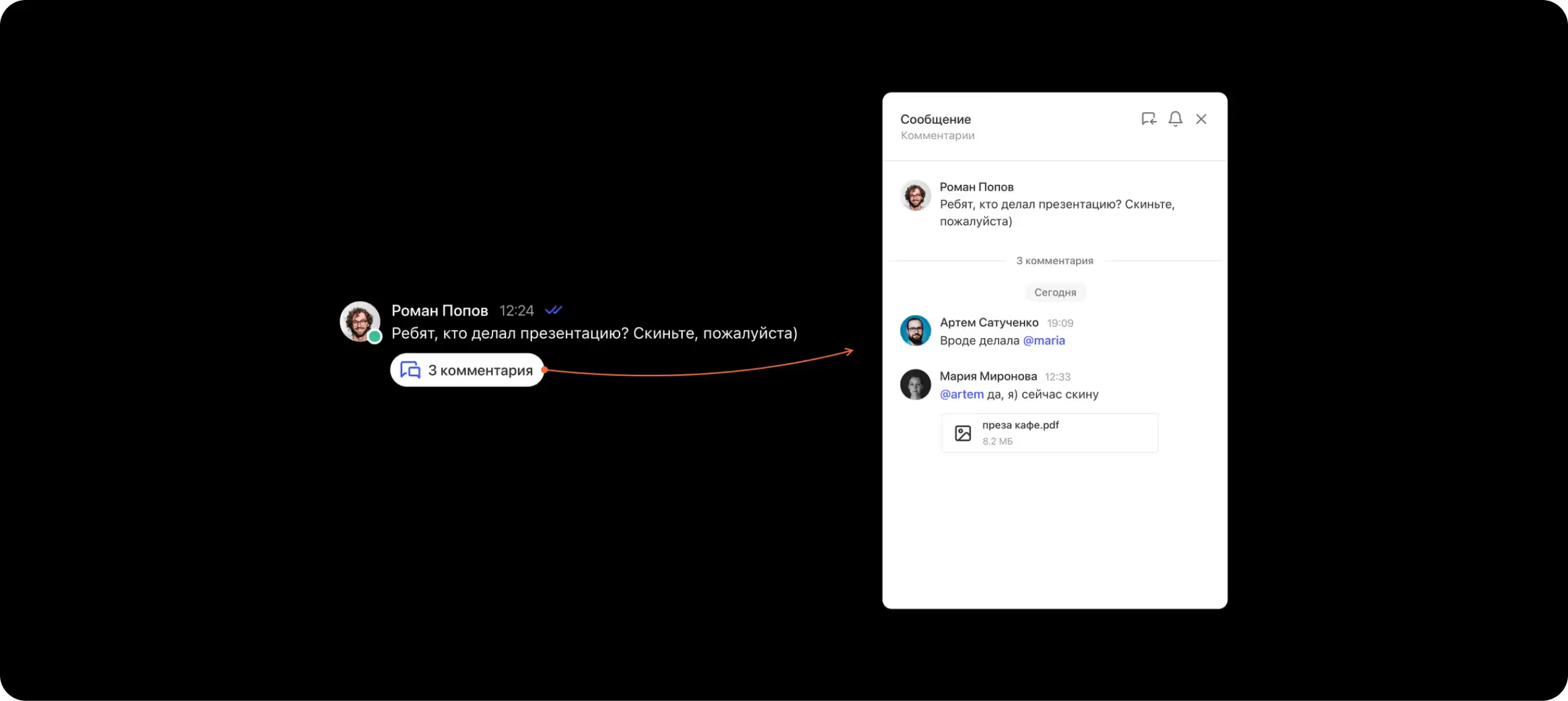
A thread is a separate discussion under a message. It keeps problem-solving in one place and your chat free of clutter. Both Slack and Pachca have threads, but ours have a unique twist: they're open to your whole team, not just the people in the chat.
Cross-chat threads make a big difference. You can bring any colleague into the discussion just by @mentioning them in the thread (this works in direct messages too). No more spinning up new chats or forwarding messages. Read more about how teams use cross-chat threads.
Fast support, zero risk of being cut off

In March 2022, Slack started restricting Russian workspaces: some were blocked, the rest were moved to the free plan. In March 2024, a second wave began, and Slack is now shutting down the remaining workspaces of Russian companies.
You could try paying for Slack with a foreign card, but that means extra payment hassle, exchange rate swings and, most importantly, the risk of getting blocked (see how Slack blocked MIPT right after they paid). Pachca has none of these problems. We're a Russian team chat app for business, listed in the Russian Software Registry. No risk of being blocked, no payment issues.
Plus, we offer free 24/7 support in Russian. Our team usually replies within 10–15 minutes. And we're always open to feedback. In fact, we build and prioritize our backlog around what users tell us. Check our roadmap to see what we've shipped based on user requests. Almost every item there started as a user's idea.
Switching from Slack to Pachca: FAQ
Can I import my data from Slack into Pachca?
How are Pachca threads different from Slack threads?
Does Pachca have an API for managing members?
How do tags work in Pachca?
Could Pachca be blocked because of sanctions?
What kind of support does Pachca offer?



Compare team chat apps
Get a detailed, feature-by-feature comparison of popular team chat apps