
WhatsApp is a personal messaging app that many companies use for work. But WhatsApp calls are increasingly blocked in Russia, and companies are looking for a replacement. Pachca is a Russian alternative to WhatsApp, built for teamwork.
One shared workspace for your team
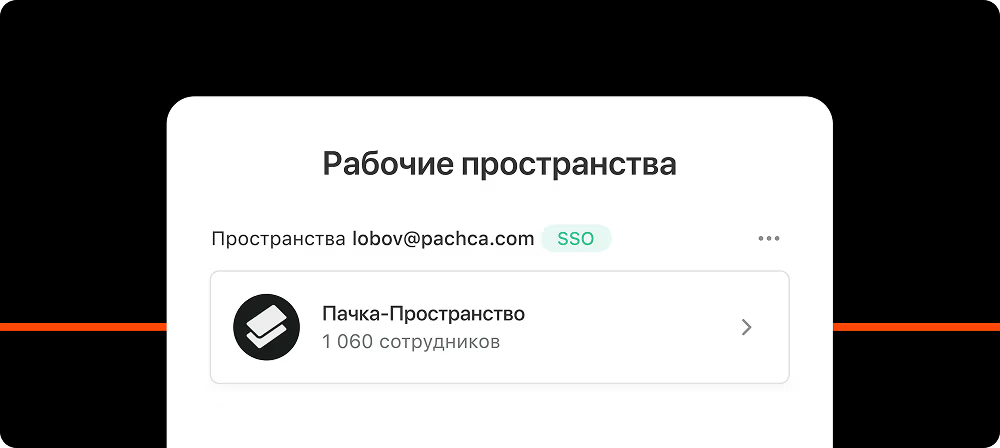
Unlike WhatsApp, Pachca keeps all communication in one workspace that your team joins with an invite link. No outsiders get into your work chats. And you can message colleagues directly without saving them to your contacts.
A company directory with everyone's details
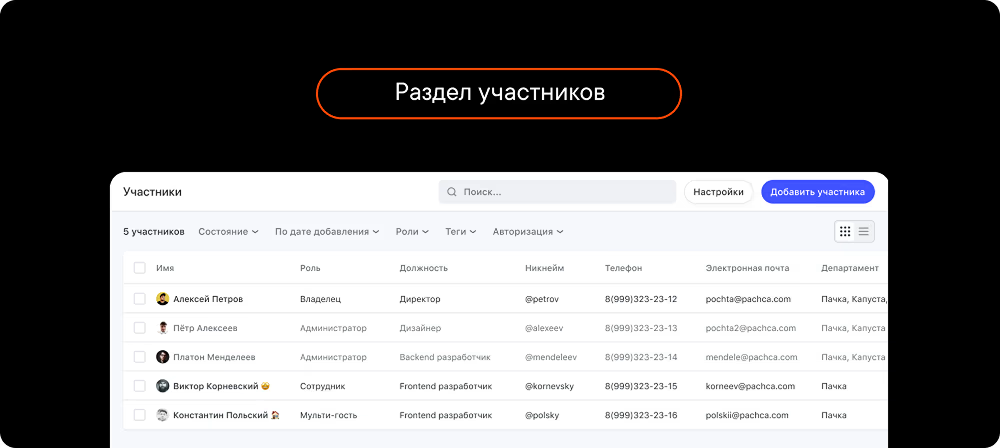
Pachca has a dedicated section with full details on every member: names, phone numbers, emails and any custom fields, including birthdays. That makes finding colleagues easy, so there's no more asking around for the contact of someone in another department. It also lets you quickly remove someone who's left or add a new hire to every chat they need at once with group tags. In WhatsApp, you have to do all of this by hand.
Stronger security

Pachca puts you in control of security: active session and file management, user activity logs, 2FA, integrations with SIEM and DLP systems and much more. All of this greatly reduces the risk of data leaks and lost access. WhatsApp, by contrast, is a frequent target for leaks and scams.
Cross-chat threads
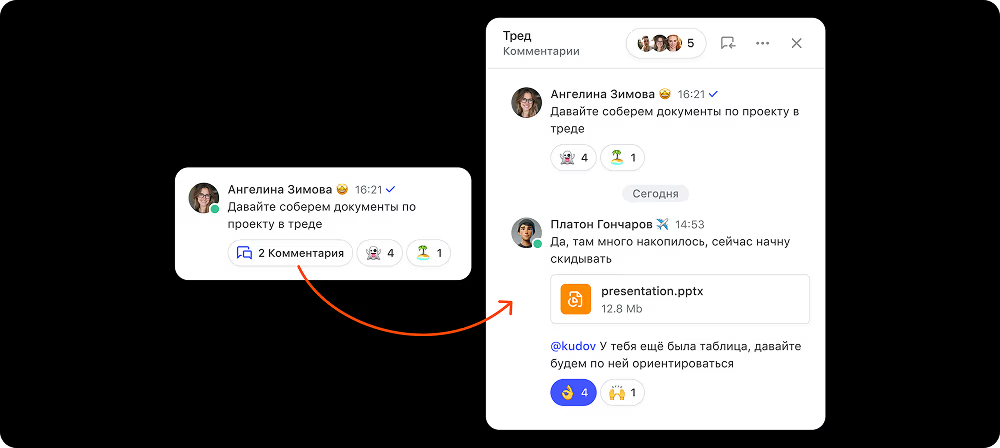
Threads are separate comment chains under each message. What makes cross-chat threads special: you can @mention any colleague in the company to give them access to the conversation. That keeps the discussion in one place, instead of forwarding messages back and forth like in WhatsApp.
Bots and a free API
.avif)
Pachca has a flexible open API for automating all kinds of processes, from adding people to chats in bulk to building bots that connect to other services. For example, you can set up a bot that pings you whenever a task's status changes in your task tracker. WhatsApp has something similar, but you have to pay for it.
More you can do in chats
 1.avif)
Pachca has several features you won't find in WhatsApp:
– Drafts that save every message you haven't finished
– Scheduled messages
– Custom statuses to show what you're up to, like “at work”, “on vacation” or anything else
– Custom reactions: add your own GIFs or images
Fast support in Russian
 1.avif)
Pachca offers free support in Russian. Our team usually replies within 10–15 minutes and works every day. In the support chat, you can do more than ask questions: you can help shape the product, since we add user suggestions to our roadmap.
Zero risk of being blocked

Pachca is a fully Russian team chat app. We're listed in the Russian Software Registry and are an accredited IT company, so sanctions-related blocks won't affect us :)
Replacing WhatsApp with Pachca: FAQ
How does member management work in Pachca?
Why are Pachca's cross-chat threads better than regular WhatsApp replies?
How is Pachca more secure than WhatsApp?
Does Pachca have an API for automation?
Could Pachca be blocked because of sanctions?
What can replace WhatsApp calls for my team?
How is Pachca different from WhatsApp?



Compare team chat apps
Get a detailed, feature-by-feature comparison of popular team chat apps
* Meta Platforms Inc. (Facebook, Instagram) declared extremist and banned in Russia.