
Pachca: the alternative
to ecosystem chat apps
Discussions, automations and AI agents get more depth when team chat is the core product, not one app in a bundle.
In an ecosystem, the chat app is one product among many, next to email, cloud storage and docs. That's convenient for procurement: one vendor, one account, one bill. But the bundle comes at a cost. The dev team's attention is split across every product at once, chat is rarely the top priority, and it's often sold only as part of the package.
Pachca is built by an independent company, and team chat with calls is what we do. So all our attention goes into advanced communication features and into making everyday work run smoother: cross-team discussions, employee management, automations and AI agents. That's also why Pachca plays well with any tool, not just "its own."
Better tools
for work discussions
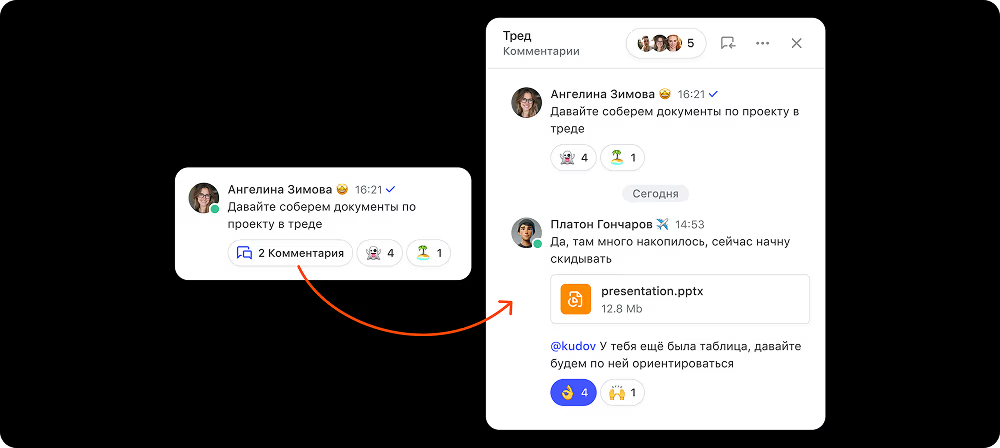
Chat apps inside ecosystems cover the basics of work communication: chats, channels and threads. But threads are an add-on there. In some apps an admin has to turn them on, in others they're only on pricier plans or search can't find messages in them. And everywhere, a discussion is locked inside its chat: you can't bring in a coworker from outside.
In Pachca, threads are the core mechanic, and they're cross-chat. They're available in every type of chat, and you can add someone who isn't in the original chat to a single discussion. They'll see the context of that one thread and reply right there, with no need to add them to the whole chat or forward the history.
Public and private chats, channels and folders keep the rest of your discussions organized. Scheduled messages (including recurring ones), a drafts list, reminders and custom reactions make sure questions don't slip through the cracks. Ecosystem chat apps offer these conveniences only here and there, and when the small everyday things are missing, conversations drift to personal messaging apps and take the work context with them.
Automate how you manage
a large team

An ecosystem's strength is a single employee directory: one account opens email, storage and chat. But the automation around it usually needs your IT team: syncing with the corporate directory, domain policies, server settings. And there may be no admin API at all, or not on your plan.
In Pachca, you can connect team chat to your company structure without a big rollout. When people sign in with SSO, their details flow into Pachca, such as job title, department and group tags. The API automates adding and removing employees, updating their details and other admin tasks. Here's what onboarding looks like as a result:
Corporate account → details and tags in Pachca → instant access to every work chat they need.
Tags in Pachca are both structure and tool. A "Design" tag adds someone to all of the department's chats, and @design pulls the whole department into a discussion. When someone switches teams, you change the tag and they automatically land in the right conversations. Offboarding works the same way in reverse: deactivate an employee and they're instantly cut off from Pachca.
The API is available on every plan. Guest access for contractors and clients is free, and you get credit for unused seats: if your team gets smaller, you don't pay for empty seats.
Build workflows
right into your team chat
.avif)
Ecosystems do have bots and APIs, and you can do a lot with them, as long as you have developers. Integrations are written in code, and complex bots are often ordered from the vendor or its partners.
In Pachca, bots are part of the platform, not an add-on. A bot shows buttons and forms right in the message, acts on behalf of the company or an employee, and responds to events via webhooks. Anyone can create a bot. Build a meeting room booking bot once, for example, and the whole company can start using it right away.
That way, parts of your workflow run start to finish in Pachca, and your team chat doesn't turn into a feed of notifications from other systems.
For developers, there's a REST API, incoming and outgoing webhooks, a CLI, SDK and OpenAPI. The API is available on every plan, including the free one.
Build your stack from the best
tools, not from a subscription
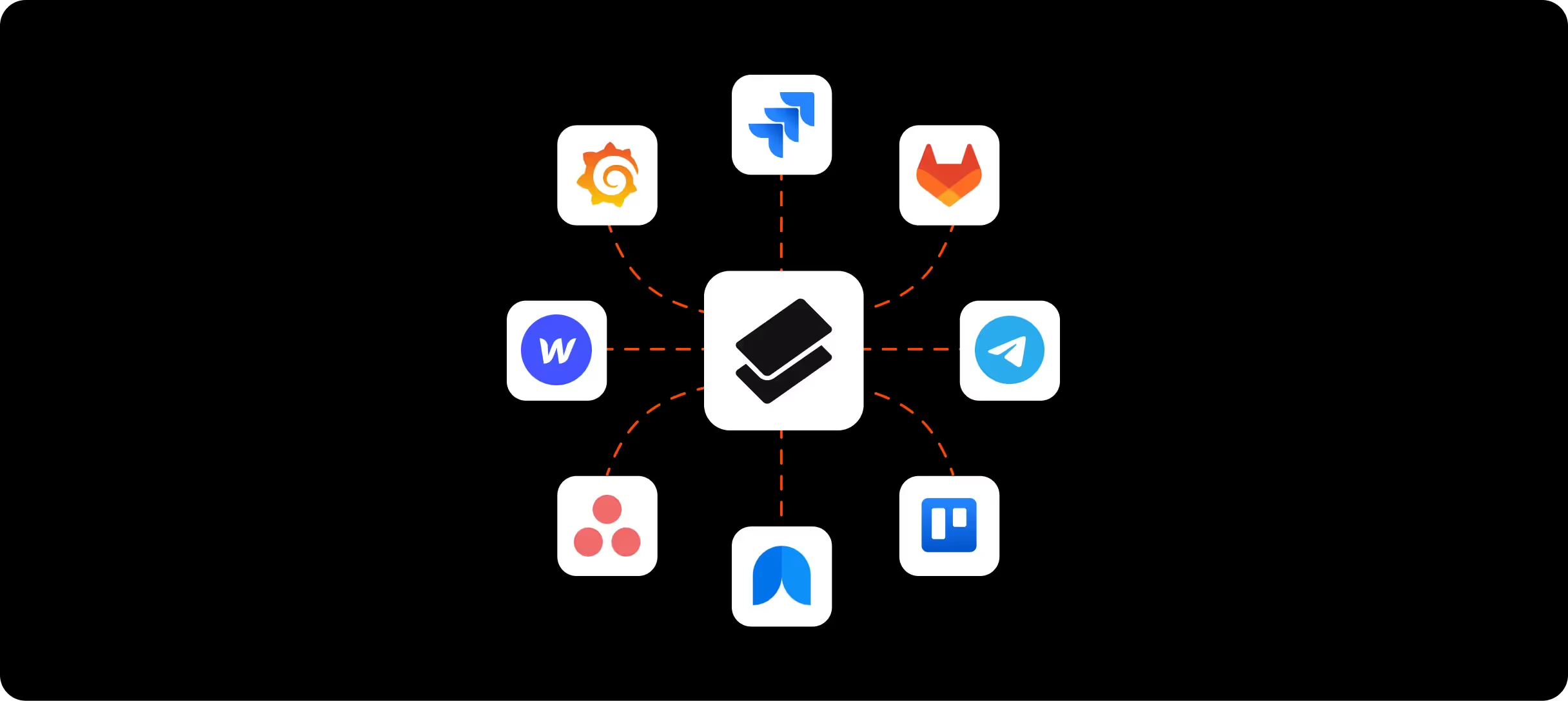
An ecosystem works best with itself. Email, storage and docs are deeply connected, while outside services are an afterthought: there are few ready-made integrations, and each one gets built by hand. Over time, choosing tools comes down to "what's in the subscription."
With Pachca, your company builds its own work environment: for every job, a tool your team picked because it's the best fit for the work, not because it came in the bundle. Task tracker, HR system, CRM, knowledge base: integrations aren't limited to a single vendor.
A ready-made n8n node connects Pachca to hundreds of services with no code. For example, a time-off request from your HR system lands in the manager's chat with "Approve" and "Decline" buttons, and the answer goes straight back to the system. If it has an API, you can automate it.
Bring AI agents
into work discussions
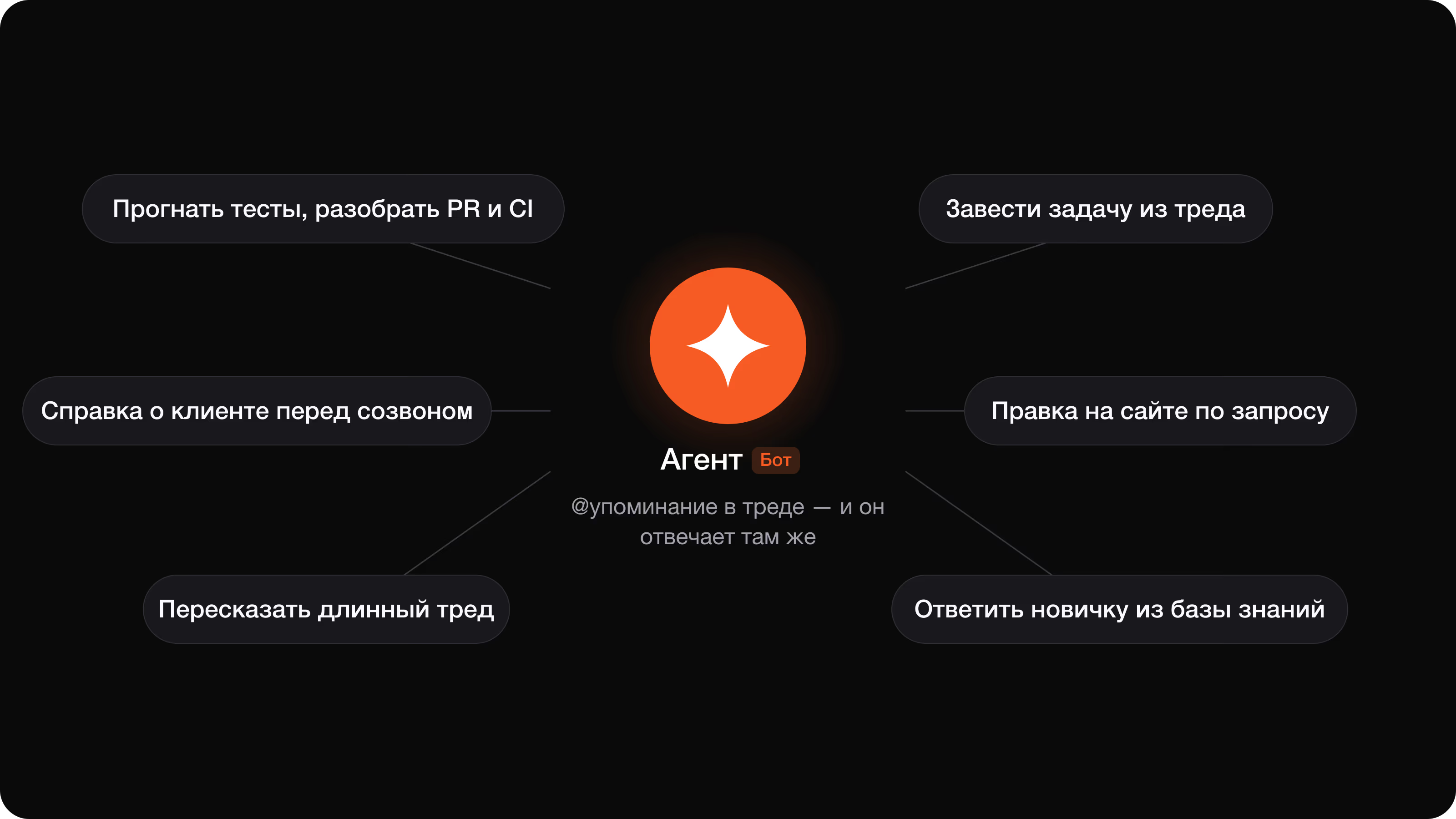
In ecosystems, AI is built around the vendor's own services: meeting notes, email triage, writing help in docs. The chat app itself gets almost no agent tooling. The assistant lives in a separate bot you forward messages to, and platforms for building your own agents are sold as separate products.
In Pachca, an agent is a real teammate, not a bot in a separate tab. @mention it in a chat or thread and it picks up the context of the discussion, answers from your knowledge base, sums things up, drafts a document or gets work done in your tools: creates a tracker task from the discussion, updates a spec, cleans up a meeting transcript or puts together an onboarding plan for a new hire.
The thread becomes the task's context. It holds the original request, the agent's progress and the team's discussion. Need a coworker from another chat? Loop them into the cross-chat thread along with everything that's already there. Over time, your discussion history builds up company context, so agents understand your business better and take more and more off your plate.
For developers, there's the API, OpenAPI, a CLI and Agent Skills. We're also evolving the chat interface itself for agents: view detailed responses in .md and .html right in the chat, and see at a glance when an agent is at work.
Security that's built in,
not pieced together

Ecosystems have the fundamentals covered: encryption, two-factor authentication, backups. Pachca is on par here, with encryption in transit and at rest, 2FA, active session management, an audit log and compliance with Federal Law No. 152-FZ (Russia's personal data law).
The difference is in tools for your security team. For ecosystem chat apps, DLP usually means integrating an external system, often only in the on-premise version. Pachca has a DLP system built in: you set up data loss prevention rules right in the app, with no separate product or rollout.
You can restrict file access to your corporate network. From the office or over VPN, employees see files in chats. From any other network, they can keep chatting but can't open or download files. And if your data has to stay fully under your control, there's hybrid on-premise (BYOK): Pachca runs in the cloud, but you hold the encryption keys. Without them, no one can read your messages, not even Pachca.
We're open about security: a public security page, a bug bounty program and independent security audits.
Pachca vs ecosystem chat apps: FAQ
Why get a standalone team chat app if one already comes with your ecosystem?
How is Pachca different from a chat app inside an ecosystem?
Can we automate employee management?
How deeply can Pachca plug into our internal processes?
Can we connect AI agents?
Is a standalone team chat app as secure as an ecosystem?
The bottom line
Pachca is focused on team chat, so we go deeper on what teams use in it every day: work discussions, employee management, automations and AI agents.
Cross-chat threads keep discussions moving across teams. SSO, tags and the API automate employee management. Bots, buttons, forms and webhooks build workflows into your team chat, and integrations aren't tied to one vendor, so you can build your stack from the best tools. AI agents get tasks done right in the context of the discussion. And enterprise-grade security comes with the product: built-in DLP, an audit log and hybrid on-premise (BYOK).
Compare team chat apps
Get a detailed, feature-by-feature comparison of popular team chat apps