AI agents in a team chat app: how they work and why businesses need them
A look at the architecture of the AI agent in Pachca: threads as the foundation for AI work, prompts, tools and real automation use cases for business and IT teams
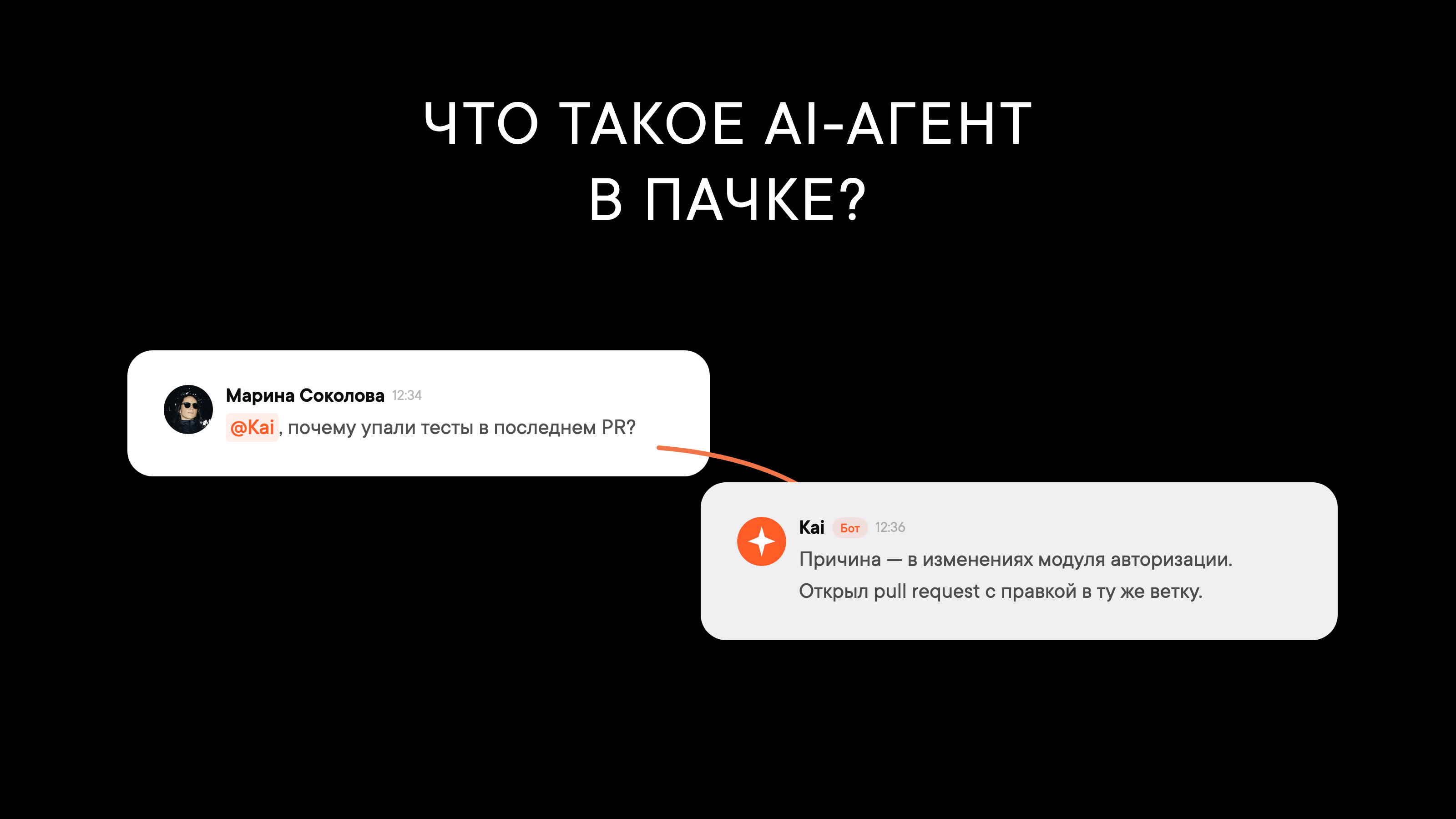
What sets an AI agent apart from a regular chatbot is that it makes its own decisions. Given a task, it picks the right tools, runs a chain of actions (reading a file, creating an issue in a tracker, pulling data from an external service) and only then replies. Unlike ChatGPT or standard business chatbots, an agent takes action instead of just answering questions.
AI agents for business cut down on manual work. Instead of you copying a discussion from your team chat app into a task tracker, the agent does it on command. Instead of switching between ChatGPT and your work tools, everything happens right in your team's conversation.
We built an AI agent into Pachca. It lives in the same threads as your team: it reads the context, creates tasks and analyzes code. In this article, we'll show you how it works under the hood.
Why an agent needs a team chat app
Most AI agents today live in separate interfaces: a chatbot on a website, a standalone app, a tab in your IDE. Each has its own context, its own data and its own conversation history.
The problem is that work decisions don't get made in AI chats. They get made in conversations between colleagues, where people discuss tasks, share links and ask for help. When an AI agent lives right in your team chat app, you don't have to explain the context. It's already part of the conversation.
That changes how you use it. Before, you had to copy the error text, paste it into a separate AI chat, wait for a reply, go back to your team chat app and relay the result to your colleagues. That's five steps. Now you just @mention the agent right in the conversation. It sees the history, understands what's going on and acts on the spot.
Why threads matter most
When we started designing the agent, it became clear that the core unit of work had to be the thread, not the chat.
Isolated context
A shared chat has dozens of conversations going at once: someone's discussing a release, someone else a production bug, someone else a new design. If the agent replied straight into the main feed, it would get confused itself and clutter the chat.
Threads solve this naturally. Each thread is an isolated conversation with a clear topic. The agent only sees messages inside the thread and replies there too. It doesn't mix up a bug discussion with a release discussion, the chat stays clean and you can run ten different conversations with the agent in the same channel without them overlapping.
Cross-chat threads are a superpower
Lots of team chat apps have regular threads. But Pachca has one key difference: cross-chat threads. You can @mention any employee in a thread, and they'll see the thread and its full history, even if they aren't in the original chat.
For an AI agent, this unlocks a powerful use case:
Thread
4 messages


Without cross-chat threads, you'd have to forward messages by hand, explain the context all over again and waste time. With them, a single thread becomes one place where people and the agent coordinate.
AI agent architecture: components and how it works
The architecture turned out to be compact. Here are the main components.
Pachca sends an event for every message
Context is assembled for every model call
The LLM decides which tools to call and in what order
The agent posts messages itself through the API
Pachca sends an event for every message
Context is assembled for every model call
The LLM decides which tools to call and in what order
The agent posts messages itself through the API
How the agent receives messages
Pachca sends a webhook for every new message. The agent receives it, verifies the signature (HMAC-SHA256) and decides whether to respond. There are two triggers: someone @mentioned the agent by name, or someone replied to its message in a thread. If neither happened, the webhook is silently skipped. The agent doesn't read every message, only the ones addressed to it.
The prompt: context is everything
About 80% of the quality of the agent's answers comes down to what we put in the prompt. It's assembled from several parts.
At its core are system instructions: basic rules of behavior, available tools and limits. This also includes "skills" with detailed instructions for specific use cases, like working with a tracker or a repository.
Next comes the conversation history: the last 20 messages from the thread. The model sees who wrote what and in what order, so it can continue the conversation naturally.
If the agent is working in a thread, it also gets the parent message the thread started from. A thread on the message "Tests failed" sets the context right away: the conversation is about tests.
Finally, the user's personal settings are pulled in. Everyone can tailor the agent to themselves: "always reply to me in English" or "tag new tasks with frontend." Settings are stored in the Pachca profile and applied every time you call on the agent.
The brain: a language model plus tools
At the core of the agent is a loop of language model calls. The model gets a system prompt with instructions and a set of tools it can call: the team chat app API (sending messages, reading history, working with threads), the task tracker API (creating, updating and searching), the version control API (reading files, commits, pull requests) and web search.
The model decides on its own which tools to call and in what order. It's not a rigid "get request, do action, reply" pipeline. The agent can run a multistep chain: read a file, find a problem in it, create a task and only then reply in the thread with the results.
With the Pachca open API, you can connect the agent to n8n and plug it into your company's existing workflows without writing code.
How the agent replies
The agent never replies directly in the HTTP response to the webhook. Instead, it sends messages itself through the team chat app API. That gives it flexibility: the agent can send several messages as it works, decide where to post (in an existing thread or a new one), and the reply arrives when it's ready, not when the webhook is waiting for a response.
While the agent is thinking, it adds an indicator reaction (an animated "thinking" emoji) to the original message. When it's done, it removes it.
Security and limits
An AI agent in a work chat app comes down to trust. Here's how we approached it.
The agent only sees its own thread
The agent doesn't have access to every chat and channel. It only sees the thread or chat where it was @mentioned. This matters: employees may be discussing confidential things in other threads, and the agent knows nothing about them.
Loop protection
Several mechanisms keep the agent from getting stuck:
- 5-second cooldown: the agent ignores repeat messages in the same thread if the previous run was less than 5 seconds ago
- 15-step limit: if the model hasn't finished within 15 tool calls, the agent stops and reports an error
- 5-minute timeout: a hard cap on run time
- No monologues: the agent never sends more than two messages in a row without a reply from the user
Multi-tenancy
A single agent instance can serve several organizations. Each tenant has its own token, its own webhook signature and its own set of connected integrations. One organization's data never mixes with another's.
Skills: how to teach the agent something new
Instead of hardcoding all the logic, we moved the agent's behavior into skills: text files with detailed instructions.
A skill is a Markdown document that gets inserted into the system prompt. For example, the task tracker skill describes the available actions (create a task, update its status, find tasks by filter), required fields, naming rules and examples of typical requests with the expected actions.
This approach is convenient: a new skill is just a new file, with no code changes. Each organization can have its own unique skills. And if the agent misbehaves, fixing the skill's text is usually enough, so you don't have to dig into the code.
Use cases that already work

“Create a task from this discussion”
Your team is discussing a bug in a thread. Someone @mentions the agent: “@kai, file a task for this.” The agent reads the thread history, writes a title and description, sets the priority and creates the task in your tracker. A link to the thread is added to the description automatically.

“What's going on in CI?”
A developer asks the agent in the PR thread: “Why did the build fail?” The agent pulls the CI check statuses, finds the failed job, reads the logs and replies with a diagnosis. If the problem is obvious, it suggests a fix.

“Read and review this file”
Any employee can send the agent a link to a file in the repo or a web page. The agent fetches the content, reviews it and replies in the thread: it explains what the code does, flags issues and suggests improvements.

“Research this company”
For the sales team, the agent can run quick research from just a company name: find the website, estimate the team size, pull together the key facts and post a structured report right in the thread.
What's next
AI agents in team chat apps are just the beginning. Right now the agent responds when called on, but the logical next step is proactive work. Think automatic weekly digests of key decisions, risk alerts on open tasks and reminders about forgotten PRs and pending reviews.
A team chat app with a good thread model isn't just a "delivery channel" for AI. It's an environment where the agent can work side by side with the team. Cross-chat threads turn it from a tool one person uses into a real participant in the workflow that can coordinate between different people and systems.
AI agent FAQ
How is an AI agent different from a regular chatbot?
A chatbot follows predefined scripts: if the user writes X, the bot replies Y. An AI agent makes its own decisions: it gets a task, picks the right tools, runs a chain of actions and returns the result. An agent can create a task in a tracker, read a file in a repository and write a reply, all without hardcoded logic.
How does an AI agent access company data?
The agent only works in the thread or chat where it was @mentioned. It has no access to other channels and doesn't read every message. Access to external systems (task tracker, Git) is set up with API tokens, so your organization decides what the agent can reach.
Can I tailor the agent to our processes?
Yes. The agent's behavior is defined by "skills," which are text instructions in Markdown. Each organization can create its own skills: for example, task naming rules, message templates or specific workflows for internal services. Each user can also set personal preferences: reply language, default tags and communication style.