What's new in Pachca, summer 2026: a season in review
Pachca's biggest updates from June to August 2026, plus what's coming this fall.
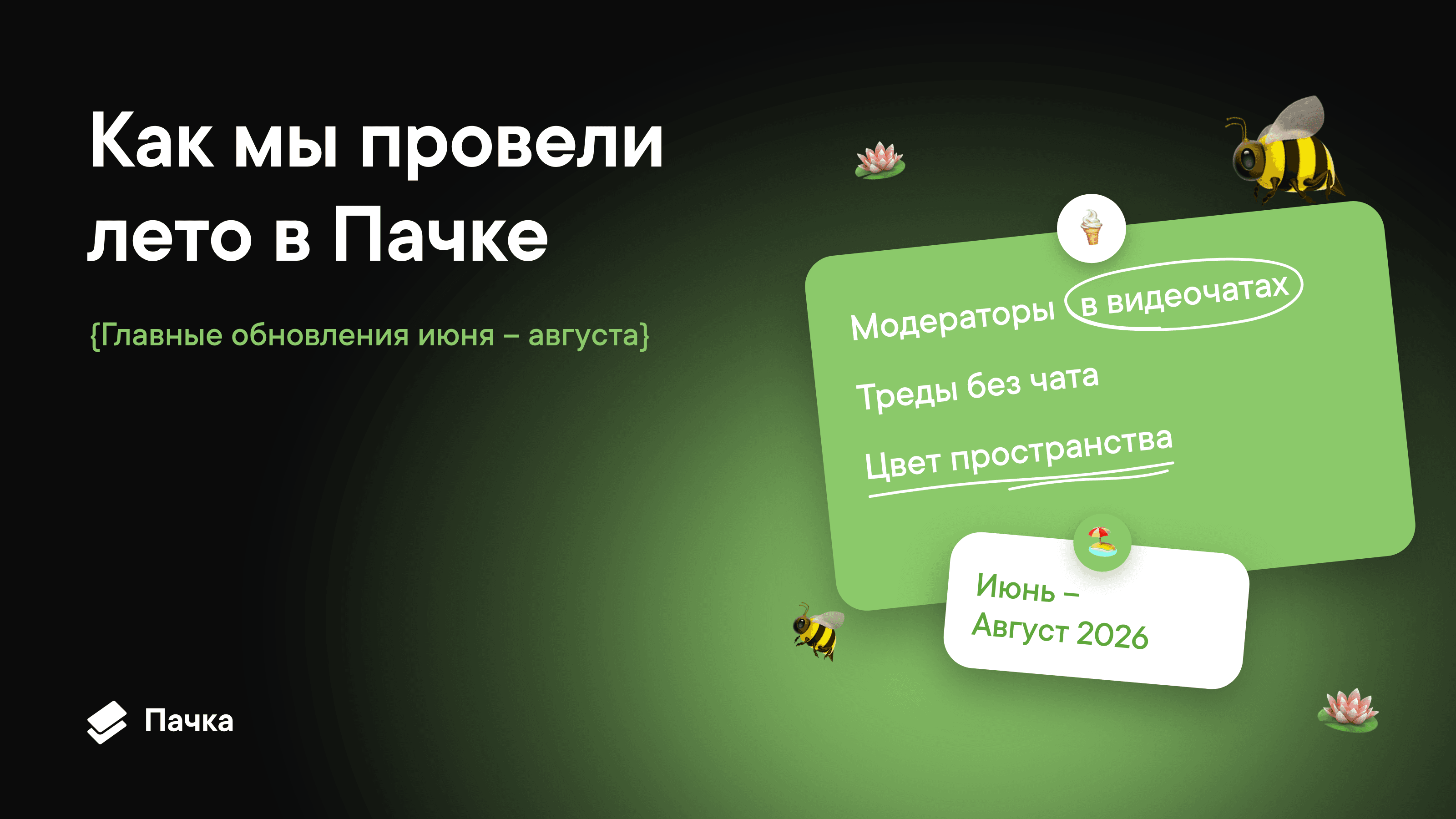
Look at Pachca's summer roadmap, and four out of six items are about video calls. That's no accident. This winter, we launched a video platform for up to 1,000 participants, and we spent the summer making big meetings as easy to run as small ones.
Calls weren't the whole story. Over three months, we shipped four big changelog releases and a major iOS release, and in parallel we were building a platform for AI agents. Below are Pachca's biggest updates from summer 2026, the ones you'll notice from day one. As always, the full list of changes is in the changelog.
The short version
- Group video calls now have moderators, so mics, cameras, screen sharing and recording are under control.
- On iOS and Android: ringtones, raised hands, reactions and Markdown and HTML previews.
- You can create a thread on its own, without a chat.
- Notifications now work on a "mute everything except what matters" basis.
- You can repaint your workspace in your company's colors.
- For developers: call webhooks, bots via the API and browser login for the CLI.
Video call moderation: keep big calls under control
An HR manager is running an all-hands call for a hundred people. Someone's mic is on, and the whole company is listening to their kitchen. Someone else accidentally starts sharing their screen over the speaker. Fifteen hands are raised, and nobody knows who was first. Until this summer, all you could do was ask people in the call chat.
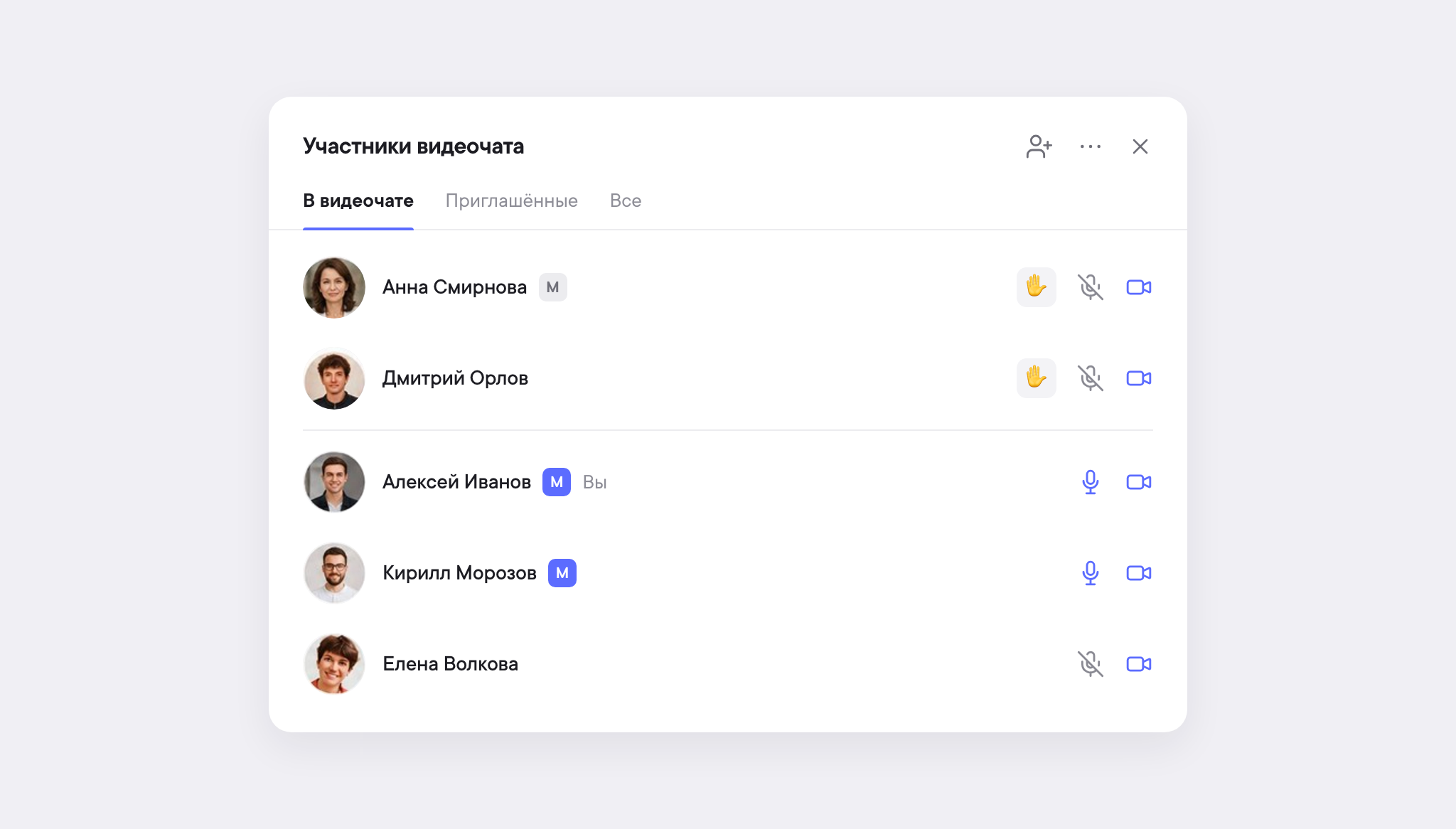
Now group video calls have moderators. The person who started the call and users with the Administrator role get the role automatically. Here's what a moderator can do:
- Mute mics and turn off cameras, for one participant or everyone at once. You can't turn on someone else's mic yourself, only ask: the participant sees the request and decides whether to accept. Before muting everyone, Pachca asks you to confirm.
- Control screen sharing and recording. Stop someone else's screen share, block new ones for everyone and let only selected colleagues present, say, two speakers with slides. By default, any participant can record, but a moderator can limit recording to moderators only.
- Lower hands, one at a time or all at once. Handy after a Q&A block, so the next one starts with a clean list.
- Share control. In big meetings, a moderator can appoint co-moderators, up to ten per call. If the main moderator leaves, Pachca gives a heads-up and suggests picking a replacement. Any restrictions stay in place even if no moderators are left on the call.
We also updated the reactions panel: quick reactions and raised hands now live in a pop-up menu right in the call, and you can expand the video call to full screen. Keep in mind that moderation currently works on web and desktop, with mobile apps coming later. The full permissions table is in the article "Video call moderation".
One more bit of call news: video call transcription and summaries are now in beta. You can track the status on the roadmap.
iOS and Android app updates
Ringtones for incoming calls. A meeting invite in the mobile app now looks like a regular incoming call, with a full-screen alert and a ringtone. It works for one-on-one calls and for invites to group video calls.
Speak up without a mic. You can now raise your hand and send a floating emoji from your phone, just like on desktop. Handy when you're on a call somewhere noisy and don't want to unmute just to say "agreed".
Markdown and HTML open in place. Attachments in .md and .html formats open right in Pachca, with their structure intact and section navigation: internal anchor links work. HTML is shown in an isolated sandbox, and if a file doesn't look like the original, Pachca will let you know. Previews work on desktop and in the iOS app.
A big iOS update. Version 3.75 brings a redesigned drafts screen, attachment picker, message actions menu and reaction picker. There are now recurring scheduled messages: one reminder about the weekly call instead of a manual one every Friday. The app remembers your thread filter, and you can copy a call link and share it with colleagues in your workspace.
Chat info on Android. Members, tags and shared media now have their own tabs.
Standalone threads: discussions without a chat
Threads in Pachca have been cross-chat from day one: you can bring any colleague into a thread with an @mention, even if they're not in the chat. One thing was missing: a way to start a thread without a parent message.
Here's a typical scenario. A designer wants to go over a mockup with two developers and a product manager. Creating a chat for that feels like overkill: in a week it'll be one more dead chat in the list. Posting in the team channel means distracting twenty people for the sake of four.
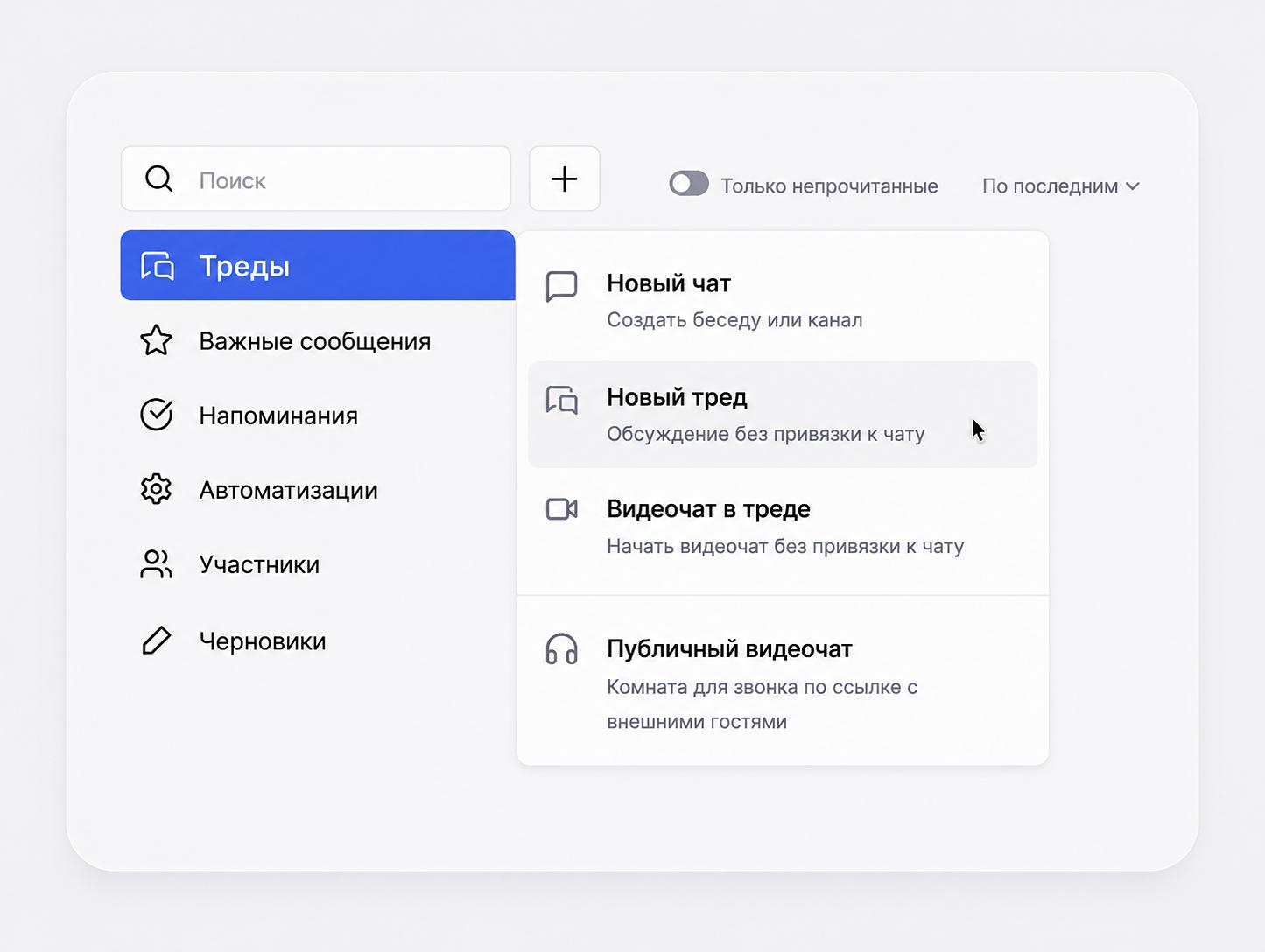
Now all you need for a discussion like that is a thread: click + in the sidebar or press Ctrl + O and add members. No new chat, no extra onlookers, and the discussion history is saved. This is also how you start a conversation with an AI agent, which you can set up separately.
If the discussion gets to "let's just hop on a call", you can start a video call right from the thread. Here's how the meeting link works: while the call is live, it opens the call, and after it ends, you can use the link to start a new one. Meeting links are also shorter now, so they're easier to share.
We cover how threads work in Pachca in detail in the Help Center.
Notification settings: mute everything except important chats
It used to work one way: if you wanted quiet, you muted notifications in each chat separately. Before a vacation, that turned into a whole ritual.
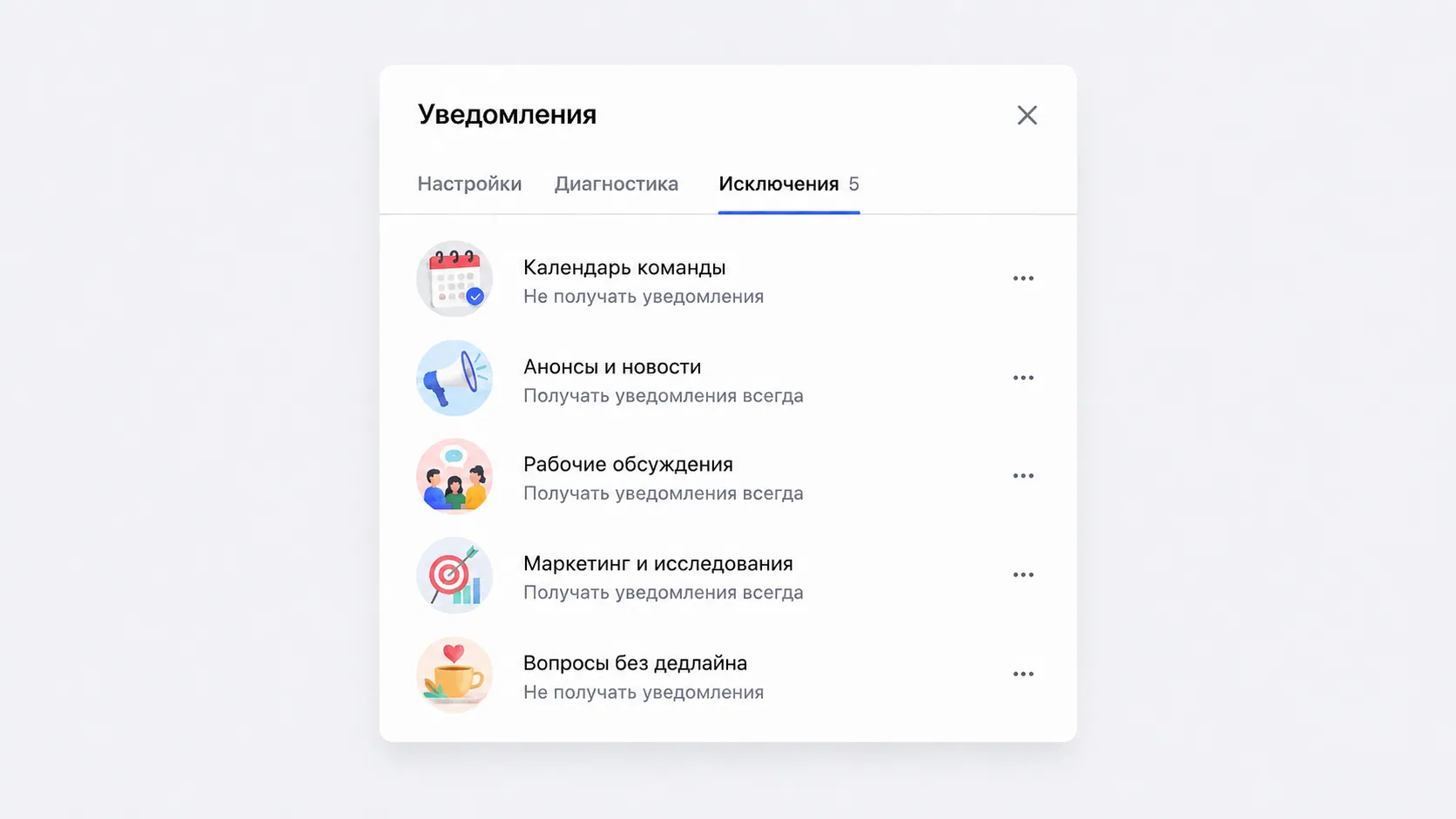
Now every chat has three modes: all messages, mentions only or complete silence. And the desktop app now has personal exceptions: you turn off notifications across the whole app at once and keep a short list of chats that are allowed to reach you. You'll find it under Notification settings → Exceptions.
It's handy when a department head goes on vacation: they mute everything but keep their direct message with their deputy and the incidents channel. The rest of Pachca can wait until they're back. We've collected every notification type and its settings in a separate article.
A custom workspace theme in your company's colors
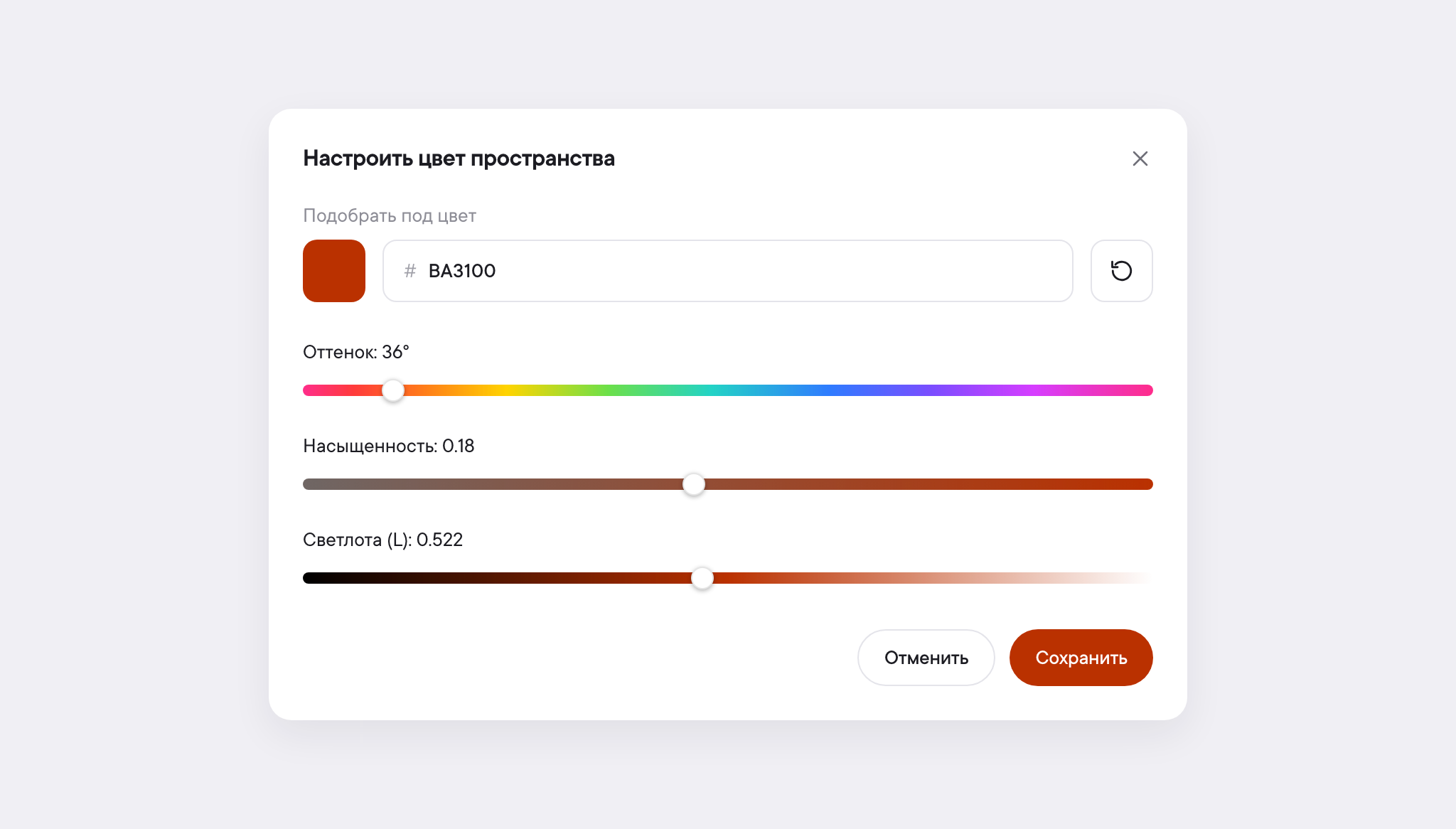
Brand guidelines usually make it into slide decks and email signatures, while the team chat app sticks to its own colors. Now, in Workspace settings, the owner and administrators can pick an interface color for the whole team: anything from the palette, with hue and saturation controls.
Each member can still switch back to the system themes in Personal settings without affecting anyone else.
For developers: call webhooks and bots via the API
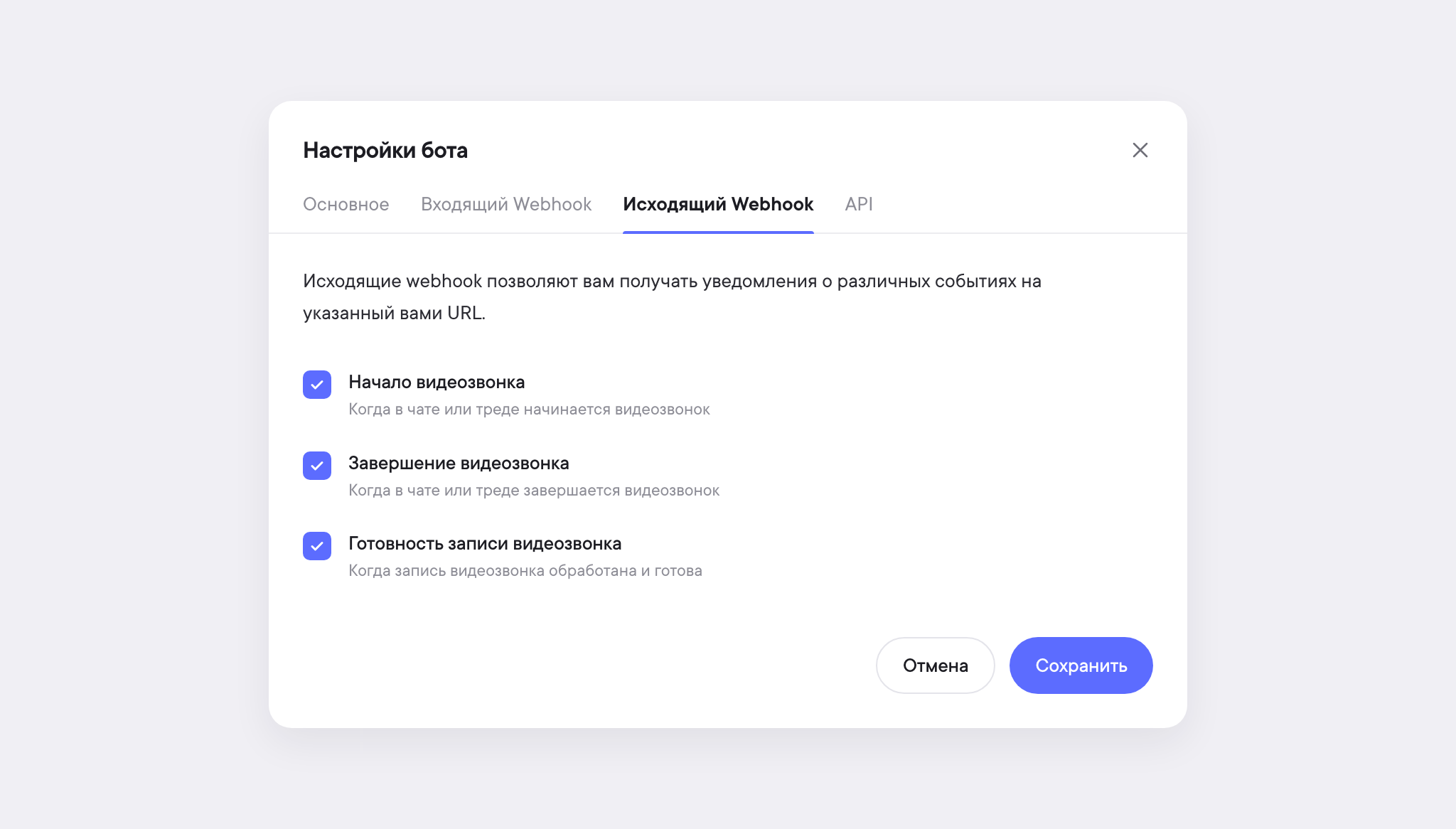
- Webhooks for video calls. Pachca sends events when a call starts, when it ends and when a recording is ready. You can use them to trigger automations, for example in n8n: we covered the setup in a separate article, and n8n's own docs are at docs.n8n.io. The events are described on the developer portal.
- Bots via the API. Create a bot with the token permissions you need, change its settings, reissue its token, list bots, find one by name and delete the ones you don't need. You can now do all of it with an API request, not just in the interface.
- SDK, CLI and n8n. We updated the tools and added browser login for the CLI.
The platform for AI agents was a summer story of its own. In August, we covered what an AI agent in a team chat app is, how to connect a personal agent to Pachca and how a personal agent differs from a team agent. We also launched a free AI digest: every morning, we pull the top AI news from primary sources and publish it in Russian.
We publish every API change in the developer portal updates.
What else changed this summer
- Workspace owners can import chats from Telegram and see the import results right away: what came over and where there were errors.
- Your account now has a Contact support section with quick access to Telegram, MAX, VK and email, and the profile menu has a Report a bug button.
- We improved search within chats and made message statuses clearer.
- Call participant cards show up-to-date names and avatars, and you can reconnect devices without leaving the call.
Plans for fall 2026
Summer's over, but the list of ideas isn't. This fall, we'll keep making Pachca better for communication, collaboration and automation. On the fall roadmap:
- a public MCP server;
- guests in video calls;
- voice messages;
- communication between different Pachca workspaces;
- creating OAuth apps.
The full list, with progress for each platform, is on the roadmap, where you can also subscribe to updates.
Frequently asked questions
The person who started the call and users with the Administrator role automatically become moderators. A moderator can appoint co-moderators, up to ten per call. Moderation works on web and desktop, with mobile apps coming later.
In the desktop app, open Notification settings → Exceptions, turn off notifications across the whole app and add the chats you still want to hear from.
Click + in the sidebar or press Ctrl + O and add members. The thread won't be tied to any chat, and you can start a video call from it if you need to.
Yes. Attachments in .md and .html formats open without downloading, on desktop and in the iOS app. HTML is shown in an isolated sandbox, and if a file doesn't look like the original, Pachca will let you know.
If you haven't seen some of this summer's updates yet, update the app and check out the changelog. Tell us in our Telegram channel which summer update has been most useful to you.