A review of the Pachca team chat app
Pachca's features for business: work chats, video calls, security and team management

Contents
- About the team chat app and its customers
- Deployment models: SaaS and hybrid on-premise
- Interface and workspace structure
Features
- Cross-chat threads
- Custom employee statuses
- Unread messages folder
- Custom emoji in chat
- Reminders and tasks
Managing employees in the app
Bot platform and automation
About the team chat app and its customers
Pachca is a team chat app for large and midsize businesses with advanced integrations and AI agents. It's developed by ООО «Примавера», an independent company focused entirely on the quality of its team chat app. The product is listed in the Russian Software Registry (No. 11262) and is one of the most popular unified communications platforms in Russia and the CIS. Pachca has all the core features: work chats, threads, video calls, guest roles, an open API for admin tasks and automations, a platform for connecting AI agents, AD/SSO setup, integrations with DLP and SIEM systems and much more. It puts a special focus on easy business communication, security and control over your data.
More than 1,000 companies in IT, telecom, finance, construction, retail and education currently use Pachca. Customers include Lamoda, the online movie theater Ivi, Yandex Practicum, Burger King, Unisender, MIPT, SuperJob and others (as of October 2025)
Pachca is available in the browser and on every OS: desktop (Windows, macOS, Linux) and mobile (iOS, Android). All apps are updated regularly, and the official website has a roadmap with seasonal plans.
Deployment models: SaaS and hybrid on-premise
Pachca supports two deployment models:
- SaaS, or the cloud solution. As a business communication platform, Pachca runs on a geographically distributed network of Selectel servers in Russia.
- Hybrid on-premise (BYOK). Bring Your Own Key is a well-established approach to protecting data in cloud services, used in products from the biggest vendors: Microsoft, SAP, SalesForce and Atlassian. With this approach, encryption and decryption use KMS keys that the customer controls. Every operation is logged in the customer's monitoring system, and the KMS can be deployed on the company's own servers, which gives you full transparency and auditability. Learn more here.
Interface and workspace structure
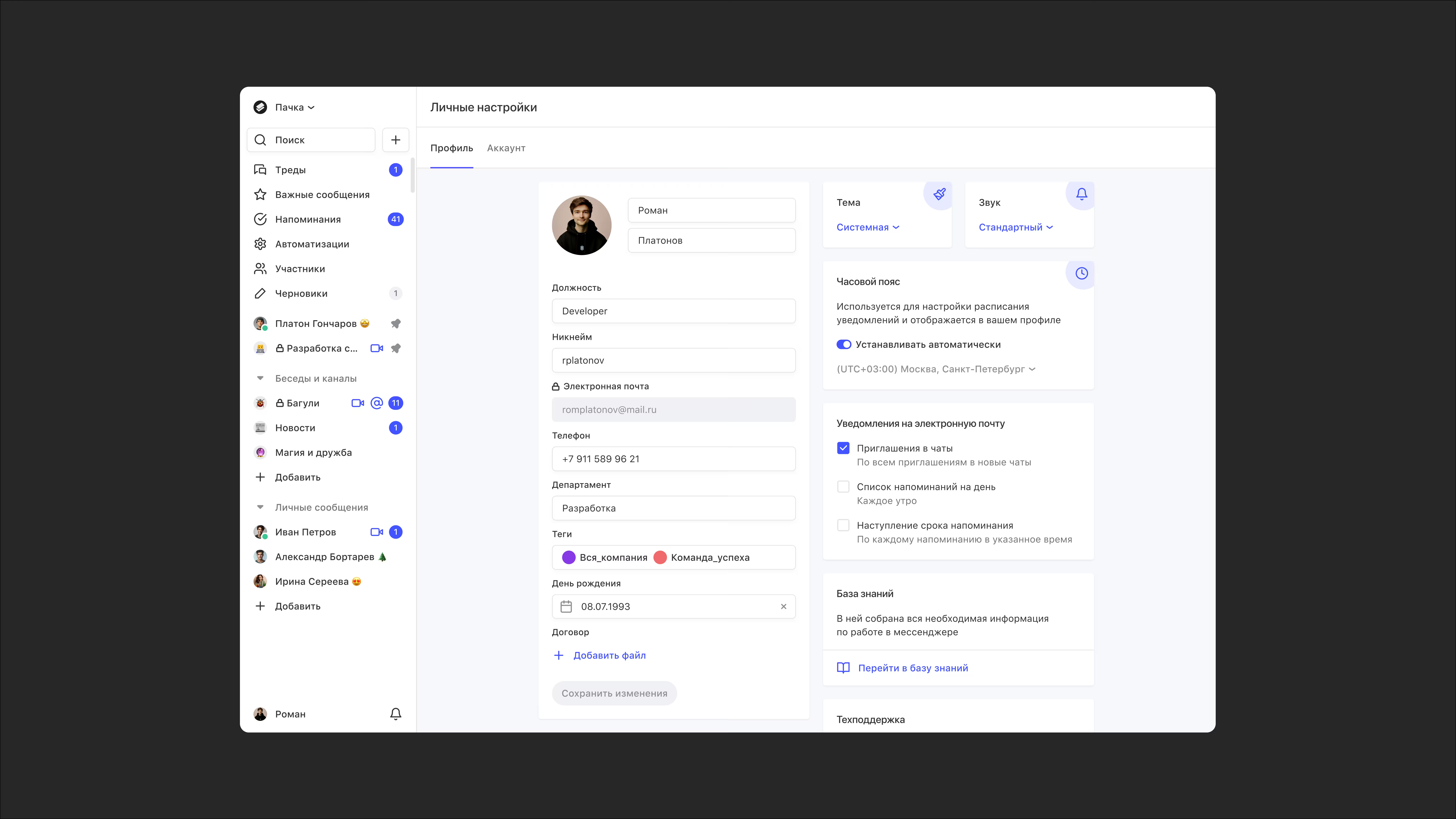
All business communication in Pachca happens inside a single workspace that your employees can join only by invitation. The interface is intuitive and similar to other team chat apps. At the same time, it has every tool you need for internal communication and collaboration: sections, chat folders, global search, profile settings and more.
You can sign up and create a workspace right from the official Pachca website. On the free plan, you can explore all of the app's features for your company on your own.
Features
Cross-chat threads
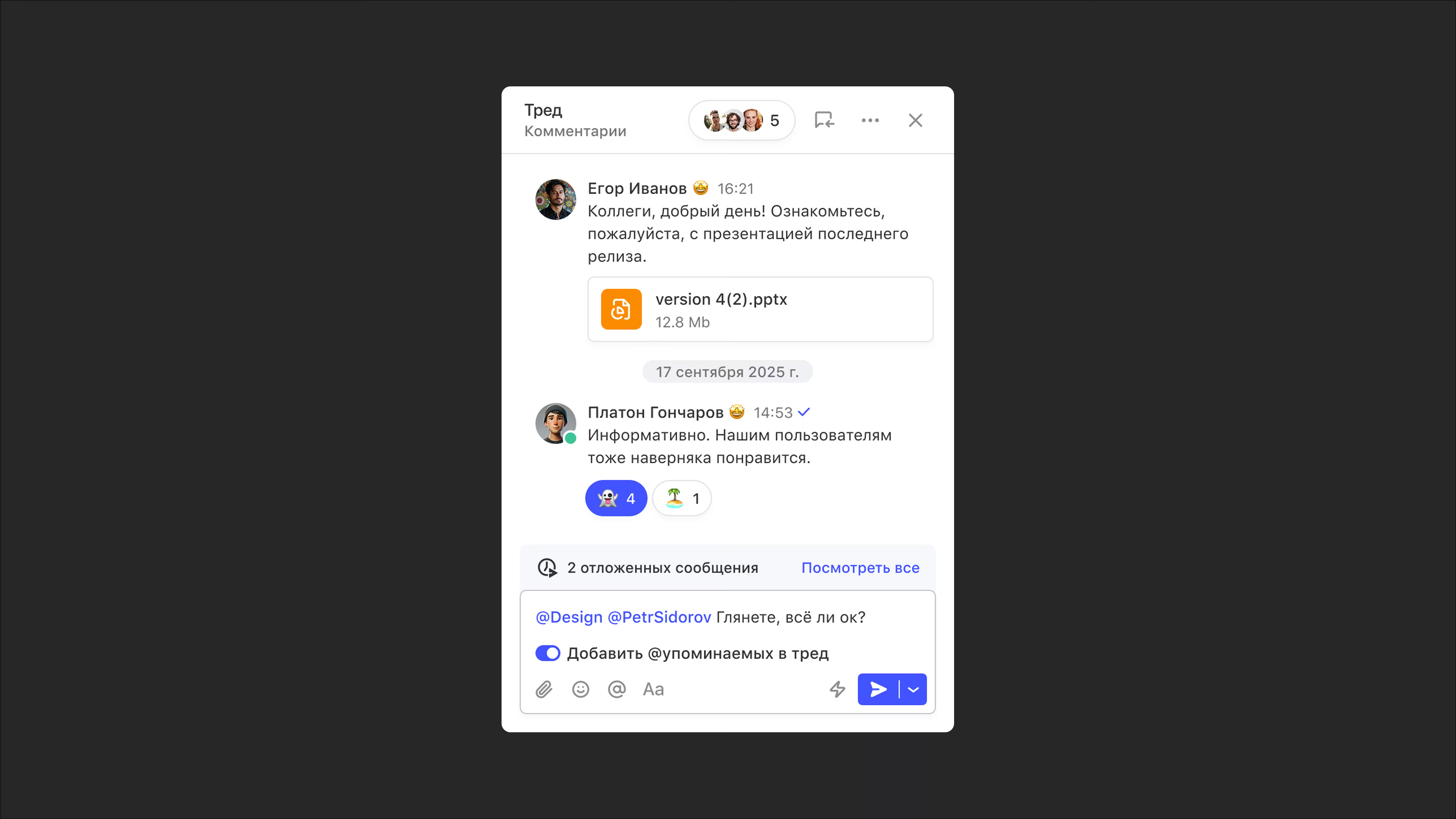
A thread in a team chat app is a chain of comments under a specific message. A cross-chat thread lets you bring colleagues and group tags into the discussion even if they aren't in the main chat. This works in direct messages and private chats too. When someone joins a thread, they only get access to the original message and the comments under it. As a result, cross-chat threads solve the problem of excessive communication, constant forwarding and spinning up "three-person chats," as often happens in personal messaging apps.
You can also unfollow a thread in Pachca at any time or add the whole discussion to Favorites so you don't lose it. All threads live in their own Threads section, where you can reply to them right away without switching to chats.
Custom employee statuses
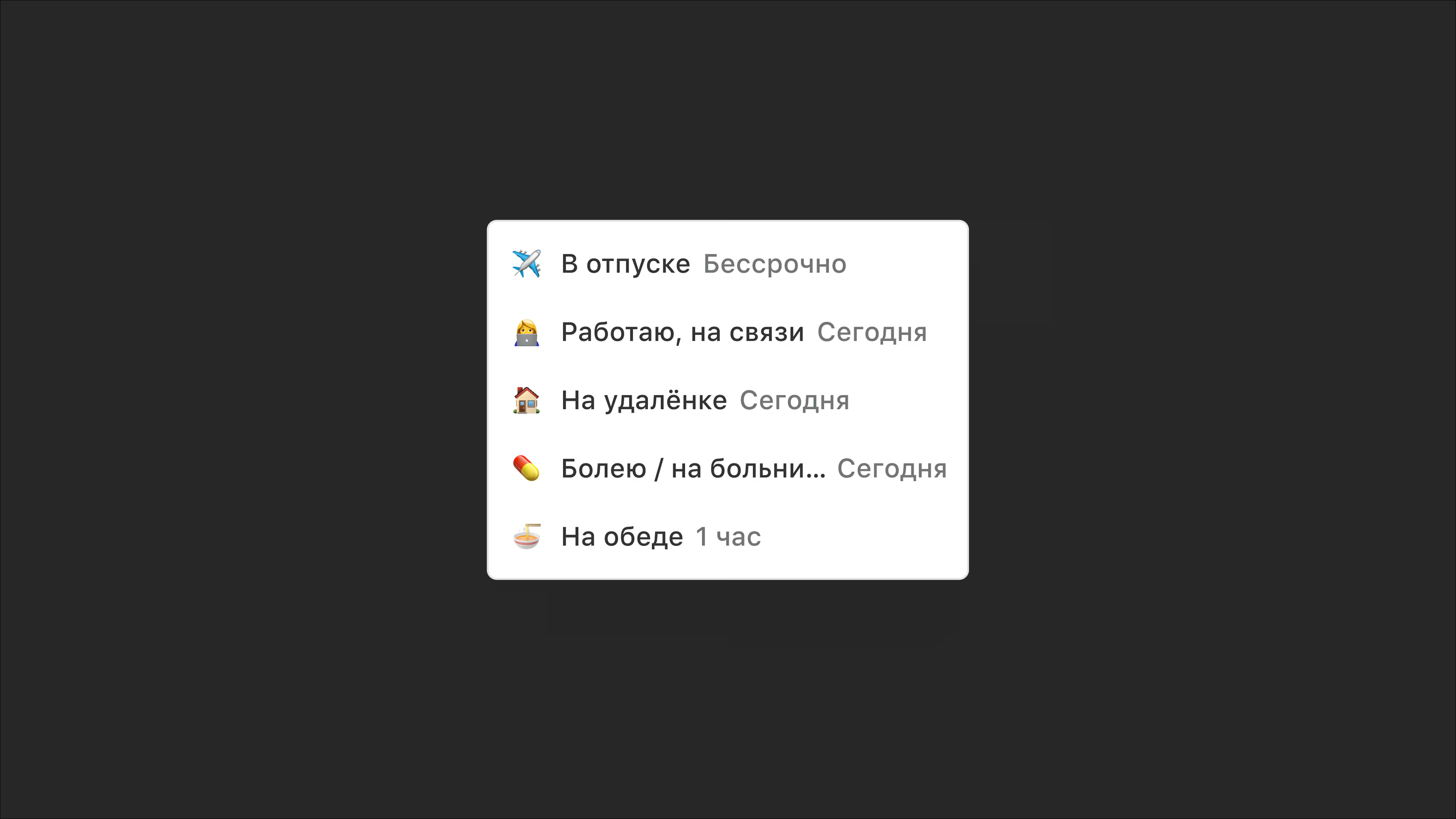
Pachca has employee statuses: emoji that appear next to a person's name. There are 5 default statuses, and you can add your own. Hover over the emoji to see what it means. Statuses let you see right away that the colleague you want to message in a work chat is on vacation or out sick.
Unread messages folder
A handy feature for business communication, available only on web and desktop. It works a bit like an email inbox and helps you keep track of new messages from colleagues in work chats.
Custom emoji in chat
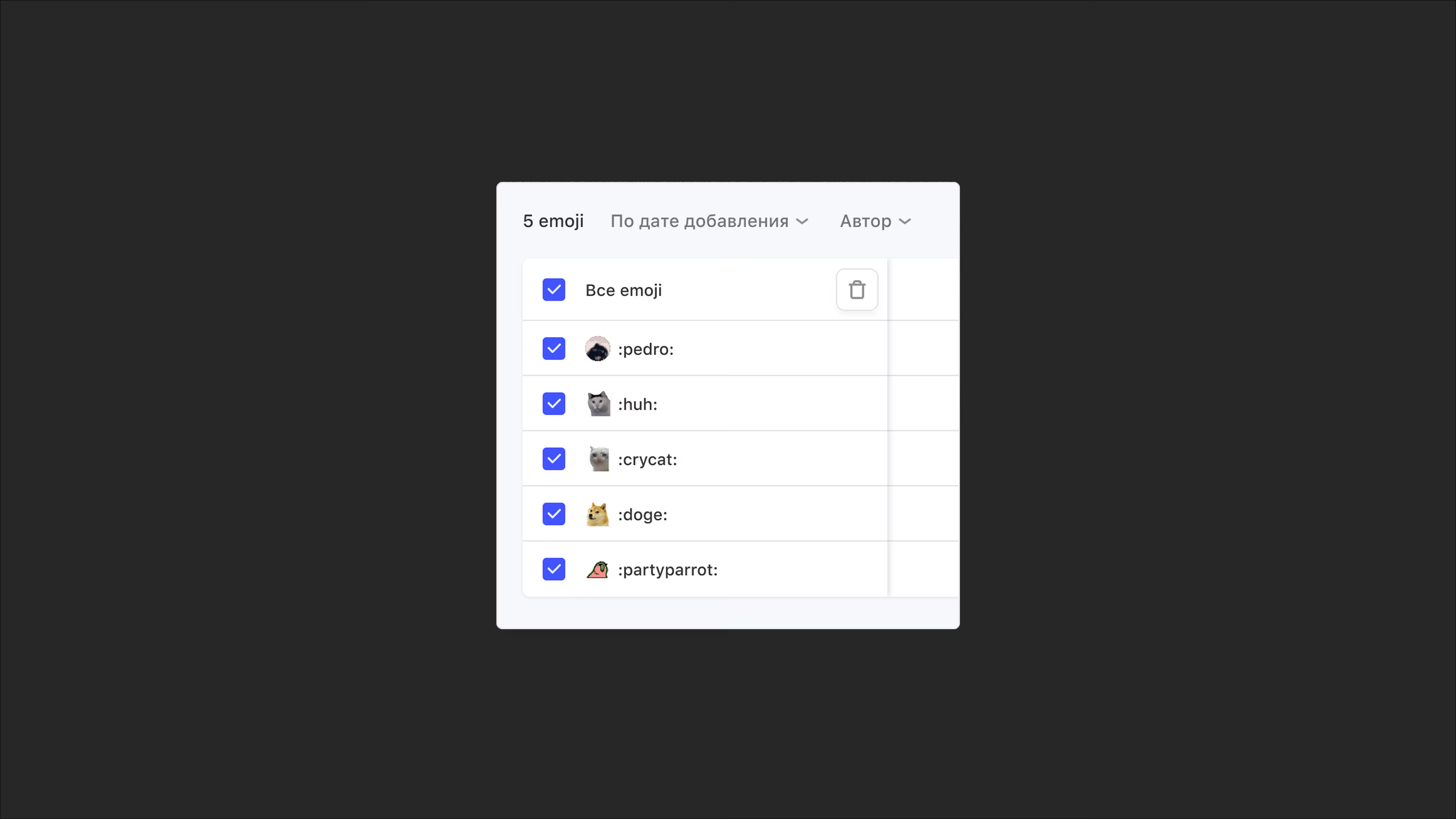
These are emoji you can add to your workspace yourself, just for fun or to boost team spirit. For now, they're only available as reactions to messages, but they'll be coming to message text in the future.
Reminders and tasks
In other words, tasks in your team chat app. Pachca has tools not just for work communication, but for management too. A dedicated section works as a mini task manager. It's not a full task management tool, but you can set reminders for yourself and others about calls, meetings and deadlines, with a priority and due date. That makes Pachca more than a team chat: it's a team chat app with tasks.
Managing employees in the app
The Members section
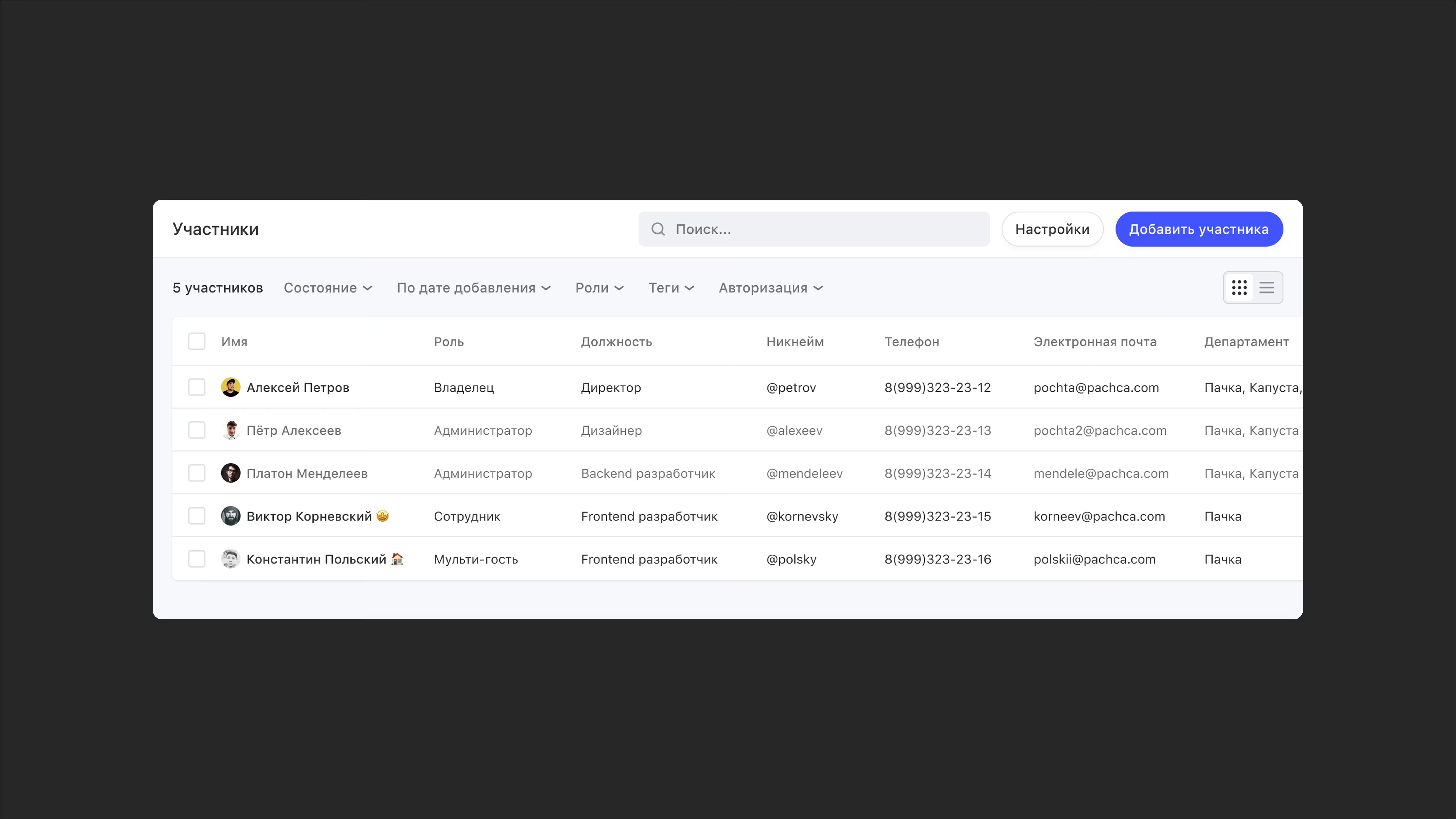
This section makes it easy to find colleagues to message directly or look up their info: email address, job title or department, phone number and so on. If the default fields aren't enough, designated administrators can add more. Administrators also manage employees and organize team communication from this section: they invite new people, deactivate those who've left, edit profiles and assign group tags.
Access levels (roles)
Pachca has a system of access levels that keeps business communication in your workspace organized. Roles differ in what they can do. For example, the Owner and Administrator can do a bit more than an Employee. There are also 2 guest roles: Multi-guest and Guest. Russian companies typically use them to work with external counterparties (contractors, clients, partners), while educational organizations use them to organize work with students.
Group tags for teams
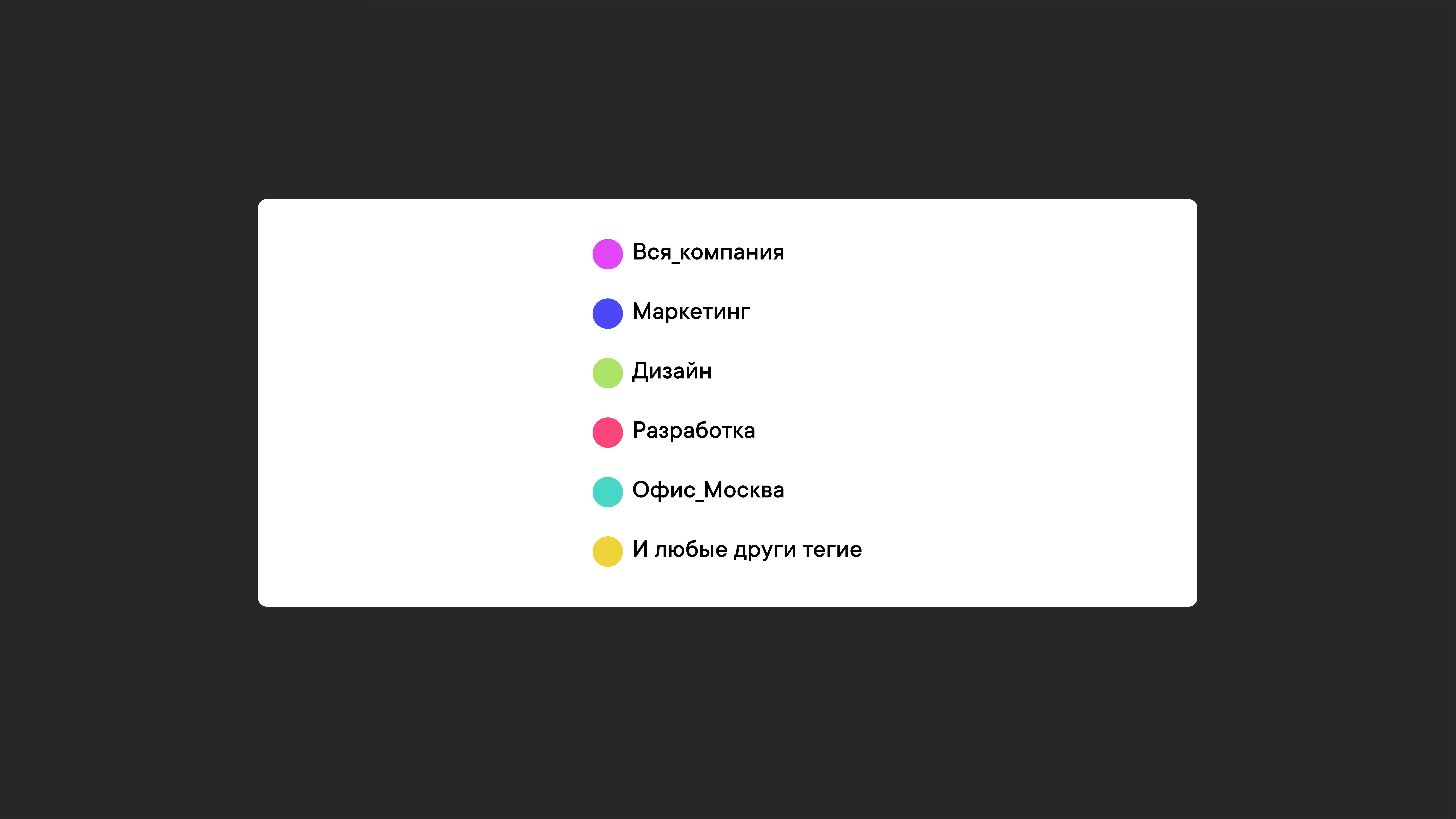
Group tags let you group employees in Pachca by team, project, department or office location. You can then add these tags to chats in bulk and @mention them in messages. Only the Owner and Administrators can manage group tags.
SSO (single sign-on)
The Active Directory and SSO integration lets employees log in to the team chat app with their corporate credentials. It automatically syncs access and roles in Pachca with your company's corporate directories, which makes managing your team easier.
Pachca offers several Single Sign-On options, depending on how you connect to the server and your identity data source:
- Through Keycloak as an intermediary
- Through Yandex 360
- Windows Server AD FS
- LDAP
- Google Workspace
- IdP Azure AD, Okta
- Multifactor
- Indeed SAML IdP
Bot platform and automation
Open API and webhook integrations
In Pachca, you can connect bots and build integrations with the API and webhooks. This helps automate routine processes and improve communication across the company. You can also connect the app to the systems you need: CRMs, task trackers, monitoring services or even your own databases. With the API and bots, you can create chats in bulk, manage employees, send event notifications and pull data from external sources right into your Pachca workspace.
For example, you can connect Pachca to GitHub and Gitlab for commits and releases, to Notion and Confluence for documentation, to HR services to simplify recruiting, to Jira or Kaiten for tasks and so on. The possibilities are endless. Integrations like these cut down on app switching, make processes more transparent and improve team communication.
Business chatbots connected via webhooks handle user actions. You can interact with them using commands, buttons and forms. Buttons trigger specific processes or send you to other resources. Forms with text fields, lists and checkboxes let you collect information in a structured way and simplify routine tasks (invoices, time off and more).
If your team doesn't have technical specialists, you can use the Albato or n8n integration builders.
AI agents. AI agents run on the same platform. You connect a personal agent (Claude Code, Cursor, Codex) through the CLI: it reads chats and threads, pulls task context straight from the discussion and reports back in the same thread. A team agent is set up as a separate team member: a bot with its own name that colleagues @mention in threads. Developers get open access to docs, the CLI, SDK, Agent Skills, MCP and code samples.
Security
Pachca is a secure team chat app with a strong focus on data security. For example, it offers hybrid on-premise (BYOK), which takes customer data protection to the next level. Companies can manage their own keys using, for example, Yandex KMS, Cloud.ru KMS or HashiCorp Vault. Every operation is logged in the customer's monitoring system, and the KMS can be deployed on the company's own servers, which gives you full transparency and auditability.
Pachca is also listed in the Russian Software Registry (No. 11262) and complies with Federal Law No. 152-FZ (Russia's personal data law). Here are the security features already available:
- Two-factor authentication (2FA): log in to your account with a one-time code
- Push notifications on mobile devices when someone logs in to your account
- Session list and management: track account activity. You can always force sessions to log out if you notice anything suspicious
- Internal/external file access: view and download files only from the company's trusted networks (an IP allowlist)
- Managed installation and updates of Pachca on devices with MSI packages, on request
- Audit log API: get logs of events in the app
- Integration with DLP and SIEM systems
- Optional real-time antivirus scanning: checks files and blocks suspicious ones, and more
Pachca also undergoes external security audits every year. The most recent one was by Positive Technologies in April 2026.
Pachca pricing
Pachca has just three plans: Starter, Company and Corporation. You can see the plans here: https://pachca.com/prices
- The free Starter plan is limited to 2,000 messages per month and 50 hours of calls. It's a good fit for small teams and is usually used to test Pachca.
- The Company plan gives you all the standard features from 159 ₽/mo per license. Guest roles are free.
- The Corporation plan includes all the standard features plus contract negotiation, activity-based billing (saving 10 to 20% on average), AD integration and SSO setup, chat export, the audit log API, BYOK and separate internal and external file access.
- Users with the Administrator/Employee role: from 399 ₽/mo.
- Users with the Multi-guest role: from 159 ₽/mo.
All plans come with 20% off with annual billing. Nonprofits, educational organizations and open source projects get 75% off.