Hi, this is a thread!
What threads are and why they're the most important tool for working in a team chat app.

What threads are and why they're the most important tool for working in a team chat app.
In the image below, we've highlighted a message thread. Technically, it's the comments chat members can leave under any message. It's simple: want to give feedback? Leave a comment.
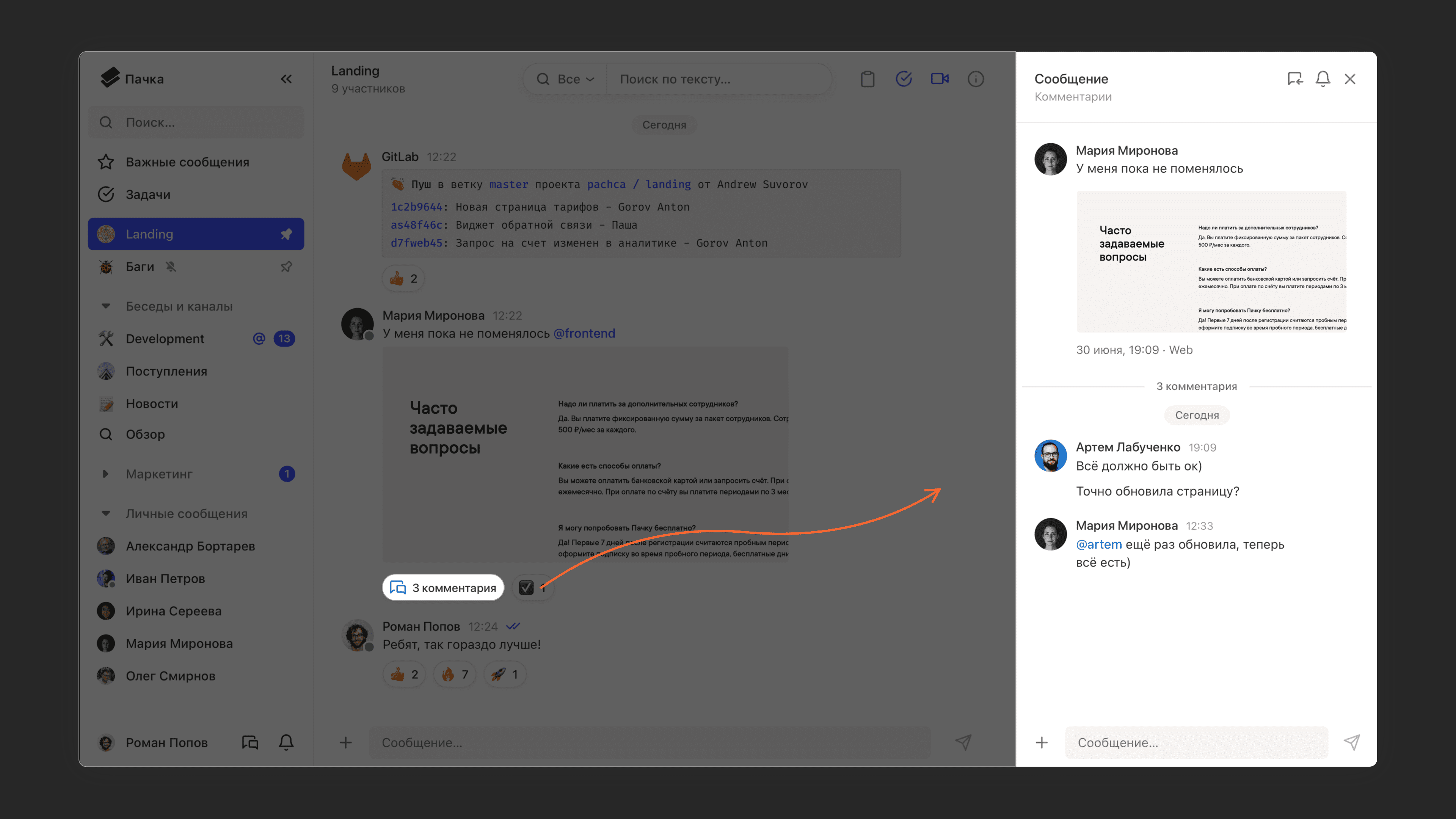
But we wouldn't write a whole article about comments if they couldn't make a real difference for you. Threads are the key thing that sets Pachca apart from Telegram and WhatsApp*, and they change the way people communicate at work. Let's look at why.
A little thread history
Threads trace back to internet forums in the 2000s. Back then, there was less entertainment online, and people chatted a lot on forums about all kinds of topics. Here's how it worked: someone started a discussion topic, and forum members left their comments and replied to each other. Discussions turned into a thread of connected messages that helped participants reach (or not reach) some conclusion. The closest thing to threads on the Russian internet is the comments on Otvety Mail.ru.
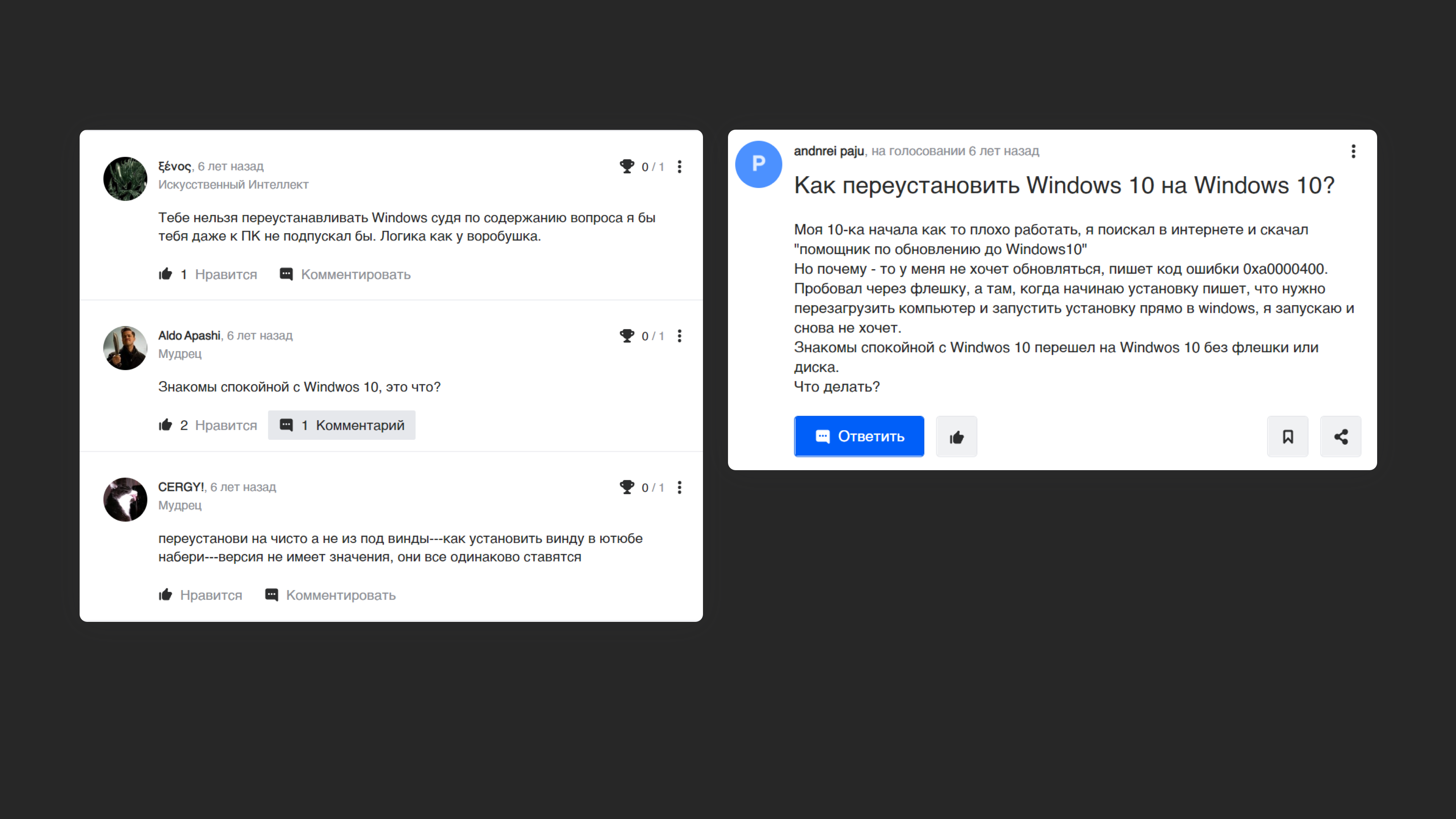
In team chat apps, the story of threads starts with Slack, which released the first version of comments under messages in 2017. Threads were meant to solve a user problem: in busy discussions, people replied to each other's messages, started different topics at the same time, and everything got jumbled. Instead of a productive conversation, you got chaos that was hard to untangle.
Chat discussions needed to be separated somehow. Creating a separate chat for every topic is a hassle. So the main chat had to change, but in a way that let you dive into each topic separately.
Note: In its Russian interface, Slack translates "threads" as "discussions." That captures what the feature is for: the team can exchange messages and talk an issue through (not just leave a comment)
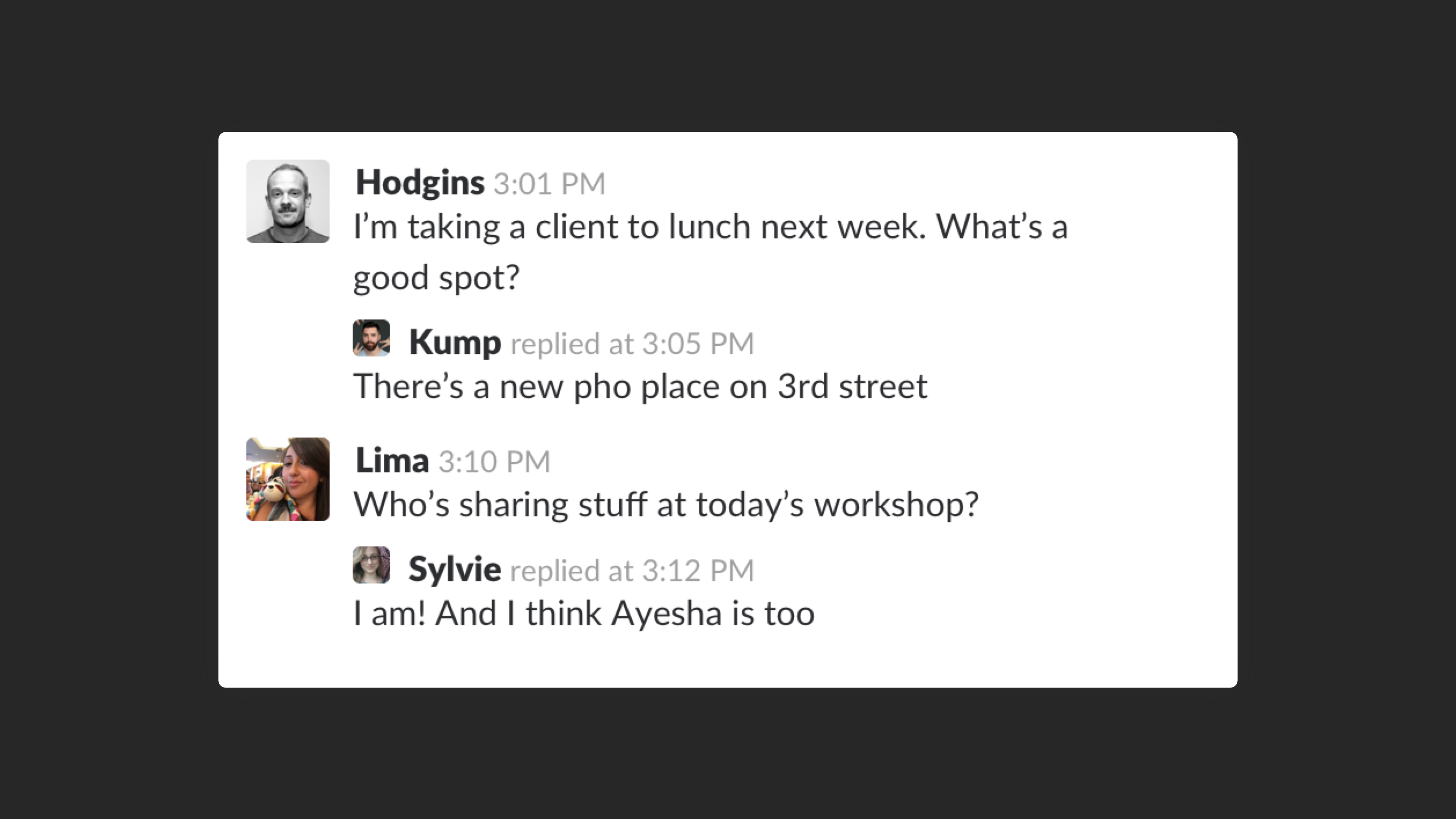
In the first release, thread messages showed up in the main chat feed. You could already tell who replied to which message, but the interface got noticeably more cluttered: a pile of similar-looking messages in the chat, like in the example below
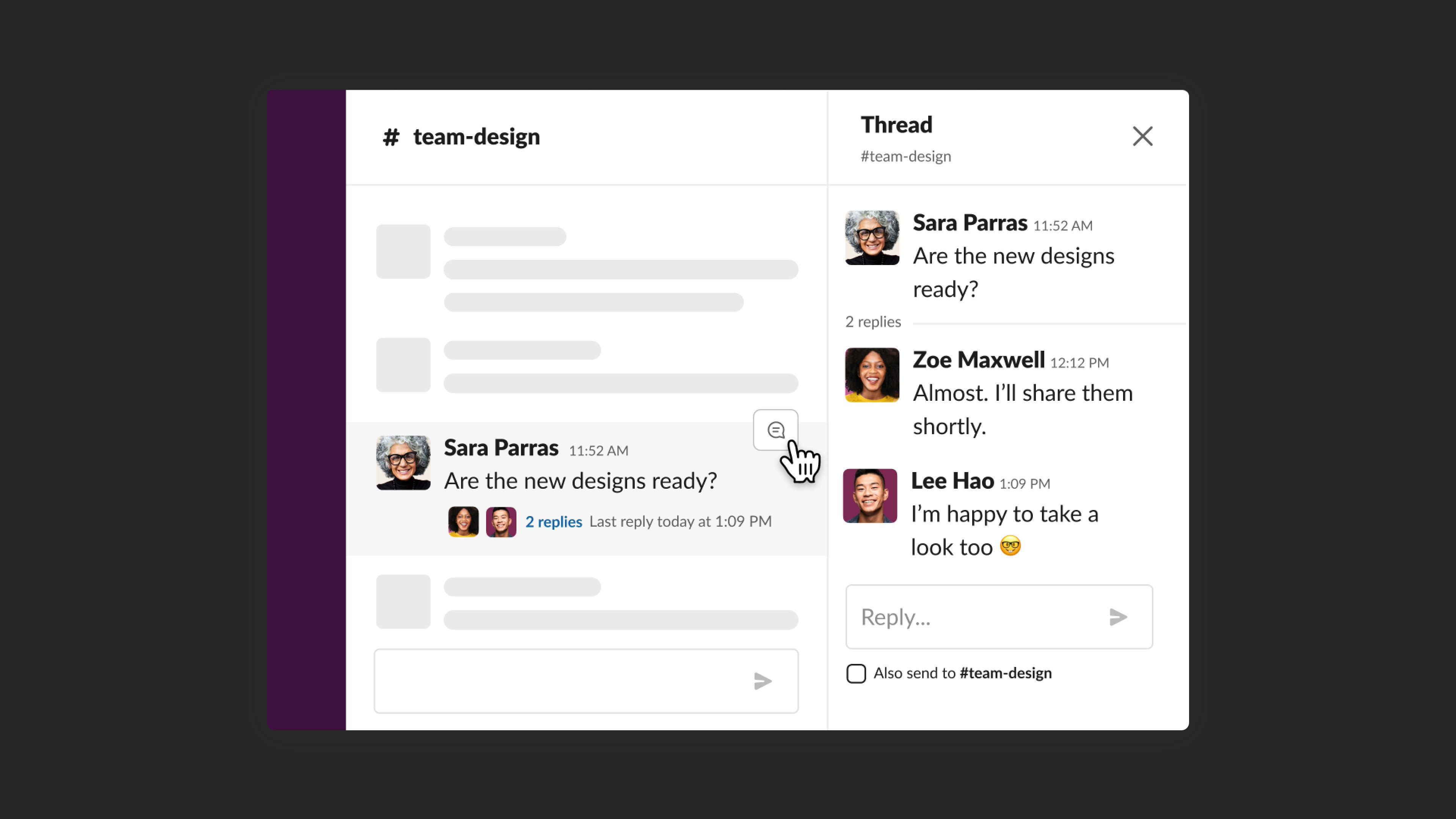
A few years and a product redesign later, threads turned into a separate mini chat you can open under a message. That became the standard across the market
Just comments, or something more?
If you think of threads as regular comments, like under a social media post, it seems they're only there for reactions. But in a business team chat app, threads work differently: they let you discuss something without distracting everyone else. Here's an example from our own team.
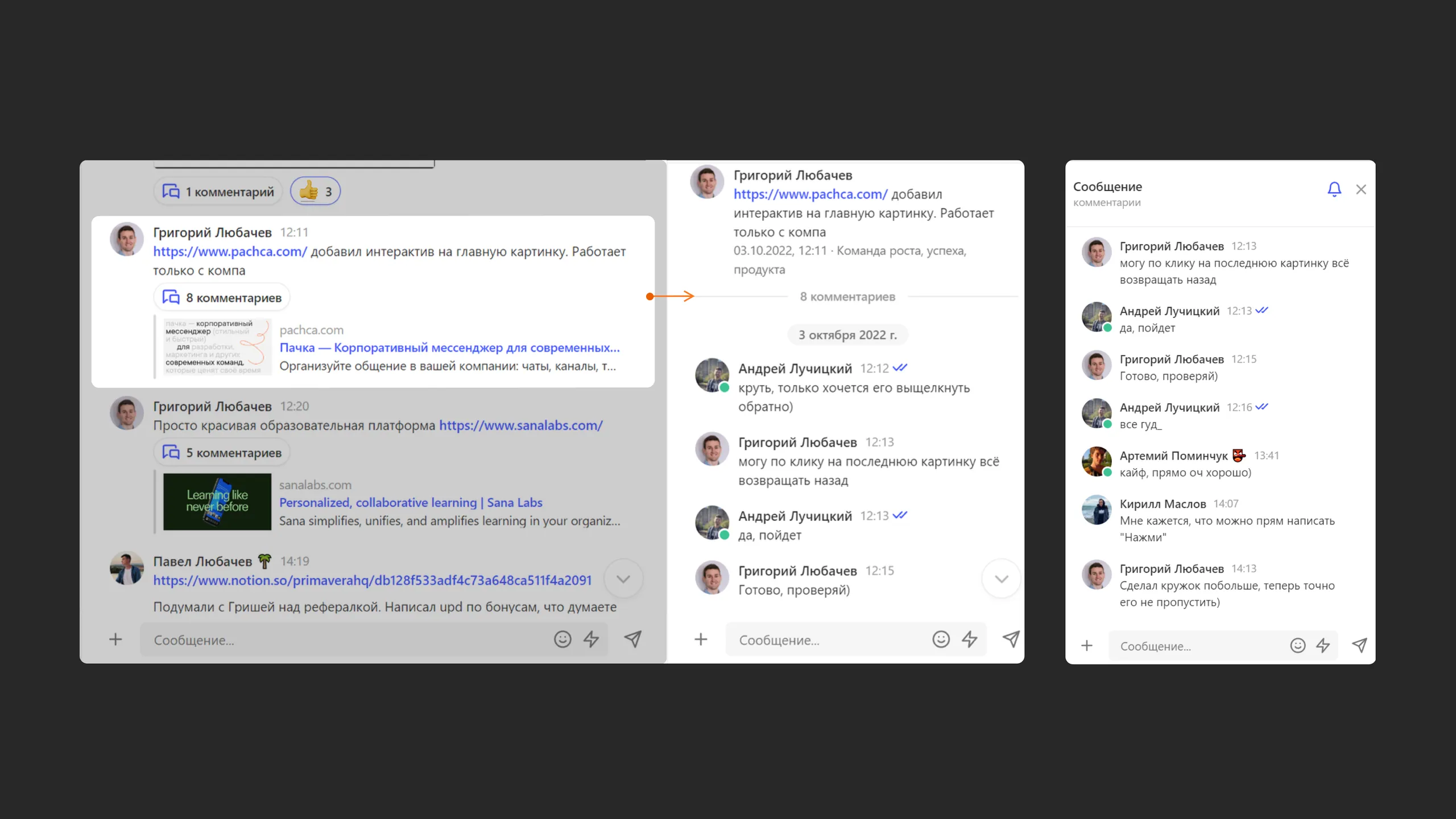
Here, Grisha told us there was a new interactive feature on the website. The whole team saw the message, and a minute later Andrey left feedback. He wrote in the thread so he wouldn't distract the whole team with a task that only concerned Grisha. Grisha saw the message and quickly responded.
Kirill only saw the message 2 hours later. By then, other topics had come up in the main chat. So instead of bringing the interactive feature back up in the main chat, Kirill wrote in the thread and gave Grisha his feedback there. Besides Grisha, only Andrey and Artemy saw the message. It didn't affect anyone else. Grisha responded again and fixed the website.
As a result, we:
- kept the chat organized 2) had a focused discussion of one topic 3) involved only the people who cared 4) solved the task through conversation.
We can have 10-15 threads like this a day with active problem-solving. Without threads, we'd either get lost in our chats or keep calling meetings to discuss simple issues. In fact, before threads, that's exactly what we did all the time.
3 key benefits of threads
The topic is always in front of you It's hard to drift off-topic in a thread, because the topic is always right there. It's like a mini chat named after the message text.
Threads keep chats organized Without threads, chats look like a tangled ball of yarn. We've all been in a neighborhood group chat and seen what the conversation turns into. People talk over each other, share unrelated opinions, reply to random messages and so on. Threads untangle that ball and keep each strand of conversation separate. One topic, one chat. Or, put another way, one chat holds 2, 5, 10 or 100 separate chats at once.
The team stays focused on work With threads, the total number of notifications in your team chat app drops at least tenfold. Simply because there's no need to reply in the main chat. Thread notifications only go to thread participants.
2 things that make Pachca threads different
You can invite any team member to a thread Even if you're discussing something in a direct message, you can invite anyone from your Pachca workspace to the thread under a message. Just @mention them in the thread under the message. They won't see the whole chat, only what was written in the thread.
All threads in one place We gave threads their own section, so you don't have to jump between chats. You'll find it at the top of the Pachca sidebar.
- Meta Platforms Inc. (Facebook, Instagram) declared extremist and banned in Russia.