The best team chat apps of 2026: our ranking
We tested 16 popular tools for work and team communication, from Russian team chat apps to alternatives to Slack, Teams and Telegram. We pulled everything into a comparison table that rates them on 100+ criteria: video calls, threads, bots, API, security and integrations. 🔍
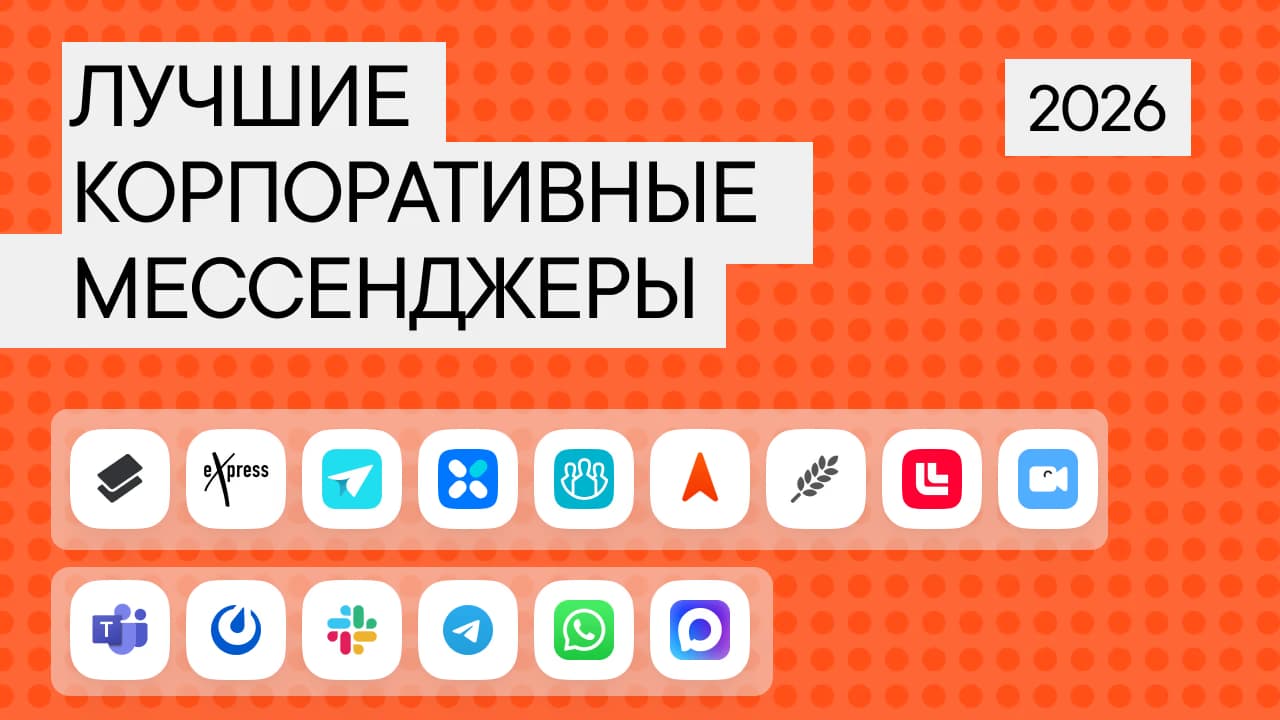
This is the Pachca team's annual review of team chat apps for work and business (the last one came out in 2025). In 2026, choosing a team chat app for company communication has gotten harder: some international services are blocked, and others have restricted access for Russian companies. So this review focuses on how each product is evolving: how quickly it ships updates, which work use cases it strengthens and how predictable it is in the long run.
What's new in this year's review:
- Updated the information on every app
- Added sections on momentum: what changed over the year and where each product is headed.
- Expanded and updated the comparison table.
- Added new team chat apps
We only cover the most popular and in-demand tools in each category that you can try out freely. There are other solid team chat apps on the market too, and you'll find them with their specs in the extended table at the end of the article.
Contents
Russian team chat apps
International tools
Public messaging apps
Team chat apps in Russia in 2026: which ones work without restrictions
In 2026, the availability of team chat apps has changed. For a team chat app for work, it's not just about having the right features. It also has to run reliably in Russia.
Work without restrictions: every Russian team chat app on the list below: Pachca, eXpress, VK Teams, TrueConf, Yandex Messenger, Loop, Compass, MTS Link and Kontur.Talk.
Work with restrictions: Slack (blocked Russian accounts), Microsoft Teams (restricted access for Russia), Mattermost (payment by foreign card only).
Unstable or restricted: WhatsApp (calls blocked by Roskomnadzor), Telegram (throttled, and Roskomnadzor is considering a full block), Discord (blocked by Roskomnadzor).
Russian team chat apps
Today, Russian team chat apps are full-fledged work tools. They aren't subject to blocking, they have Russian-language interfaces and support, they're priced in rubles and they comply with Federal Law No. 152-FZ (Russia's personal data law). That makes them the best choice for Russian companies looking for a reliable tool for company communication and managing team conversations.
Team chat apps are integrating more and more deeply with Russian document management platforms, CRMs and more. AI features are showing up inside the products: automatic meeting summaries, task suggestions and smart search across conversations.
Of course, there are still problems. Some platforms try to be "everything at once," which makes their interfaces cluttered and complicated.
Pachca
Pachca is a team chat app for tech-driven companies, with advanced integrations and AI agents. It's built by Primavera, an independent company fully focused on the quality of its team chat app. It's listed in the Russian Software Registry, and more than 250,000 employees at over 1,000 organizations work in Pachca, including Lamoda, Alfa-Bank products, PSB products, Ivi, Burger King and Yandex Practicum.
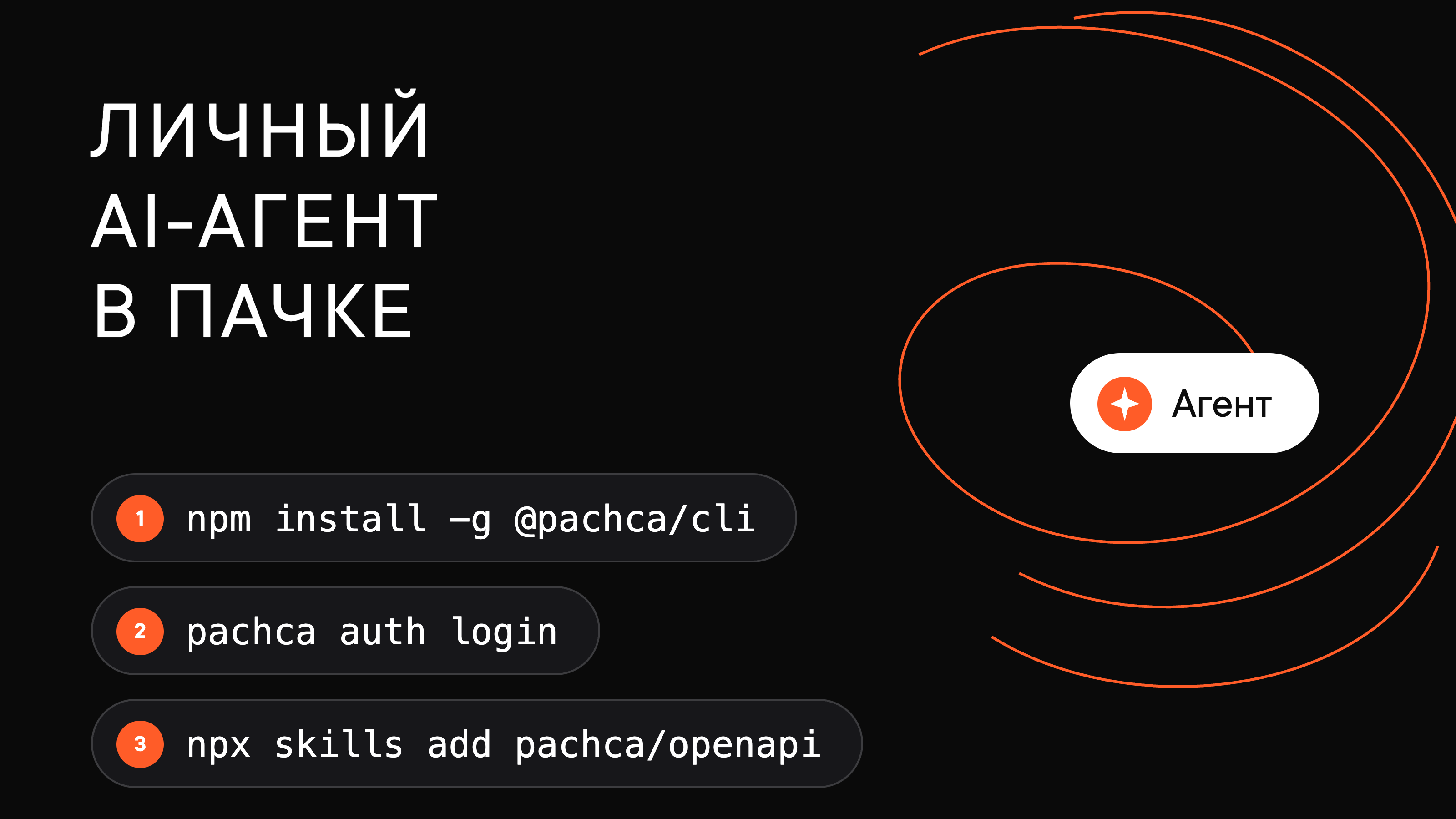
What really sets Pachca apart is its platform for AI agents. You can connect a personal agent (Claude Code, Cursor, Codex) through the CLI in a couple of minutes: it reads chats and threads, pulls task context straight from the discussion and reports back in the same thread. A team agent joins as a separate teammate: a bot with its own name that colleagues @mention in threads. Developers get open docs, Agent Skills, MCP, llms.txt and code samples.
The technical capabilities go beyond agents. The open API gives you full control of your workspace, including administration. There's also a CLI, SDK, webhooks, API polling, scopes for personal tokens, a bot builder with forms and a plugin in the official n8n catalog. Teams use them to connect CRMs, task trackers, email and internal services, turning the team chat app into the hub of their workflows.
The work essentials are all there too: chats, cross-chat threads, task management and video calls with up to 1,000 people on Pachca's own video platform.
For companies whose security teams have strict requirements, there's SSO and Active Directory, a DLP system, an audit log, separate internal and external file access and message encryption. A standout feature is hybrid on-premise (BYOK): your data lives on Pachca's side but is encrypted with your keys, so it can't be processed without your permission. And you don't have to deploy or maintain your own infrastructure.
Who it's for: midsize and large businesses with advanced integrations and AI agents that care about both tech and security. It's also for anyone looking for a Russian Slack alternative or a Telegram replacement for business use: channels, threads, bots and an open API.
For companies looking for a Russian Slack alternative or a Telegram replacement for business use, Pachca is one of the closest options feature-wise: channels, threads, bots and an open API.
Deployment options: cloud/hybrid on-premise (BYOK)
What changed from 2025 to 2026:
- hybrid on-premise (BYOK);
- a built-in video call platform that supports up to 1,000 participants, keeps the chat after the call ends and lets you minimize the window and keep working in Pachca;
- a built-in DLP system;
- bot forms on all platforms;
- scopes for personal API tokens, so you can choose which actions a personal token is allowed to perform;
- API polling, where your system regularly requests data through the Pachca API and checks for new events without webhooks
- smarter personal suggestions for @mentions;
- recurring scheduled messages;
- better search, file handling and notifications on all platforms.
App store ratings: 🍏 AppStore: 4.3; 🤖 PlayStore: 3.9
Pricing
- Free Starter plan
- from 159 ₽/mo per user: the base plan, support included
- from 399 ₽/mo per user: with SSO, Active Directory, hybrid on-premise (BYOK) and advanced security features
- 20% off with annual billing
- 75% off for educational institutions and nonprofits
eXpress
eXpress is a secure team chat app for businesses and the public sector.
Feature-wise, eXpress covers the basics of team communication: chats, threads, video calls and a bot platform for automation. You can create channels, share files and organize group discussions. Folders work like tags and can include direct and group chats, channels, individual messages and contacts.
Security is the service's top priority. It uses two-layer encryption, multi-factor authentication and a crypto container for storing data on devices. eXpress is also certified by FSTEC and FSB.
eXpress is used by small and midsize businesses, large companies and the public sector, with rollouts ranging from 100 to 10,000+ users. Its limitations include how flexibly it can be configured for specific business processes and its API integration options.
Deployment options: cloud / on-premise
What changed from 2025 to 2026:
- links to individual messages and discussions;
- better calls and conferences: a new design, more stability, virtual backgrounds and an automatic "in a call" status;
- stronger messaging and channel features: reactions, message grouping and a view counter for posts;
- upgraded navigation and personalization: statuses, tags and auto-subscribe to discussions;
- simpler administration and support, including a more convenient support contacts screen.
App store ratings: 🍏 AppStore: 4.3; 🤖 PlayStore: 4.3
Pricing
- Free plan
- 200 ₽/mo per user (SaaS): the base plan, support included
- 3,000 ₽ to 15,000 ₽ per user with annual billing. Perpetual licenses are available for on-prem options
Yandex Messenger
Yandex Messenger is a team chat app developed as part of the Yandex 360 for Business ecosystem. It's a good fit for companies that already use Yandex services and want to bring chats, email, calendar and video meetings together in one place.
It has the basic communication features: chats, threads, calls, reactions, polls, voice messages and custom statuses.
That said, Yandex Messenger lacks some advanced business features: notification and admin settings are limited, and automation options depend on your plan, with the bot platform available only on pricier plans.
Deployment options: cloud.
What changed from 2025 to 2026:
- Over the past year, the service has tightened its integration with Telemost.
- It added a single communication space for chats and video calls, AI meeting notes with automatic transcription and a short summary, and an "In a meeting" status.
- It added chat folders, workspace switching, unread markers, federation for communication between organizations and quick external contacts without linking workspaces.
- It expanded connection options: calls work in mobile browsers, and the enterprise version can be deployed centrally via MSI.
App store ratings: 🍏 AppStore: 2.7; 🤖 PlayStore: 3.5
Pricing
- Free version with limits
- As part of Yandex 360 for Business: from 299 ₽/mo per user
VK Teams
VK Teams is a team chat app from VK with an ecosystem of complementary business tools.
VK Teams is evolving into a super app. Besides the chat app, its ecosystem includes tools for co-editing documents, corporate cloud storage, email and other VK services, so you can build a single digital workspace.
Users most often point to its unintuitive administration through VK WorkSpace and relatively weak bot capabilities as limitations. They also note a noticeable gap in update pace: the self-hosted (on-premise) version usually gets new features faster than the cloud version.
Deployment options: cloud / on-premise on the organization's servers.
What changed from 2025 to 2026:
- federation for on-premise versions and multi-domain support in the cloud;
- stronger security: strict password policies, a "Security auditor" role and extended control over file access;
- improved video calls;
- guest access from mobile devices and viewing screen sharing on smartphones.
- simpler administration thanks to package installers for Linux.
App store ratings: 🍏 AppStore: 4.8; 🤖 PlayStore: 3.2
Pricing
- With a VK WorkSpace subscription: from 207 ₽/mo per user
- Self-hosted version pricing is negotiated individually
TrueConf
TrueConf is a team chat app and video conferencing system with collaboration tools, webinars and AI features.
The app has direct and group chats, voice messages, file sharing and chatbots. There's a special focus on video: conferences with up to 2,000 participants, live streams, webinars, meeting recording and collaboration tools.
TrueConf Server is a good fit for organizations that need to run communication inside their own network and keep control of their data. It works in isolated networks and supports SSO and MFA, DLP integration and end-to-end encryption for audio and video.
Deployment options: on-premise on the organization's servers.
What changed from 2025 to 2026:
- audio messages;
- expanded AI features for conferences: summaries, search across transcripts and transcription with speaker separation (diarization);
- additional user statuses that you can pick from a list or create yourself;
- hyperlinks in messages;
- quoting part of a message;
- file search;
- temporarily muting notifications;
- when someone @mentions everyone in a chat with @all, users get notified even if they've muted the chat.
Pricing
- Free version: up to 300 chat users and conferences with up to 10 participants
- ~170 ₽/mo per chat user
- The total depends on the number of users and add-on features
Compass
Compass is a work chat app with a simple interface.
It's built for teams that want to move off public messaging apps and bring their communication into one place without diving into heavy IT setup and complex infrastructure. The product bets on basic, well-polished use cases: team chats, calls and working with messages and files. One unusual feature is team engagement stats.
At the same time, Compass has limited tools for managing large teams: there's no administration via API, no grouping employees by tags with bulk chat management and no web version of the app.
Deployment options: cloud / on-premise on the organization's servers.
What changed from 2025 to 2026:
- Improved video conferencing
- Distributed infrastructure with support for multiple data centers and downtime protection
- Stronger security and access control, more capable built-in apps and bots, full-fledged channels, and better search, navigation, reminders and file handling, including higher limits and backups
App store ratings: 🍏 AppStore: 4.4; 🤖 PlayStore: 4.0
Pricing
As of January 2026, the company has dropped its free plan
- 390 ₽/mo per user on the "Бизнес" plan
- 490 ₽/mo per user on the "On-premise" plan
Loop
Loop is a team chat app built on Mattermost
Its Mattermost foundation shapes the product's architecture and logic: channels, threads, team workspaces and a focus on internal work communication. It has all the basic communication features plus extras, like isolated teams that let you split your company's workspace into separate branches with their own chats, channels and members.
The service works for teams of any size. That said, its development depends heavily on Mattermost's architecture, which can sometimes slow down new features.
Deployment options: cloud / on-premise on the organization's servers.
What changed from 2025 to 2026:
- Over the past year, Loop reworked calls, started integrating AI tools and improved everyday communication
- It added cross-platform draft sync, expanded search across links, email and attachments, and launched scheduled messages and reminders in the mobile app
- It also added voice messages and the ability to reply to specific messages inside threads
App store ratings: 🍏 AppStore: 4.6; 🤖 PlayStore: 4.6
Pricing
- Free version with limits
- 149 ₽/mo per user
- On-premise pricing on request
MTS Link Chats
MTS Link Chats is a business chat app developed as part of the MTS Link ecosystem.
The platform is built around online meetings, webinars and training, with chats and messaging complementing them so companies can keep work communication inside the same ecosystem. The platform doesn't go into complex business process automation or deep customization.
As with other ecosystem products, development can be uneven: for example, video call improvements ship more often than new features for chats or task management.
Deployment options: cloud / on-premise on the organization's servers.
What changed from 2025 to 2026:
- Search across messages, files and links, a chat media library with attachment history and in-app PDF viewing
- More capable calls and meetings with recurring meetings, transcripts and an "In a meeting" status
- Creating tasks from messages, chatbots and automations, flexible member management and basic notification controls
App store ratings: 🍏 AppStore: 3.9; 🤖 PlayStore: 3.8
Pricing
- Free version with limits
- As part of an MTS Link subscription: from 4,268 ₽/year per user
Kontur.Talk Chats
Kontur.Talk is chat built into the Kontur video calling platform.
It's especially handy for organizations where online meetings are a key part of how they work: training, team meetings, working with branch offices and external participants. Here, chats complement and continue those conversations. They have everything you need to keep work context in one place, pin meeting outcomes and so on.
But keep in mind that the core product here is video calls. Because of that, the chat app isn't developed as a standalone product, and all updates and logic depend on how the video service evolves. That can limit its flexibility for teams that need a full-fledged, independent communication tool.
Deployment options: cloud / on-premise on the organization's servers.
What changed from 2025 to 2026:
- chatbot support;
- sending multiple files at once;
- pinned messages in chats;
- simpler access management;
- new room and user profile settings.
App store ratings: 🍏 AppStore: 3.7; 🤖 PlayStore: 4.0
Pricing
The price per user is 1,500 ₽ a year. Chats are also included in any paid subscription. Chats are available on any video meeting plan as an add-on.
International team chat apps
This section covers the global leaders in team chat. These are feature-rich products: chats, video calls, file sharing, integrations and AI features.
You can only pay for a subscription with a foreign card, and free versions are often heavily limited or unavailable. The interface and support usually aren't adapted for Russian-speaking users.
Pricing is a separate issue. Prices are listed in dollars or euros, so the final amount in rubles can change noticeably as exchange rates fluctuate.
In this review, we looked at three popular tools for digital teams. It's important to keep the risks in mind too: as we've seen, Western services can also face blocking or restrictions.
Microsoft Teams
Microsoft Teams is a team chat app for large companies, deeply integrated with the Microsoft 365 ecosystem. It's a full-fledged collaboration platform: video conferencing, shared documents and integration with Word, Excel, SharePoint and other Microsoft products.
Teams lets you create teams and channels for different projects, run online meetings with screen sharing, edit documents right in the chat and manage tasks with Planner. It all works inside a single Microsoft environment, which is convenient for companies that already use Office 365.
For Russian companies, using Teams comes with practical limitations. In March 2024, Microsoft announced it would block access to its cloud services in Russia, so the app may be unstable or hard to use.
What changed from 2025 to 2026:
- Multitasking UX that lets you pop chats and channels out into separate windows
- Fully working threads in channels, with support for multiple emoji reactions
- Stronger security with automatic link scanning and a unified RBAC management model
- File sharing in chats with external contacts via email
App store ratings: 🍏 AppStore: 4.6; 🤖 PlayStore: 4.0
Pricing
- There's a free plan
- Paid plans: from $4/mo per user
- Payment only from a foreign account
Mattermost
Mattermost is an open-source team chat app built for engineering and DevOps teams. It's most often chosen by companies that care about control over their infrastructure, workflow automation and the option to self-host.
It requires a technical team: the interface and logic can be complex for users without that background.
You should also consider the licensing policy. The free open-source version of Mattermost comes with hard limits, for example on the number of users (usually up to 250–300) or on features built into the code. The company is increasingly moving away from the free model, adding new restrictions and focusing on selling commercial licenses.
What changed from 2025 to 2026:
- Playbooks now fully work on mobile devices: you can start, manage and complete processes from your phone
- Better stability in the mobile app
- Improved notifications and authentication
- The move to React 18 laid the groundwork for further interface improvements
App store ratings: 🍏 AppStore: 4.7; 🤖 PlayStore: 4.6
Pricing
- Free when self-hosted
- Cloud version: from $10/mo per user
- Payment by foreign card only
Slack
Slack is one of the best-known team chat apps, especially popular with IT and digital teams. It's a collaboration platform where communication is organized by channels and topics rather than chaotic group chats.
Over the past few years, it has grown into a full-fledged work platform with AI features and Salesforce integration.
For Russian companies, though, using Slack comes with serious restrictions. Organizations registered in Russia can't create new workspaces. Existing workspaces of Russian companies may be blocked by the service, sometimes without prior notice.
What changed from 2025 to 2026:
- AI summaries and message explanations;
- smart search with the option to share AI answers;
- automatic call notes and transcripts;
- Enterprise Search brought together search across Slack and external systems, Workflow Builder became a tool for complex automation, and Lists and Canvases turned Slack into a full-fledged work environment.
App store ratings: 🍏 AppStore: 2.4; 🤖 PlayStore: 2.4
Pricing
- Free plan with strict limits
- Paid plans: from $8.25/mo per user
- Payment by foreign card only
Public messaging apps
People use public messaging apps for work because they're simple and accessible: they need no setup, and most employees already know them.
Telegram, WhatsApp and other popular messaging apps are often used as a work chat for employees or for company communication. But for day-to-day work, they have serious limitations.
Personal and work conversations get mixed up, the risk of losing information grows and focus drops. When an employee leaves, they keep access to chats and contacts, while admin and control options are limited.
These apps aren't built for business use: there are no roles, no audit log and no API integrations with business systems. They barely integrate with CRMs, task tools and internal systems. There are no business bots, no task management for teams and no tools for effective communication.
Possible blocking and restrictions are a separate risk. Last year, for example, WhatsApp was officially blocked in Russia, and Discord left the market back in 2024. Many companies today are looking for a Telegram alternative or a Russian messaging app for business use.
Telegram
Telegram is the most popular public messaging app for work chats on small teams. It's fast, familiar and needs no setup, so it's often used as a temporary or supplementary tool.
For business, though, Telegram still has limitations. Administration is underdeveloped, personal and work conversations get mixed up and access control over chats and data is limited.
Reports recently emerged that the service is being deliberately throttled in Russia. On top of that, Telegram is already patchy in some regions and may be completely unavailable in others.
What changed from 2025 to 2026:
- better notification management;
- upgraded search and chat filtering;
- expanded Mini Apps and AI bots;
- better voice message handling.
App store ratings: 🍏 AppStore: 3.7; 🤖 PlayStore: 4.4
Pricing
- Free
- Telegram Premium: 299 ₽/mo
MAX
MAX is a Russian messaging app with basic chat and calling features.
It's often used for work conversations because it's simple. Many people switch to MAX because their company requires it or to avoid other services being blocked.
The service launched in 2025 and is still at an early stage. It only works for simple tasks and doesn't offer business tools like administration, access control and integrations.
So MAX is only worth considering for small teams and casual communication, not for day-to-day work.
App store ratings: 🍏 AppStore: 4.5; 🤖 PlayStore: 4.4
WhatsApp is often used for quick work conversations because it's widespread and simple. Most people already know it and it needs no setup, so it often gets used for fast discussions and urgent questions.
But for business, WhatsApp is an unstable choice. The service already faced restrictions and blocking in fall 2025. That makes it unreliable as the main channel for company communication, especially for teams that work in it every day.
What changed from 2025 to 2026:
- messages for missed calls;
- better reactions and media handling;
- started testing AI features.
App store ratings: 🍏 AppStore: 4.7; 🤖 PlayStore: 4.3
Secure team chat apps with encryption: what you need to know
If data security matters to your company, pay attention to how well a team chat app protects it.
Team chat apps with encryption and advanced protection:
- Pachca: message encryption, DLP integrations, an audit log, BYOK (bring your own encryption keys), 2FA and 152-FZ compliance
- eXpress: two-layer encryption, FSTEC and FSB certificates and an on-device crypto container
- VK Teams: strict password policies, a "Security auditor" role and extended access control
On-premise and your own server: eXpress, VK Teams, Compass, Loop, MTS Link Chats and Kontur.Talk support deployment on the organization's servers. Pachca offers hybrid on-premise (BYOK): data is stored by Pachca but encrypted with the customer's keys.
The most secure team chat apps among Russian tools, across all criteria, are Pachca (BYOK + DLP) and eXpress (FSTEC/FSB certificates for the public sector).
Conclusion
In 2026, companies look beyond "what's available now" and ask whether a product will keep evolving a year from now. Stability, manageability, communication quality and automation come first.
Russian team chat apps have become stable and now work well for teams' everyday work. They offer mature features for work communication, regular updates and predictable development. For most Russian companies, they're the best choice: no risk of blocking, a Russian-language interface and support, pricing in rubles and 152-FZ compliance.
International tools (Slack, Microsoft Teams, Mattermost) are technologically strong, but they're a risk for Russian companies: there may be problems with access, payment and support. Since 2024, many Western services have restricted access for Russian companies, which makes them unreliable for long-term use.
Public messaging apps (Telegram, WhatsApp) are handy as a supplementary channel but rarely work as the main work tool. In 2026, Telegram is being actively blocked in Russia, and WhatsApp was blocked in 2025. You can't treat these tools as a reliable foundation: their availability and rules can change at any moment
So when choosing a team chat app, don't just go with habit or brand. Compare what's on the market and pick the tool that truly fits your company's needs and constraints. Consider features (chats, threads, video calls, bots, API), security (encryption, access control), integrations and the product's long-term roadmap.
Comparison table and conclusion
We compared every tool in this review across 100+ criteria, from basic features to administration and deployment options. If you want to compare even more team chat apps and criteria, check out our full table here.
Basic features
| Feature | Pachca | eXpress | VK Teams | Compass | Loop | Yandex Messenger | Kontur.Talk | MTS Link | Slack | MS Teams | Mattermost | Discord | MAX | Telegram |
|---|---|---|---|---|---|---|---|---|---|---|---|---|---|---|
| Private group chats | ✓ | ✓ | ✓ | ✓ | ✓ | ✓ | ✓ | ✓ | ✓ | ✓ | ✓ | ✓ | ✓ | ✓ |
| Public chats | ✓ | ✓ | ✓ | — | ✓ | ✓ | ✓ | ✓ | ✓ | ✓ | ✓ | ✓ | — | ✓ |
| Channels (only editors can post) | ✓ | ✓ | ✓ | ✓ | ✓ | ✓ | ✓ | ✓ | ✓ | ✓ | ✓ | ✓ | partial | ✓ |
| Separate direct and group chats | ✓ | — | ✓ | partial | ✓ | ✓ | ✓ | ✓ | ✓ | ✓ | ✓ | ✓ | — | ✓ |
| Chat folders | ✓ | ✓ | ✓ | — | ✓ | ✓ | — | ✓ | ✓ | ✓ | ✓ | ✓ | ✓ | ✓ |
| Pin a chat | ✓ | ✓ | ✓ | partial | ✓ | ✓ | partial | ✓ | ✓ | ✓ | ✓ | — | ✓ | ✓ |
| Comments and threads | ✓ | ✓ | ✓ | ✓ | ✓ | ✓ | ✓ | ✓ | ✓ | ✓ | ✓ | ✓ | ✓ | ✓ |
| Separate Threads section | ✓ | ✓ | ✓ | ✓ | ✓ | ✓ | — | ✓ | ✓ | — | ✓ | ✓ | — | — |
| Emoji reactions | ✓ | ✓ | ✓ | ✓ | ✓ | ✓ | ✓ | ✓ | ✓ | ✓ | ✓ | ✓ | ✓ | ✓ |
| Custom emoji | ✓ | — | — | — | ✓ | — | — | — | ✓ | — | ✓ | ✓ | — | ✓ |
| Unread section | ✓ | ✓ | ✓ | ✓ | — | ✓ | — | — | ✓ | ✓ | ✓ | ✓ | ✓ | ✓ |
| Message forwarding | ✓ | ✓ | ✓ | ✓ | ✓ | ✓ | ✓ | ✓ | ✓ | ✓ | ✓ | ✓ | ✓ | ✓ |
| Message formatting | ✓ | ✓ | ✓ | ✓ | ✓ | ✓ | ✓ | — | ✓ | ✓ | ✓ | ✓ | ✓ | ✓ |
| File preview | ✓ | ✓ | — | ✓ | ✓ | — | — | — | ✓ | ✓ | ✓ | ✓ | — | ✓ |
| Scheduled messages | ✓ | — | ✓ | — | ✓ | — | — | — | ✓ | ✓ | ✓ | ✓ | ✓ | ✓ |
| Voice messages | ✓ | ✓ | ✓ | mobile only | ✓ | ✓ | — | mobile only | ✓ | ✓ | — | ✓ | ✓ | ✓ |
| Favorite messages | ✓ | ✓ | ✓ | partial | ✓ | ✓ | ✓ | ✓ | ✓ | ✓ | ✓ | ✓ | ✓ | ✓ |
| Calls | ✓ | ✓ | ✓ | ✓ | ✓ | ✓ | ✓ | ✓ | ✓ | ✓ | ✓ | ✓ | ✓ | ✓ |
| Screen recording | ✓ | ✓ | ✓ | ✓ | — | ✓ | ✓ | ✓ | ✓ | ✓ | ✓ | — | ✓ | ✓ |
| Screen sharing | ✓ | ✓ | ✓ | ✓ | ✓ | ✓ | ✓ | ✓ | ✓ | ✓ | ✓ | ✓ | ✓ | ✓ |
| @mentions | ✓ | ✓ | ✓ | ✓ | ✓ | ✓ | ✓ | ✓ | ✓ | ✓ | ✓ | ✓ | ✓ | ✓ |
| Group tags | ✓ | ✓ | — | — | ✓ | — | ✓ | ✓ | ✓ | ✓ | ✓ | ✓ | — | — |
| Message deletion | ✓ | ✓ | ✓ | ✓ | ✓ | ✓ | ✓ | ✓ | ✓ | ✓ | ✓ | ✓ | ✓ | ✓ |
| Pinned messages in chats | ✓ | ✓ | ✓ | — | ✓ | ✓ | ✓ | ✓ | ✓ | ✓ | ✓ | ✓ | ✓ | ✓ |
| Language selection | ✓ | — | ✓ | ✓ | ✓ | ✓ | ✓ | ✓ | ✓ | ✓ | ✓ | ✓ | ✓ | — |
| File and message search | ✓ | ✓ | ✓ | ✓ | ✓ | ✓ | ✓ | ✓ | ✓ | ✓ | ✓ | ✓ | ✓ | ✓ |
Employee administration
| Feature | Pachca | eXpress | VK Teams | Compass | Loop | Yandex Messenger | Kontur.Talk | MTS Link | Slack | MS Teams | Mattermost | Discord | MAX | Telegram |
|---|---|---|---|---|---|---|---|---|---|---|---|---|---|---|
| Employee directory | ✓ | ✓ | ✓ | ✓ | ✓ | ✓ | ✓ | ✓ | ✓ | ✓ | ✓ | ✓ | — | — |
| Employee statuses | ✓ | ✓ | ✓ | ✓ | ✓ | ✓ | ✓ | ✓ | ✓ | ✓ | ✓ | ✓ | — | — |
| Bulk add/remove from chats | ✓ | ✓ | ✓ | — | — | ✓ | — | — | ✓ | ✓ | ✓ | ✓ | — | — |
| Guest access | ✓ | ✓ | ✓ | ✓ | ✓ | ✓ | — | ✓ | ✓ | ✓ | ✓ | ✓ | — | — |
| Admin access | ✓ | ✓ | ✓ | ✓ | ✓ | ✓ | ✓ | ✓ | ✓ | ✓ | ✓ | ✓ | — | — |
| Grouping by department | ✓ | ✓ | ✓ | — | ✓ | ✓ | ✓ | ✓ | ✓ | ✓ | ✓ | ✓ | — | — |
| Administration via API | ✓ | — | ✓ | — | ✓ | ✓ | ✓ | ✓ | ✓ | ✓ | ✓ | ✓ | ✓ | ✓ |
| SSO | ✓ | ✓ | ✓ | on-prem | ✓ | ✓ | ✓ | ✓ | ✓ | ✓ | ✓ | ✓ | — | — |
| Active Directory / LDAP | ✓ | ✓ | ✓ | on-prem | ✓ | ✓ | ✓ | ✓ | ✓ | ✓ | ✓ | — | — | — |
| 2FA | ✓ | ✓ | ✓ | on-prem | ✓ | ✓ | — | — | ✓ | ✓ | ✓ | ✓ | ✓ | ✓ |
Availability and deployment
| Feature | Pachca | eXpress | VK Teams | Compass | Loop | Yandex Messenger | Kontur.Talk | MTS Link | Slack | MS Teams | Mattermost | Discord | MAX | Telegram |
|---|---|---|---|---|---|---|---|---|---|---|---|---|---|---|
| Web app | ✓ | ✓ | ✓ | — | ✓ | ✓ | ✓ | ✓ | ✓ | ✓ | ✓ | ✓ | ✓ | ✓ |
| Windows app | ✓ | ✓ | ✓ | ✓ | ✓ | ✓ | ✓ | ✓ | ✓ | ✓ | ✓ | ✓ | ✓ | ✓ |
| macOS app | ✓ | ✓ | ✓ | ✓ | ✓ | ✓ | ✓ | ✓ | ✓ | ✓ | ✓ | ✓ | ✓ | ✓ |
| Linux app | ✓ | ✓ | ✓ | ✓ | ✓ | ✓ | ✓ | ✓ | ✓ | ✓ | ✓ | ✓ | ✓ | ✓ |
| iOS and Android mobile apps | ✓ | ✓ | ✓ | ✓ | ✓ | ✓ | ✓ | ✓ | ✓ | ✓ | ✓ | ✓ | ✓ | ✓ |
| App in RuStore | ✓ | ✓ | ✓ | — | — | ✓ | ✓ | ✓ | ✓ | — | — | — | ✓ | ✓ |
| Cloud version | ✓ | ✓ | ✓ | ✓ | ✓ | ✓ | ✓ | ✓ | ✓ | ✓ | ✓ | ✓ | ✓ | ✓ |
| Self-hosted | ✓ | ✓ | ✓ | ✓ | ✓ | — | ✓ | ✓ | — | — | ✓ | — | — | — |
Additional features
| Feature | Pachca | eXpress | VK Teams | Compass | Loop | Yandex Messenger | Kontur.Talk | MTS Link | Slack | MS Teams | Mattermost | Discord | MAX | Telegram |
|---|---|---|---|---|---|---|---|---|---|---|---|---|---|---|
| Task manager | ✓ | ✓ | ✓ | — | — | — | — | — | ✓ | ✓ | ✓ | — | — | — |
| Bot builder | ✓ | ✓ | ✓ | ✓ | ✓ | ✓ | ✓ | ✓ | ✓ | ✓ | ✓ | ✓ | ✓ | ✓ |
| Open API | ✓ | ✓ | ✓ | ✓ | ✓ | ✓ | ✓ | ✓ | ✓ | ✓ | ✓ | ✓ | ✓ | ✓ |
| Flexible notification settings | ✓ | — | ✓ | ✓ | ✓ | — | ✓ | — | ✓ | ✓ | ✓ | ✓ | ✓ | ✓ |
| Credit for unused seats | ✓ | — | — | — | — | — | — | — | ✓ | — | — | — | — | — |
| Free plan / trial | ✓ | ✓ | ✓ | ✓ | ✓ | ✓ | ✓ | ✓ | ✓ | ✓ | ✓ | ✓ | ✓ | ✓ |
| Free guest access | ✓ | ✓ | — | ✓ | ✓ | — | ✓ | ✓ | ✓ | ✓ | ✓ | ✓ | — | — |
| Incoming webhooks | ✓ | ✓ | ✓ | ✓ | ✓ | ✓ | ✓ | ✓ | ✓ | ✓ | ✓ | ✓ | ✓ | ✓ |
| Outgoing webhooks | ✓ | ✓ | ✓ | ✓ | ✓ | — | — | ✓ | ✓ | ✓ | ✓ | — | ✓ | ✓ |
| Dark mode | ✓ | ✓ | ✓ | ✓ | ✓ | ✓ | ✓ | ✓ | ✓ | ✓ | ✓ | ✓ | ✓ | ✓ |
| Chat support | ✓ | ✓ | ✓ | ✓ | ✓ | ✓ | ✓ | ✓ | — | ✓ | — | ✓ | ✓ | |
| Chat import from Slack | ✓ | — | — | ✓ | ✓ | — | — | — | ✓ | — | ✓ | — | — | — |
| Discounts for nonprofits and education | ✓ | — | — | — | ✓ | ✓ | ✓ | ✓ | ✓ | ✓ | — | — | — | — |
Frequently asked questions
It depends on your company's needs. For Russian organizations, the best options are Pachca, eXpress, VK Teams and Compass. Pachca is a team chat app for tech-driven companies with advanced integrations and AI agents: a platform for connecting personal and team AI agents, an open API, CLI, SDK and an n8n plugin. Customers include Lamoda, Alfa-Bank products, PSB products, Ivi, Yandex Practicum and Burger King. For security team requirements, there's SSO and Active Directory, a DLP system, an audit log and hybrid on-premise (BYOK). eXpress is for companies with strict security requirements and classic on-premise deployment.
The Russian market includes Pachca, eXpress, Yandex Messenger, VK Teams, Compass, Loop, MTS Link Chats and Kontur.Talk Chats. All of them are listed in the Russian Software Registry and work for import substitution.
Team chat apps offer employee management, role-based permissions, SSO, an API for integrations, threads for structured communication and compliance with security requirements. Telegram and WhatsApp don't have these features.
Yes, many team chat apps have free plans. For example, Pachca's free plan includes unlimited employees and up to 2,000 messages a month. Loop also has a free version with limits, while Compass dropped its free plan in January 2026.
Most team chat apps support video calls. Pachca supports up to 1,000 participants with recording and screen sharing. VK Teams, eXpress and Yandex Messenger also offer built-in video calls with different participant limits.
Large companies need tools with SSO, Active Directory and advanced administration: Pachca (the Corporation plan), eXpress (on-premise) and VK Teams (part of VK Workspace). More than 250,000 employees at over 1,000 organizations work in Pachca. For example, Lamoda moved 5,000+ employees to it, Burger King 1,500+ and Ivi 1,000+, and customers also include Alfa-Bank products, PSB products and Yandex Practicum. The key criteria are scalability, security and the ability to integrate with corporate systems.
Most Russian team chat apps support data import. For example, you can import chat history from Slack and Mattermost into Pachca, keeping the structure of channels and messages. Migration usually takes anywhere from a few hours to a few days, depending on the amount of data.
* Meta Platforms Inc. (Facebook, Instagram) declared extremist and banned in Russia.