Importing chats from Slack to Pachca on your own
How do you move all your Slack conversations to Pachca yourself? The Assist story

About the company
Assist is the oldest payment gateway in Russia, operating since 1998. The company runs projects in Russia, the CIS and Europe, and its technology has won Mastercard awards. The Assist team builds complex solutions for all kinds of businesses, from courier services to large marketplaces and airlines.
Where we started
We'd used Slack since 2016. All our communication lived there, including private chats, integrations and technical logs. In June 2024, Slack warned that it would block accounts belonging to Russian companies. We got the blocking notice too, so we had to migrate to a new service fast while keeping as much data as possible.
We chose Pachca as our team chat app. But when we started organizing the import, we ran into a few problems:
- Lots of companies were moving to Pachca at the time, so there was a queue for imports
- Slack's standard export only includes message text, not files
- Our archive didn't fit within Pachca's limits: the text alone took up several dozen GB
So we decided to handle the import ourselves with the API and open source tools. That gave us more flexibility and let us control every step of the process. But it also took a lot of effort: the move turned into a full-blown project with a ton of engineering work. We wrote up our experience in more detail here.
The technical solution
First, we temporarily moved to another Slack workspace so we wouldn't lose access to our data, and then we started the full integration with Pachca. We collected backups in stages. First, we exported public channels. For private conversations (our plan only allowed exporting public chats), we used the open source tool slackdump and wrote a detailed guide for employees on how to export the chats they needed. That's how we saved the history the standard export didn't cover. Attachments were the hardest part: we had to pull files out manually, move them to our own server and update the links in the dumps.
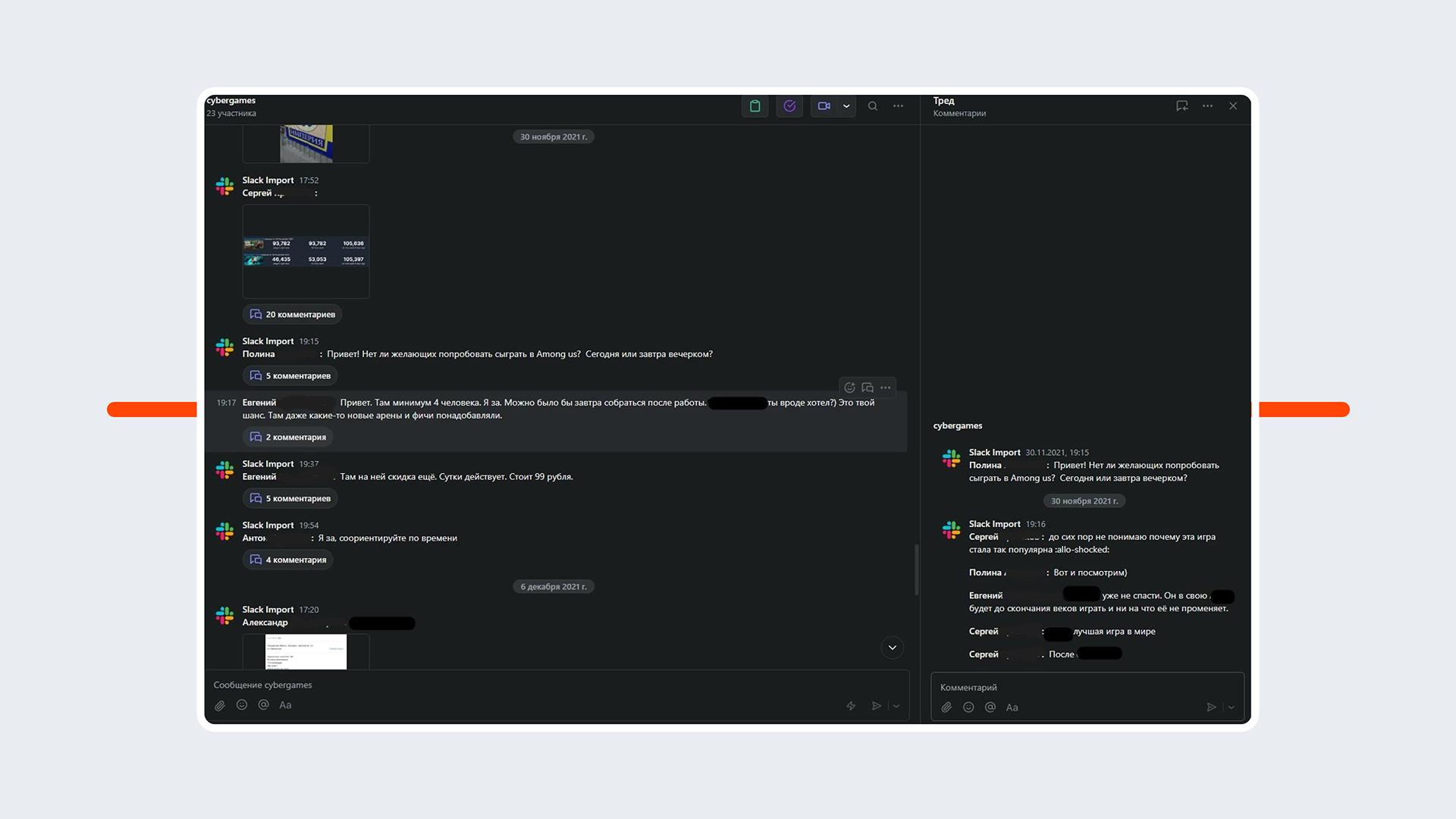
Moving messages into Pachca also took some creativity. You can only create a message on behalf of a specific user with that user's token. We decided not to spend time on that and set up a single technical user to import everything. When sending each message, the bot changed a prefix showing the real author's name from Slack. It looked clean and worked well in search.
After the move: what changed
Honestly, we didn't expect the move to go this smoothly, even though there were some bumps along the way. Designing, writing code, testing and running the import took a few weeks in total. We uploaded 5–6 dumps overall: the main one, intermediate ones and separate archives that turned up along the way. We split them into parts because that made the messages easier to process and faster to upload. We also used incremental uploads, since one big backup could take a long time to load. So we split the process into two stages: we uploaded the big history file and stopped the upload at the point we needed. Then we resumed uploading the more recent data from where we left off, without starting over. Our tool handles dumps without you having to pick date ranges.
Once Slack was shut off, employees got straight to work in Pachca. For us, this wasn't just a move. It was a project full of unconventional solutions, and we pulled it off thanks to an API-first approach and Pachca's flexibility.
In the end, we kept almost everything: the chat structure, messages and attachments. Of course, we had to make some trade-offs. For example, we decided not to move direct messages, and messages were posted by a single technical user. But that wasn't a big deal: search works correctly, and the key information is all there.
As a result, employees logged in to Pachca and found a familiar environment: their chats, their messages, the same members. It didn't feel like we'd "moved into an empty room."
Tips for others
If you're planning a move like this, the most important thing is to define the scope of work. Figure out which chats and data you actually need. Don't drag everything along, especially if you've built up dozens of gigabytes of bot messages: they'll take weeks to load into Pachca. We exported everything first, analyzed it and filtered out what wasn't worth moving. The second thing is preparation. Think ahead about who will create users, which account messages will be moved through and how you'll test it all.
For anyone who wants to follow the same path, we've made the code for the entire integration publicly available. We wished we'd had guides like this when we started. If you have questions about it, get in touch. We're happy to share what we learned: the ins and outs of the move, how we worked around limitations and more.