Email marketing services + Pachca integration
Why you should connect your email marketing service to your team chat app

Pachca API and guides for building your own integration
Almost every company uses email campaigns in its marketing. You can integrate email marketing services with Pachca to keep a close eye on how customers respond to your emails and discuss campaign results on the spot. For example, you can connect DashaMail, Unisender, Mindbox and others to Pachca. In this article, we'll show you how to set up and use this integration.
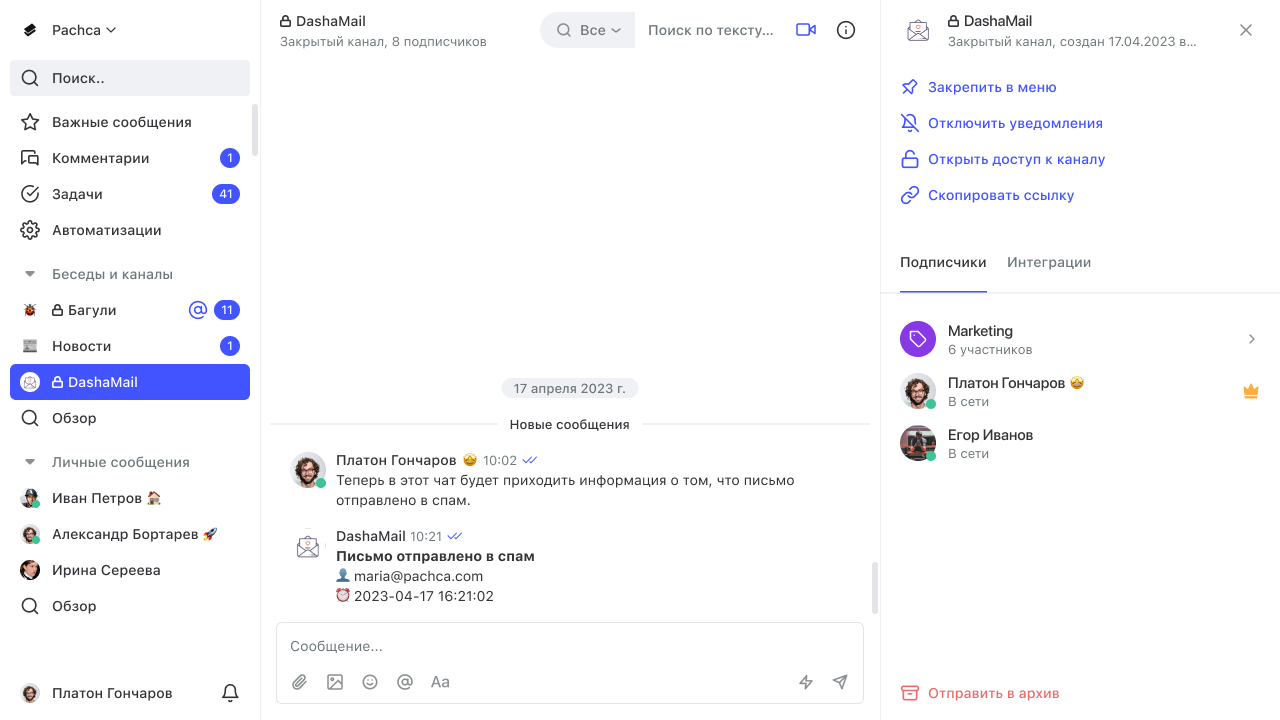
You can set up an integration with email marketing services using webhooks.
For example, DashaMail webhooks can send Pachca notifications about email opens, clicks, bounces (emails that weren't delivered), spam complaints, unsubscribes and subscribes. Webhooks can also pass along the recipient's address, the sending error code, the time of the event and more.
Say you want to track how often your emails land in spam. You can create an integration bot for that. In DashaMail, choose "Added to spam" as the trigger for sending a message, and use the template in the bot settings to include the recipient's address and the time of the event. Now a notification lands right in Pachca whenever an email is marked as spam. If emails from a new campaign keep going to spam, you'll notice right away without leaving the team chat app and can discuss fixes right in a thread. You can track unsubscribes the same way.
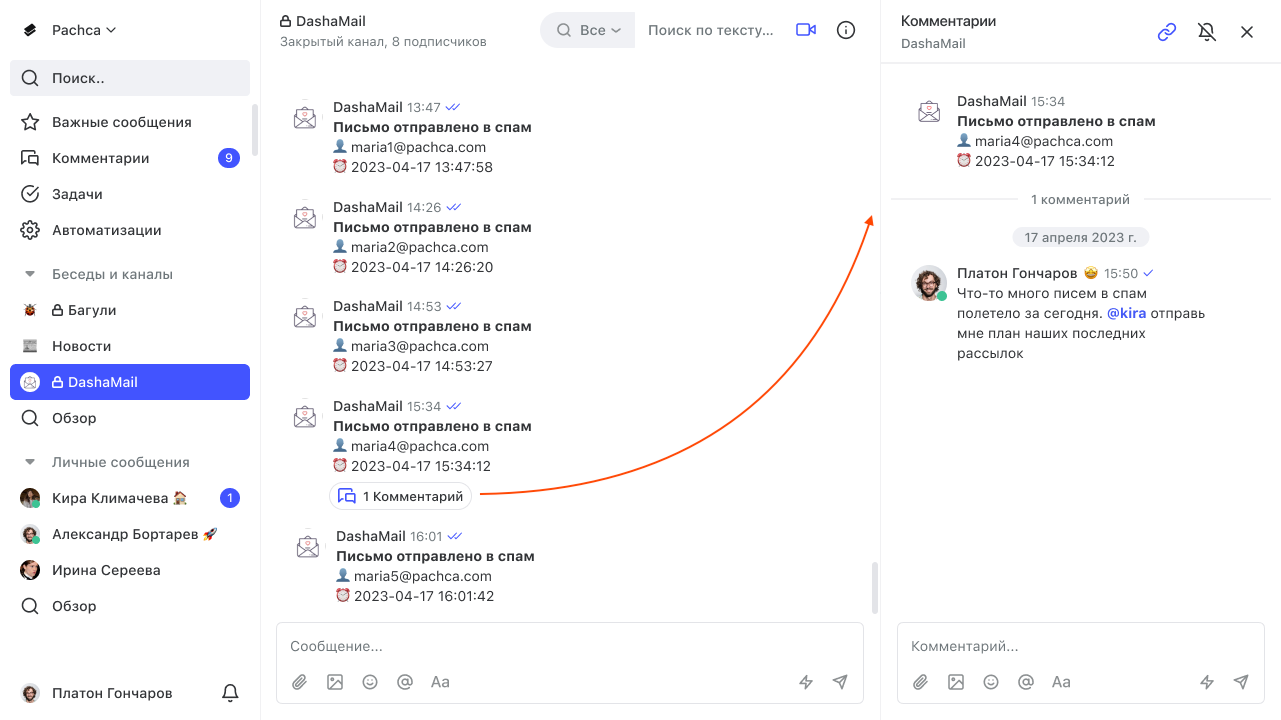
There are lots of ways to integrate email marketing services. For example, you can get messages with address lists, short campaign reports or account balance info. You can set up more complex integrations like these with the API.
By the way, some email marketing services, such as Unisender, DashaMail and MassDelivery, can be connected to Pachca through Albato. Everything is set up in a simple built-in builder. We covered setting up integrations through Albato in this article.