Video conferencing platforms: how to choose one for your business in 2026
We compare the best video conferencing apps and services: selection criteria, a checklist and Russian alternatives to Zoom
Video conferencing platforms have become a critical tool for modern companies. Remote employees and distributed teams are the norm, and in-person meetings have moved online. In this environment, the video conferencing app you pick has a direct impact on how well your team communicates.
There are dozens of video conferencing services on the market, from simple free tools to enterprise platforms with on-premise deployment. When calls drop or are hard to join, work slows down. In this article, we'll cover what to look for when choosing one and compare popular Russian options.
What video conferencing is and why your business needs it
Video conferencing
A technology that lets you hold meetings, stand-ups, negotiations and interviews remotely, with real-time video and audio.
For a business, a video conference isn't just a call. It's a way to work together. During an online meeting, employees present slides, go over documents, brainstorm and record what they've agreed on.
Modern video conferencing systems solve several problems:
- Saving time and resources. No time or money spent on travel.
- Speed. You can quickly pull a team together to handle an urgent issue.
- Flexibility. Employees can join a meeting from home, a coworking space or even a business trip.
The market offers a range of solutions, from simple apps for personal calls to complex enterprise systems. To get high-quality video calls for business, pick a tool built for work use cases.
Key criteria for choosing a platform
When you're looking for the right solution, evaluate it as a whole. A good-looking, clear interface matters, but stability, security and features are what really count. Let's go over the key criteria.
1. Features
Good audio and video quality matters in any video conferencing app. But that alone isn't enough for productive work. A good service should include a variety of collaboration tools.
-
Screen sharing. Use it to show colleagues slides, another app's interface, code, design mockups or report spreadsheets. It's handy when you can share not just your whole screen, but a specific app window or browser tab.
-
Meeting recording. Not everyone can join a call live. Recording lets you save important discussions, so colleagues can rewatch the meeting later to catch up on context or check details.
-
Participant management. The meeting organizer should be able to run the meeting: mute participants to cut background noise, hand over host or moderator rights and remove people from the call.
-
Call chat. Here, participants can share links, files or quick comments without interrupting the speaker.
Tip
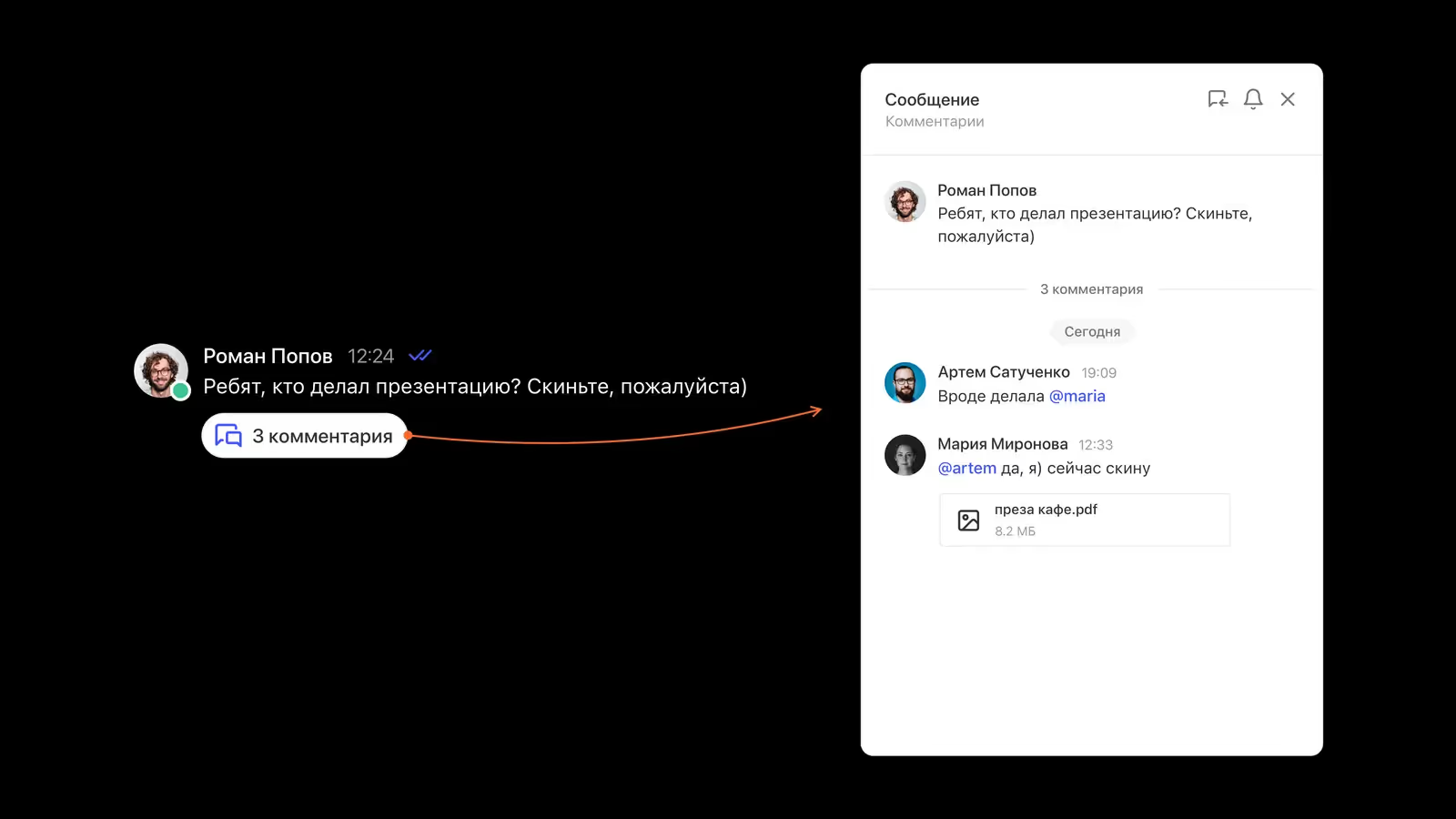
During a Pachca call, try a cross-chat thread in the call chat. With a simple @mention, you can give colleagues access to the call and the conversation under it, even if they aren't in the chat where the call started or didn't join in time.
- Reactions and raised hands. Another way to "speak up" without interrupting. Reactions and raised hands help keep feedback flowing during a meeting and are especially useful on big calls.
2. Accessibility and ease of use
Trouble joining a call is a common problem. So check whether the video conferencing system has the following:
-
Meeting links. If a client or partner has to download an app and go through a long sign-up to join, the meeting will almost certainly start late. The ideal setup is when anyone can join from a link that opens in the browser.
-
A mobile app. Employees aren't always at their computers. A full-featured video conferencing app on your phone lets you stay connected on the go. The mobile version should support all the core features: turning on your mic and camera, viewing screen shares and opening the call chat.
3. Security and legal compliance
For Russian companies, data security is an especially pressing issue. Using foreign cloud services comes with risks, from payment problems to sudden account suspension. You also need to account for Russian law.
-
Storing data in Russia. Under Federal Law No. 152-FZ (Russia's personal data law), companies must store Russian citizens' personal data in Russia. When choosing a video conferencing service, check where the provider's servers are located.
-
Encryption. A good service encrypts data in transit. For companies with stricter security requirements, being able to control encryption keys yourself is important.
4. Integration with other tools
Video calls rarely exist in isolation. They're part of your overall communication system.
- A team chat app with video calls. This is the best option. When video calls are built into your team chat app, you don't need to switch between apps or hunt for links in emails or your calendar. You can start a call with colleagues right from the chat.
This way, the conversation keeps its context. After the call ends, the discussion continues in the same chat or thread. The meeting recording and the files participants shared stay available to the whole team in the chat history.
- Calendar sync. Integrating with work calendars helps you schedule meetings. Organizers save a lot of time by creating an event and generating a call link in one go.
5. Support and payment
Being able to pay for the service in rubles is key to stability. Foreign video conferencing platforms often require payment with a foreign card or a foreign legal entity, which puts you at risk of being cut off if you can't renew your subscription.
Russian-language support also makes it easier to solve problems. If something goes wrong, it's easier to explain the situation to a specialist in your own language and get a quick answer.
Checklist: how to choose the right solution
Use this checklist to structure your selection process. Check off the items that are critical for your company.
Basic requirements
Extra features
Integration with your team chat app and/or calendar
Security and payment
A dedicated video conferencing app or a team chat app with built-in video calls?
Companies often choose between a standalone video conferencing service and an all-in-one solution.
Standalone video conferencing systems often have advanced webinar features, like waiting rooms and breakout rooms. They work well for one-off events and training large groups.
For a team's day-to-day work, a business tool that combines chat and video calls is often more convenient.
In Pachca, for example, video calls are part of a single workspace.
- Context. You can start a call from any chat, and the discussion history isn't lost.
- Scale. Calls support up to 1,000 participants at once, which is enough for companies of any size.
- Convenience. Guest access works for external clients and partners. Guests see a limited number of chats, and you can add them to a call by @mentioning them in the call chat.
- Security. The software runs on servers in Russia. For companies with strict requirements, there's an option to manage the encryption keys for text messages and files yourself: hybrid on-premise (BYOK).
Russian team chat apps with built-in video calls: a quick overview
We covered Pachca above. Next, here's how video calls work in other Russian solutions. We look at them from one angle: how many participants a call can handle, whether there's recording and transcription, and how video calls connect to chats. For a full comparison of chat features, see our 2026 team chat app rankings.
The six solutions below fall into three types: video meeting platforms with chats added on (MTS Link, Kontur.Talk), ecosystem service bundles (VK Teams, Yandex Messenger) and team chat apps with built-in calls (eXpress, Loop). The data comes from vendors' public materials as of August 2026. It changes, so double-check the numbers on their websites.
MTS Link Chats
The chat app within the MTS Link communication platform. The platform grew out of the Webinar webinar service, so meetings are the core product here and chats complement them. Calls in chats support up to 1,000 participants, with transcription and automatic meeting summaries, recurring meetings on a single link and an "In a meeting" status.
It's a good fit for companies that already run webinars and training in MTS Link and want to keep their chats in the same ecosystem. The flip side of this focus: video call updates ship more often than new chat features.
Deployment: cloud / on-premise
Pricing: free version with meetings for up to 30 participants, 60 minutes each. "Коммуникации" subscription (meetings + chat): from 15,600 ₽/yr per user for 30 licenses down to 4,268 ₽/yr for 300 or more.
Kontur.Talk
Chat and video meetings from SKB Kontur. This product also grew out of video conferencing: meetings for up to 400 participants, AI transcription with timestamps and automatic meeting notes, webinars and online whiteboards. Chats are an add-on to any paid video meeting subscription and work as an extension of the meeting, where agreements and files live on.
The logic is the same as MTS Link: the chat app evolves alongside the video service. Chats have no folders, voice messages or guest access.
Deployment: cloud / on-premise
Pricing: free "Старт" plan with meetings for up to 50 participants and no chats. Chats cost 1,500 ₽/yr per user. Meeting plans are priced on request.
VK Teams
The chat app within the VK WorkSpace platform. Alongside chats, the subscription includes email, calendar, cloud storage, documents and video meetings: up to 100 participants on the Basic plan and up to 500 on the Individual plan. The AI Assistant creates meeting summaries from recordings via a bot. Over the past year, VK Teams added guest access from mobile devices and screen share viewing on smartphones.
Full meeting transcripts aren't listed in public materials, and SSO and on-premise are only available on higher-tier plans.
Deployment: cloud / on-premise
Pricing: free ad-supported version for up to 5 users and meetings for up to 25 participants. "Базовый" costs 309 ₽/mo per user and "Расширенный" costs 499 ₽/mo. The self-hosted version is priced on request.
Yandex Messenger
Work chat within Yandex 360 for Business. Video meetings live in Telemost: no time limit, up to 500 participants on higher-tier plans and AI meeting notes with automatic transcripts and short summaries. Over the past year, the chat app and Telemost were brought together: there's now an "In a meeting" status, and calls work in mobile browsers.
It's a logical choice if your company already uses Yandex services. There's no on-premise version of the chat app itself.
Deployment: cloud
Pricing: free version with limitations. The "Чаты и звонки" plan costs 199 ₽/mo per employee, and the plan with meetings for up to 500 participants costs 549 ₽/mo.
eXpress
A secure team chat app for business and the public sector. Video meetings support up to 512 participants, with call transcription. Over the past year, eXpress redesigned its calls and added virtual backgrounds and an automatic "In a call" status. The product's main selling point is security: FSTEC and FSB certifications, GOST cryptography, end-to-end encryption and support for isolated networks.
Its customer stories include rollouts at small, midsize and large businesses as well as in the public sector. The full feature set is only available on-premise. That said, it's less flexible to configure for specific processes and offers fewer API integration options than standalone team chat apps.
Deployment: cloud / on-premise
Pricing: free public version. 200 ₽/mo per user for SaaS. Enterprise licenses start at roughly 3,000 ₽/yr per user according to public sources.
Loop
A team chat app built on Mattermost. It offers a channel-based structure, threads and isolated teams with their own chats and members. Calls are one-on-one or group calls in channels, and they were reworked over the past year.
For video conferencing, one limitation matters: there's no video call recording, so you can't rewatch a meeting later. Much of the product's development depends on Mattermost's architecture.
Deployment: cloud / on-premise
Pricing: free version with limitations. "Командный" costs 119 ₽/mo per user and "Профессиональный" costs 199 ₽/mo. On-premise is priced on request.
Video conferencing comparison table
| Solution | Call participants | Meeting recording | Transcripts and summaries | Hosting |
|---|---|---|---|---|
| Pachca | up to 1,000 | ✓ | ✓ | SaaS / hybrid on-premise (BYOK) |
| MTS Link Chats | up to 1,000 | ✓ | ✓ | SaaS / on-prem |
| VK Teams | up to 100–500 | ✓ | partial | SaaS / on-prem |
| Kontur.Talk | up to 400 | ✓ | ✓ | SaaS / on-prem |
| Yandex Messenger | up to 500 | ✓ | ✓ | SaaS |
| eXpress | up to 512 | ✓ | ✓ | SaaS / on-prem |
| Loop | not listed | — | not listed | SaaS / on-prem |
How to roll out a new tool
Choosing a video conferencing app is only half the job. Your team also has to start using it.
- Test it with a pilot group. Pick a department or team to try the service in real work for a week.
- Check your equipment. Make sure employees have working headsets and webcams.
- Write guides. Cover the basics: how to start a video meeting, turn on recording, change your virtual background, invite colleagues and so on.
- Collect feedback. Find out what issues your colleagues ran into.
Switching to Russian video conferencing services is a logical step for businesses that want to reduce risk and keep things running smoothly. When choosing, focus on what your employees need. The tool should help people work, not get in their way.
Frequently asked questions
Business video conferencing means professional platforms for online meetings, team meetings and negotiations. Unlike consumer tools, enterprise video conferencing offers stability, data security, integration with work tools and support for large numbers of participants.
The key criteria: call quality and stability, security and 152-FZ compliance, screen sharing and recording, easy joining (guest access via link), integration with your team chat app and calendar, a mobile app and the ability to pay in rubles.
Russian solutions store data in Russia (as required by 152-FZ), offer reliable payment in rubles, no risk of being blocked, Russian-language support and compliance with regulatory requirements for state-owned companies and organizations that handle sensitive data.
Video conferencing built into a team chat app (like Pachca) lets you start calls right from a chat, keep the context of the discussion and store meeting recordings in the chat history. Standalone platforms often have more webinar features but make you switch between apps.
It depends on the platform. For example, Pachca supports calls with up to 1,000 participants at once. That's more than enough for most work use cases (stand-ups, team meetings, interviews).
If you need an all-in-one tool for internal communication where chat and video calls work as one, give Pachca a try ;)