
Microsoft Exchange
Schedule meetings right from a Pachca chat
The Microsoft Exchange integration lets you create meetings right from a Pachca chat. Every attendee gets an event in their Microsoft calendar and an email invitation.
Who can set up the Microsoft Exchange integration
The integration is available on the Corporation plan only. You set it up once, and it works for everyone in your workspace.
How to set up the Microsoft Exchange integration
- Open Automations in the left sidebar
- Go to Integrations
- Select the MS Exchange integration
- Enter your server details

How to schedule a meeting with the Pachca x MS Exchange integration
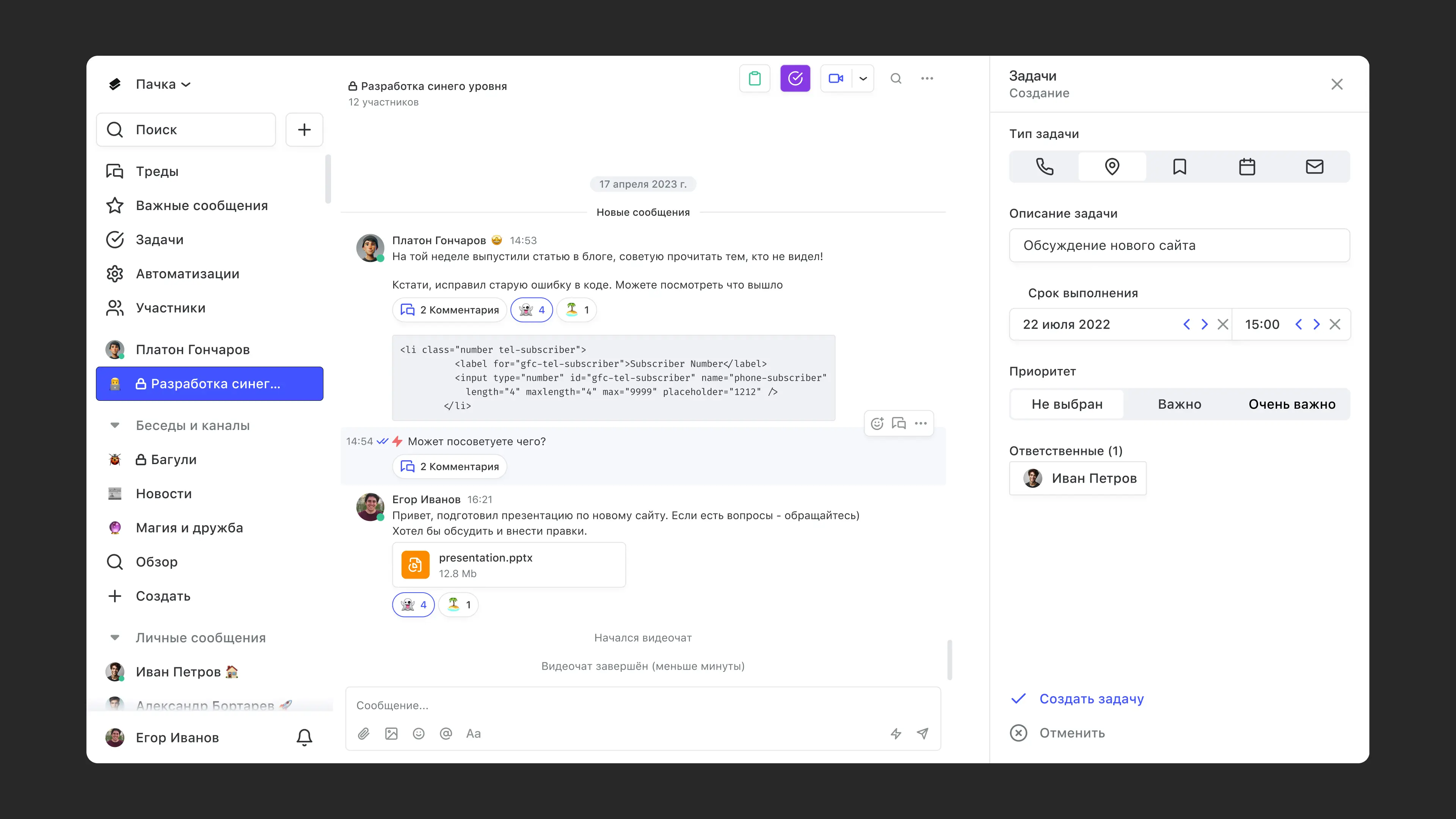
- Go to the chat where you want to hold the meeting
- Open the chat's tasks section (the purple icon in the top-right corner of the chat)
- Click Create new task
- Set the task type to Meeting and fill in the extra call details
- Add the employees you want to invite to the call
- Click Create task
- That's it. The call reminder will show up in their calendar and email:

Updated: May 14, 2024