Setting up DLP in Pachca
Add an extra layer of protection for personal data, tokens and passwords
Pachca's DLP system: rules, events and integration
DLP (Data Loss Prevention) is a data leak prevention system built into Pachca. It protects confidential information without any third-party integrations. DLP is available on the Corporation plan and gives you flexible tools for managing security rules.
How to set up DLP
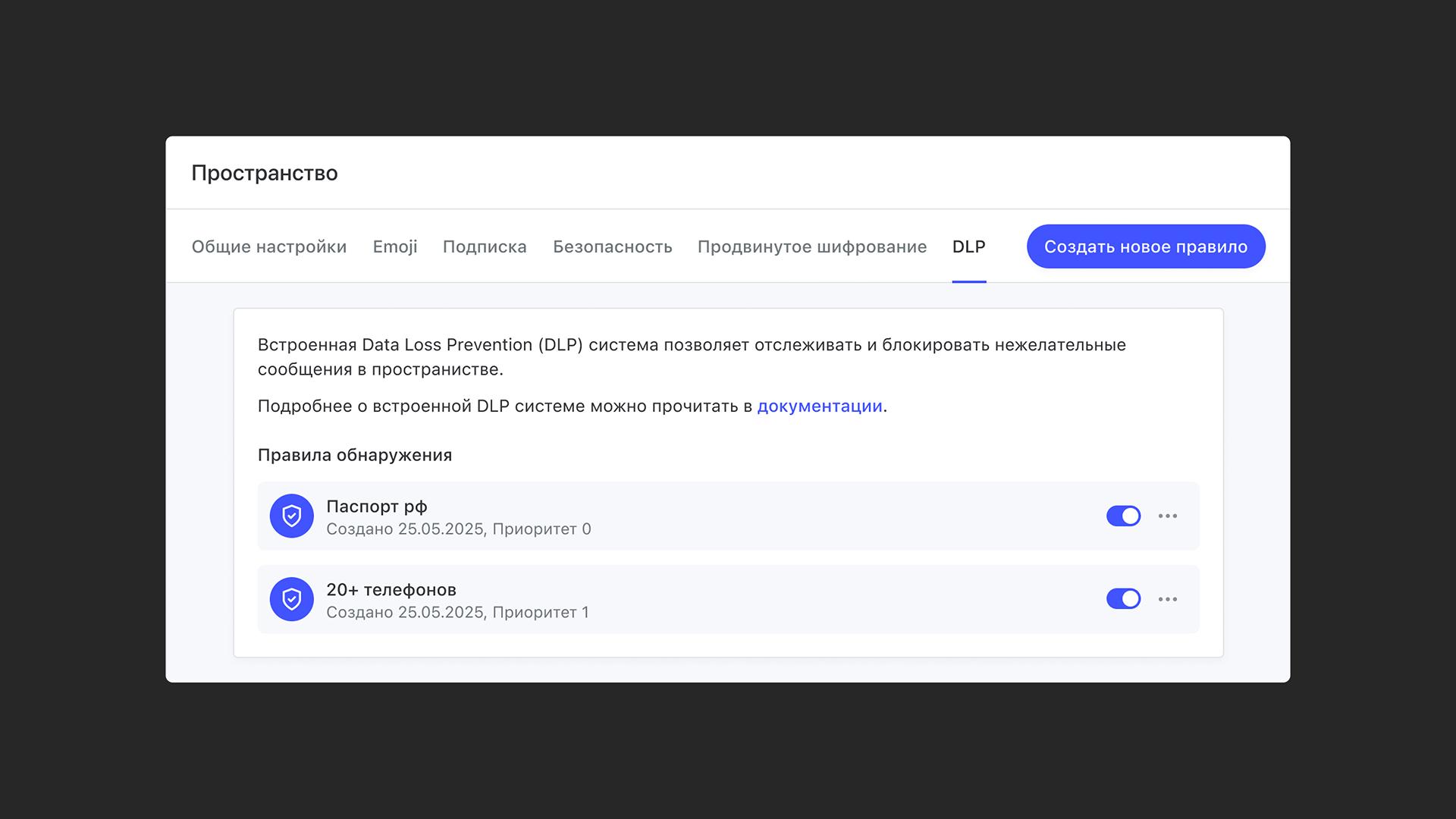
Manage DLP rules in Workspace settings → DLP. Here you can:
- View your existing rules.
- Turn rules on and off.
- Create new rules.
Create a new rule
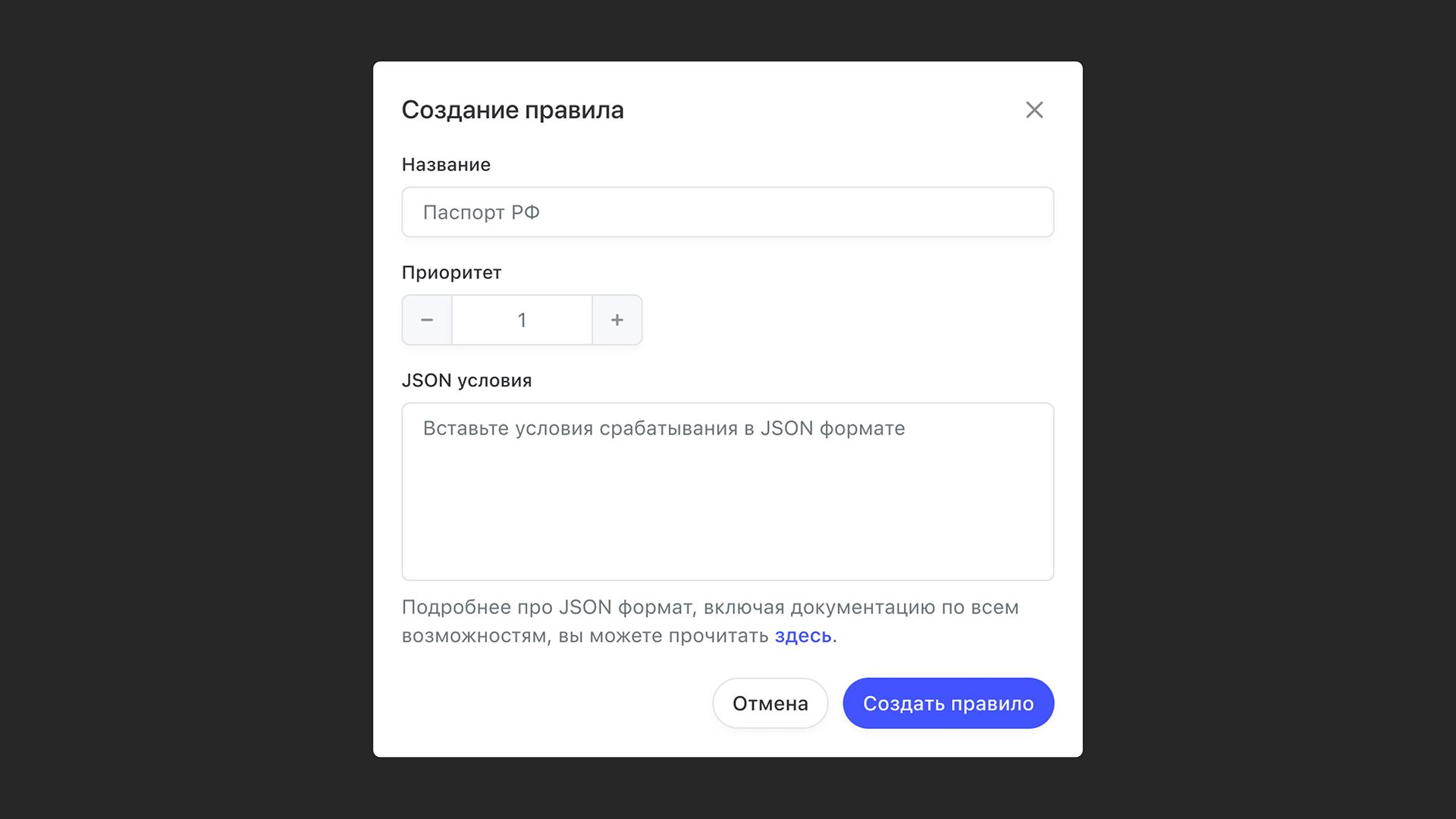
- Click Create new rule.
- Enter the rule name, its priority and a JSON condition object. How rules work (their structure, conditions, actions and processing order) is described in the DLP guide on the developer portal.
Use cases
Use case 1: Protect personal data
Block messages or log an event when the text contains passport details, phone numbers or other sensitive information. This helps prevent data leaks inside your company.
Use case 2: Build a culture of digital security
Set up rules that prohibit sharing tokens, passwords and logins for work services. This gives you better control over your infrastructure if an incident happens and shows your teammates why digital security matters.