Яндекс.Метрика
SSO in Pachca with Google Workspace SAML

SSO in Pachca with Google Workspace SAML

This guide explains how to connect Pachca to Google Workspace so employees in your directory can log in with SSO. We support any IdP that works with the SAML 2.0 protocol

SSO with Google Workspace is available only to organizations outside Russia.

Set up the SAML app

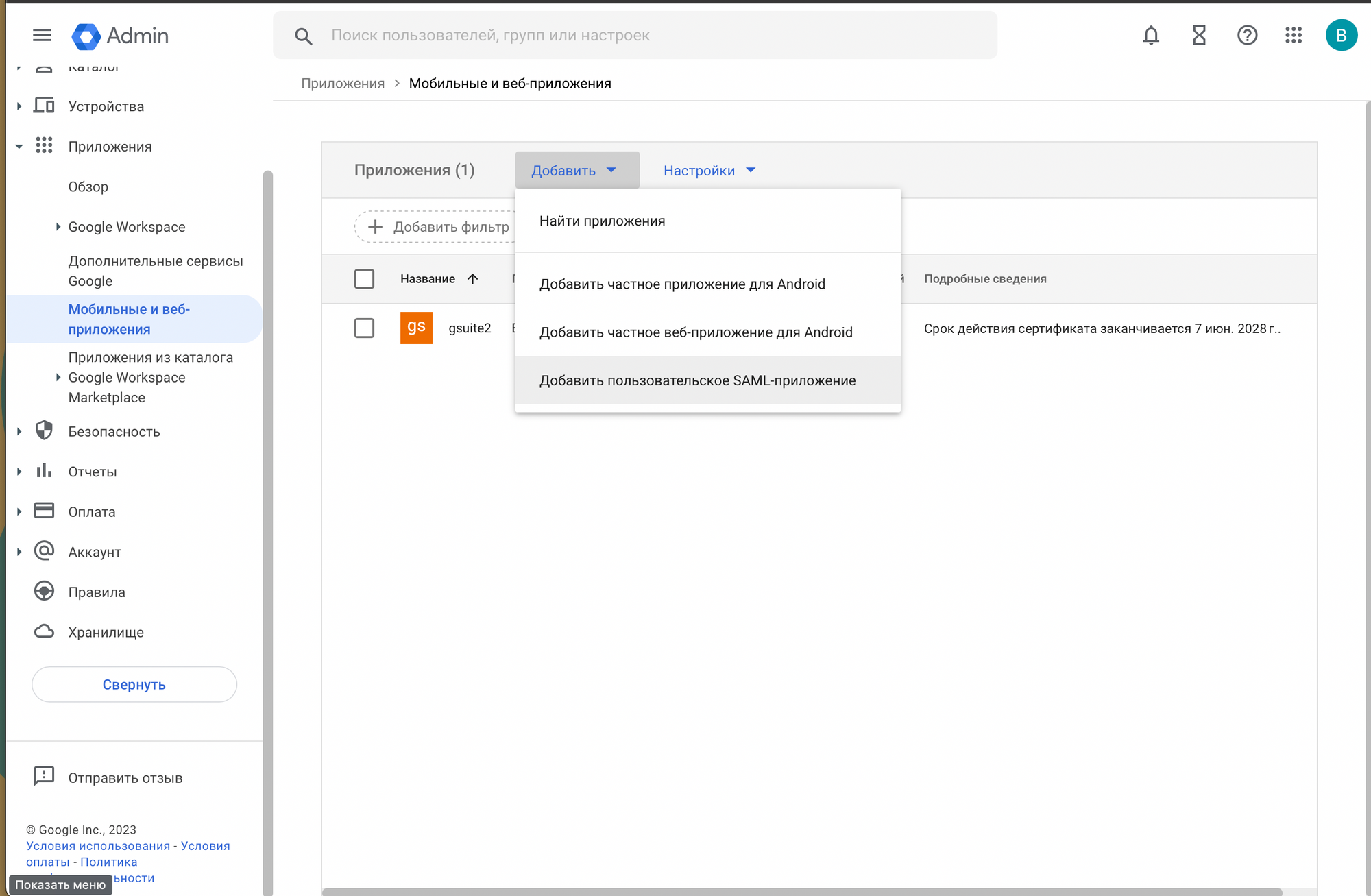
  1. Create a new SAML app.

Creating a new SAML app in Google Workspace

‍

  1. Download the metadata file and send it to us.
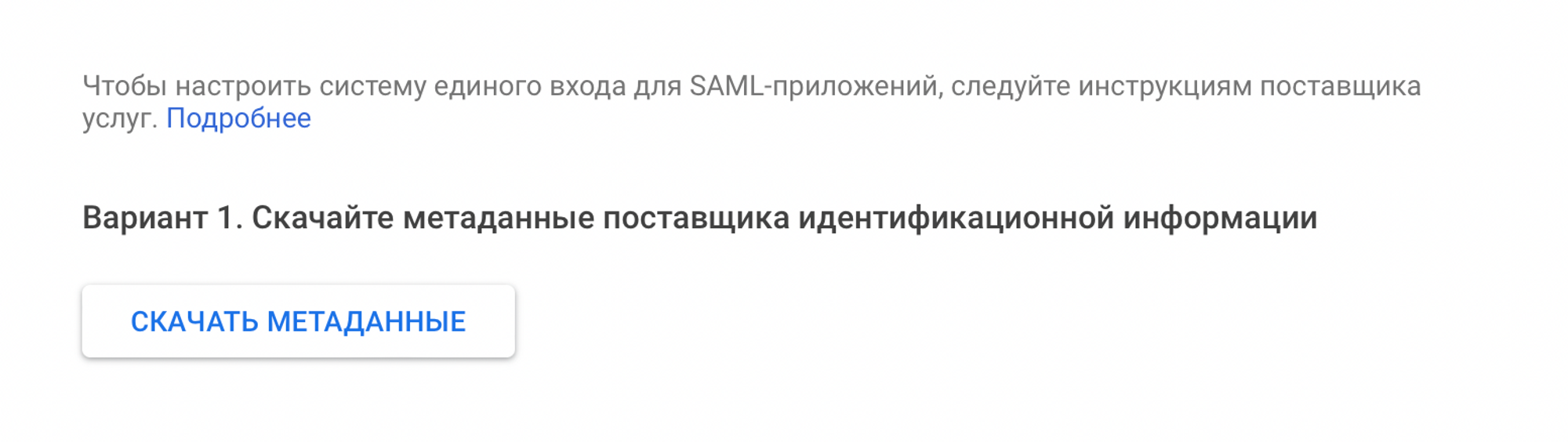
Downloading the SAML app metadata

‍

  1. Fill in the form as shown below. In the ACS URL field, enter your personal URL. In the Entity ID field, enter the ID we give you. We'll send you all the details you need.
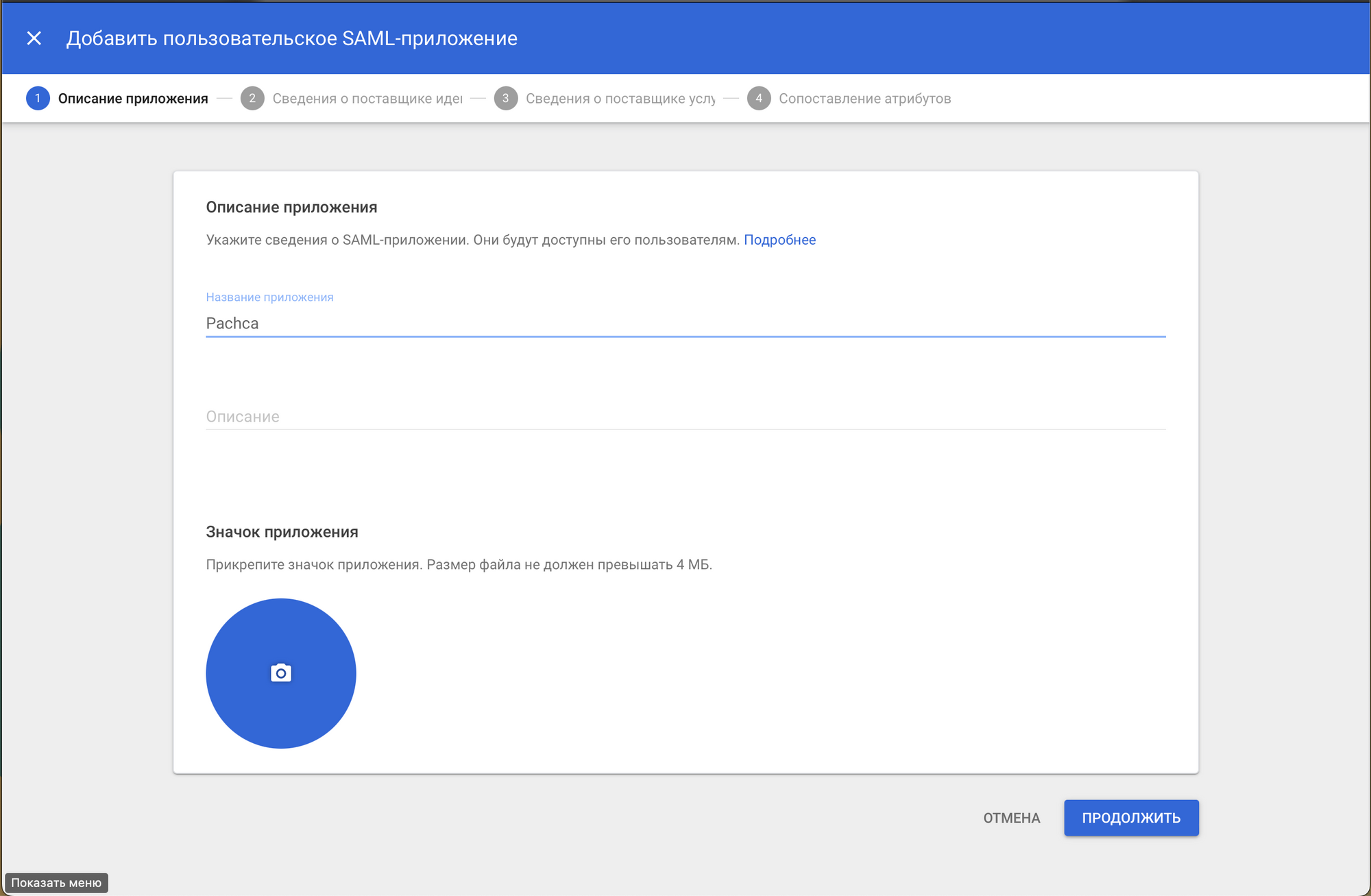
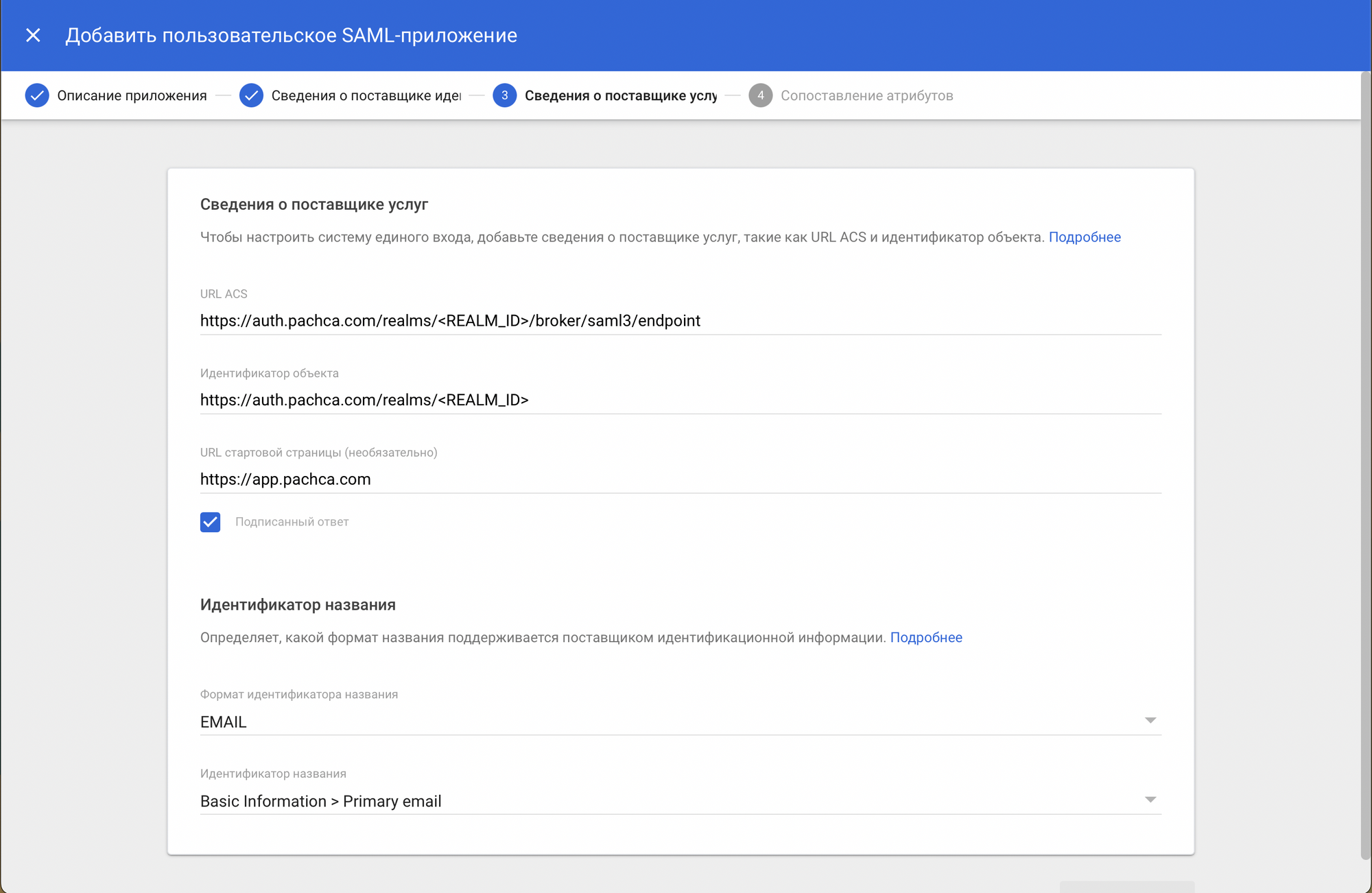
Setting the ACS URL and Entity ID

‍

Additional SAML app settings

‍

Pass employee attributes to Pachca

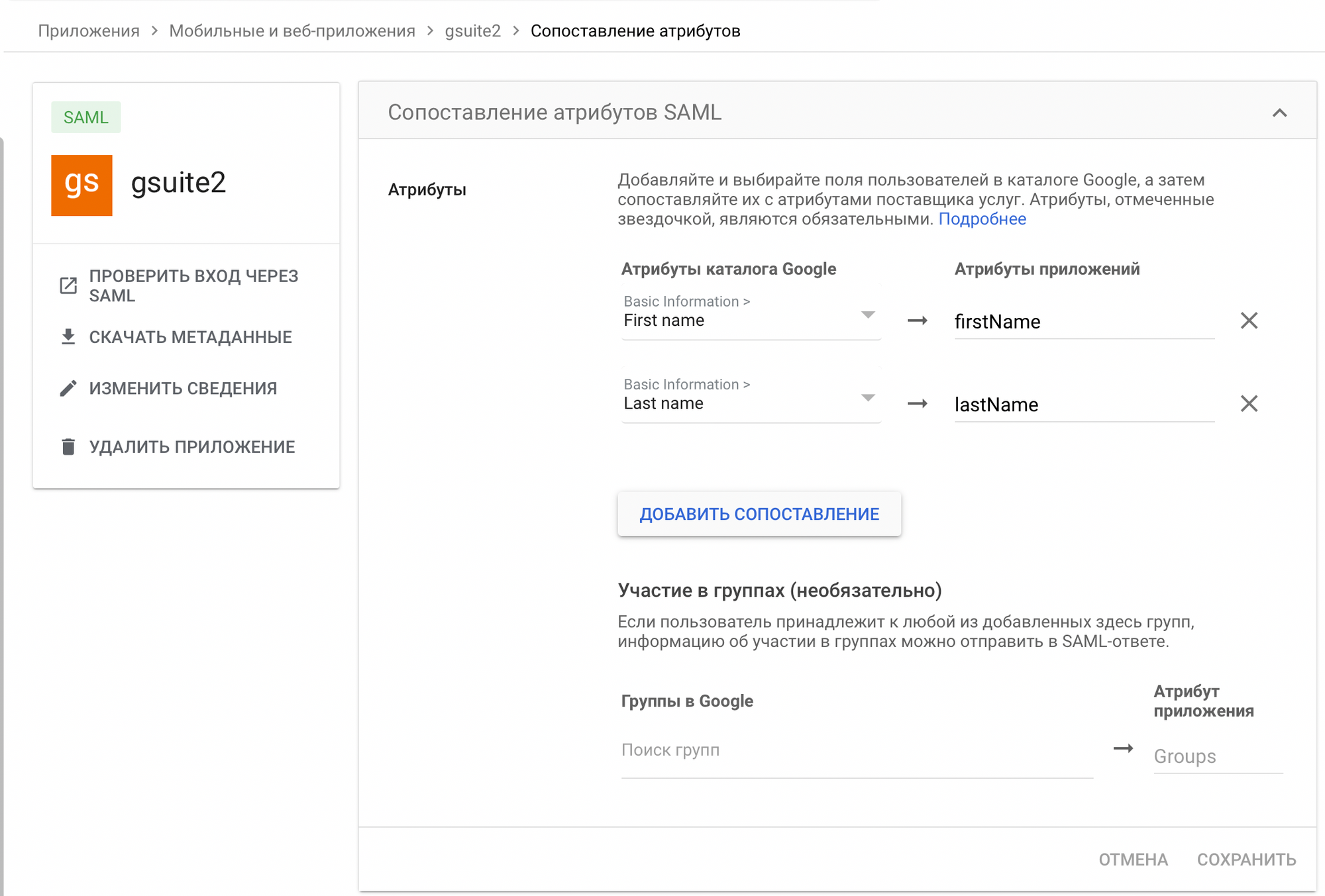
  1. Go to SAML attribute mapping

  2. Fill in the form as shown below.

SAML attribute mapping for Pachca

‍

We can agree on handling other fields in Pachca to fit your use case. To pass them, add the mapping to this table and tell us the Name you entered.

Pachca profile fields and their attribute names:

  • Phone: phone_number
  • Job title: title
  • Department: department
  • Group tags: group_tags

You can also pass any other text fields from your directory to Pachca, such as an employee's manager or birthday. To do this:

  • Create the field in Members in Pachca (Members → settings → add field → set a name and any type except "file")
  • Enter the attribute name in the mapping, as described above for the standard profile fields

3. Once the mapping is set up, let support know so they can connect it

  1. Finish creating the new app.

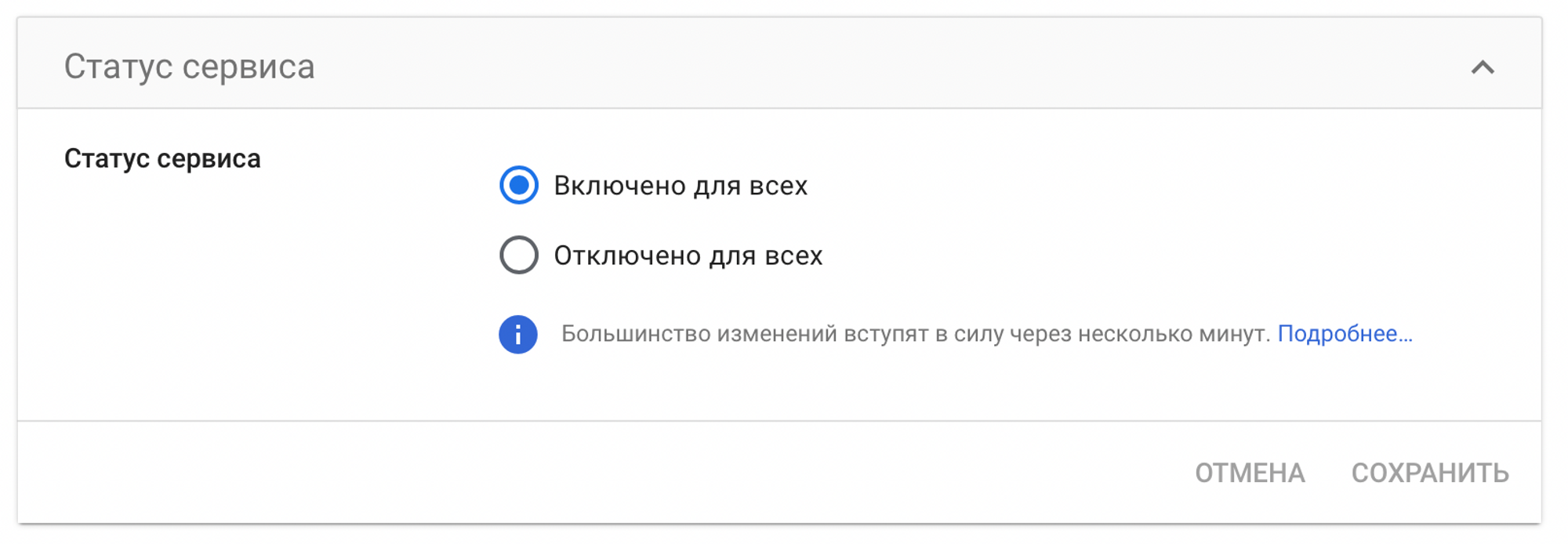
  2. Turn on the app for all users.

Turning on the app for users

‍

  1. That's all you need to do on your side. Once you've sent us the values above, wait for us to finish setting up Pachca. When everything is ready, you and your employees can log in with SSO.

If you get the "app_not_configured_for_user" error when logging in, you're signing in with the super admin account. Try a different account.
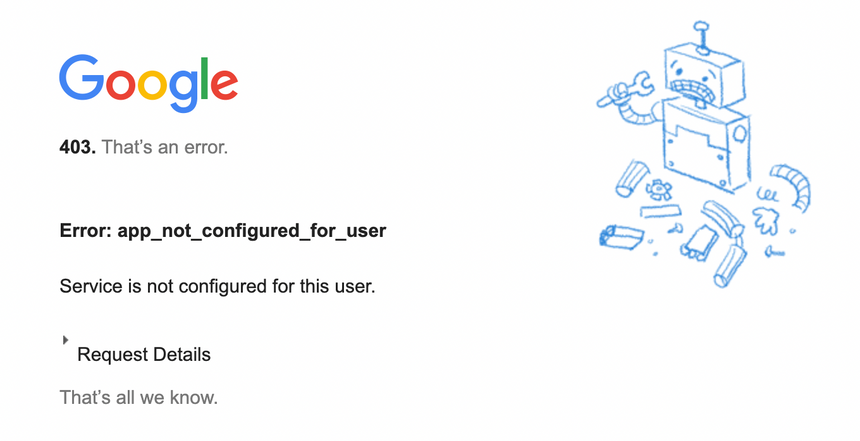
app_not_configured_for_user error

Updated: March 27, 2025

More in Administration

Accounts in Pachca
How Pachca is structured: the difference between an account, a user and a member profile
Inviting your team
How to invite your team to Pachca, the team chat app: two ways to add employees
Change your email in Pachca
How to change your email address in Pachca: a guide for employees and administrators
Errors when adding people by email
Common errors when adding users to Pachca by email and how to fix them
Managing members in Pachca
Managing members in Pachca: how to add, edit and remove people from your team
Group tags
Add employees to all the chats they need at once with group tags
Advanced administration via API
How to automate user administration in Pachca with the API: creating users, managing them and tags
Ports and addresses Pachca needs
Ports and addresses Pachca needs to work properly: setting up your corporate firewall
Storage in Pachca
Everything about file storage in Pachca: limits, managing storage space and working with documents
Setting up DLP in Pachca
Add an extra layer of protection for personal data, tokens and passwords
Internal/external file access
How to set up internal and external zones in Pachca to protect your company documents
Two-factor authentication (2FA)
How to turn on two-factor authentication in Pachca for extra account security
Import chats from Slack
How to import your chat history from Slack into Pachca: a step-by-step migration guide
Import chats from Mattermost
Pachca lets you move your chat history and files from Mattermost into your workspace.
Import chats from Telegram
If your team is moving to Pachca from Telegram, you can bring your chat history over to your team chat app.
Exporting messages from Pachca
How to export messages from Pachca: data format, settings and export limitations
SSO options in Pachca
Single sign-on (SSO) in Pachca: SAML, LDAP and Keycloak connection options and step-by-step guides
SSO in Pachca with LDAP
SSO in Pachca with Multifactor.ru
SSO in Pachca with Blitz Identity Provider
SSO in Pachca with Authentik
SSO in Pachca with Keycloak
SSO in Pachca with Azure OpenID
SSO in Pachca with ADFS OpenID
This guide explains how to configure ADFS on Windows Server 2016 or later to connect it to Pachca.
SSO in Pachca with Indeed IdP over SAML
SSO in Pachca with Yandex 360
SSO in Pachca with Yandex Identity Hub
BYOK: Bring Your Own Key in Pachca
How encryption with your own key (BYOK) works in the Pachca team chat app
Advanced encryption in Pachca
How to set up advanced encryption in Pachca for extra protection of your company data
Set up BYOK with HashiCorp Vault
Set up BYOK with Yandex KMS
Set up BYOK with Cloud.ru KMS