Accounts in Pachca
How Pachca is structured: the difference between an account, a user and a member profile
Account, user, profile: what's the difference
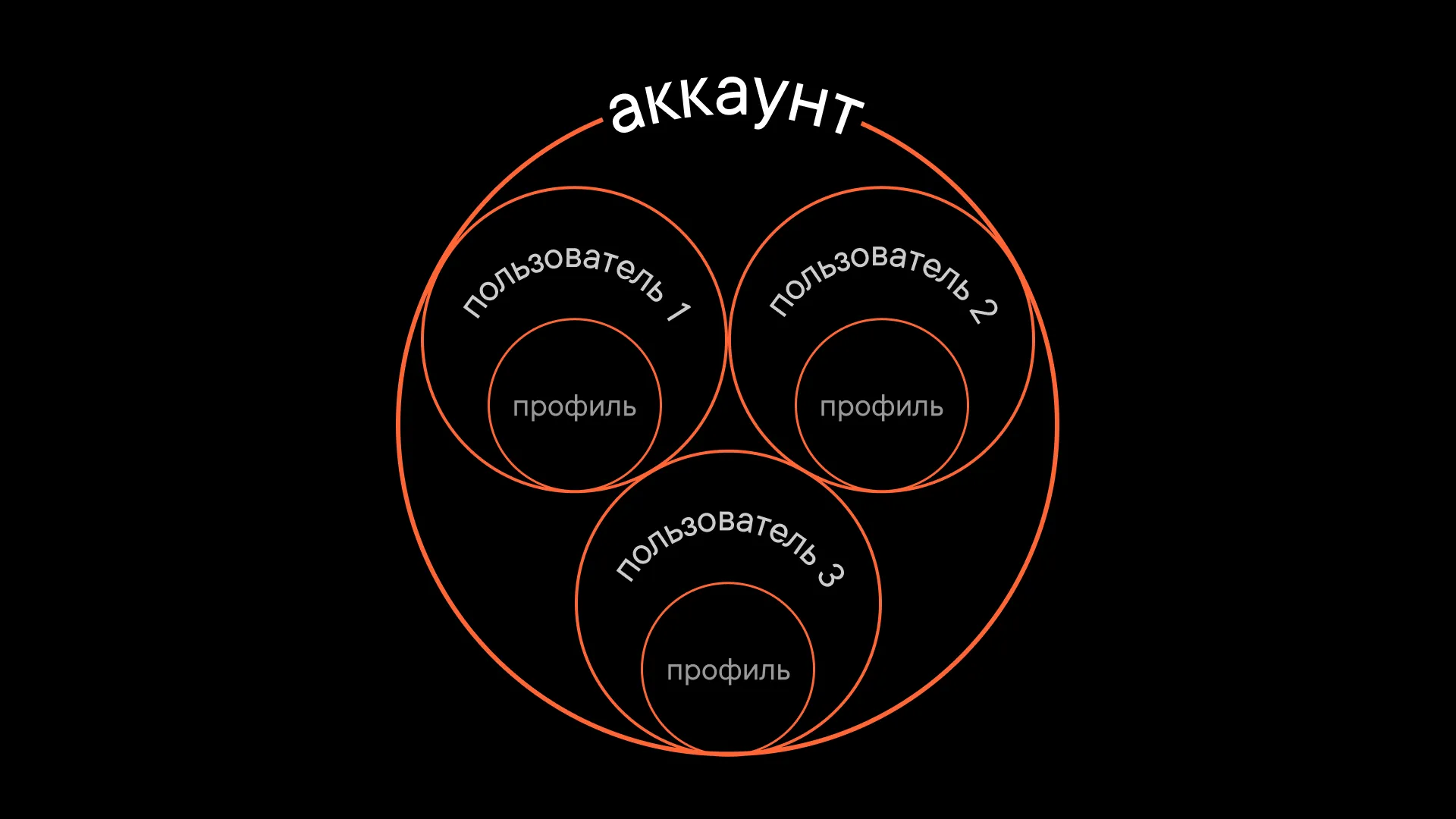
Your account is what you use to log in to Pachca. Every account has an email address. When you log in to your account, you get access to all the workspaces that account is a member of.
Two-factor authentication is also tied to your account. That means you can't have 2FA turned on in one workspace and off in another.
A user is a member of a specific workspace. Each user has their own profile with personal settings: theme, notifications and so on. There are as many profiles as there are users.
For example, say you have one account with the email example@mail.com, and it's linked to 3 workspaces (= 3 users with example@mail.com). In each of these workspaces, your profile can have a different avatar and @username.
Create an account
If you're new to Pachca, there are two ways to create an account: sign up on your own or accept an invitation. You can get an invitation by email or as a link. We cover all the options in detail in this article.
If you already have a Pachca account and want to add another one (for example, for school or a side project), check out our article on workspaces.
Manage your profile and account
Click your profile in the bottom-left corner. The window that opens has some of your profile settings: status and notification settings. Click Open profile to see your full profile.
At the top, there are two tabs: Profile and Account. On the Profile tab, you can update your details, choose a theme, set a notification sound and turn on email reminders.
On the Account tab, you can manage general account settings, like setting up 2FA. You can change your email in the members table in workspace settings (if you're a workspace administrator or owner).