Change your email in Pachca
How to change your email address in Pachca: a guide for employees and administrators
💡 Important: you can only log in to an account. You can't change an account's email. The email can only be changed for a user. A user is a member of a specific workspace. An account is what you log in to Pachca with, and each account has an email address. Up to 10 workspaces can be linked to one account. Learn more about accounts and users in this article.
You can change an email address in the members table under Workspace settings. Only Administrators and Owners can change their own email and other people's emails (learn more about roles here).
In Pachca, an account is tied to an email address, and one account can have several workspaces. If you change the email of a member whose account has only one workspace, that workspace disappears from their lobby and moves to another account tied to the new email. The member gets an email at both the old and new addresses saying an administrator changed their email address.
If the member's account has several workspaces, only the workspace where you changed their email disappears from the lobby. The rest stay put. Once they log in with the new email, the workspace shows up in the lobby again.
Example: how an email change works
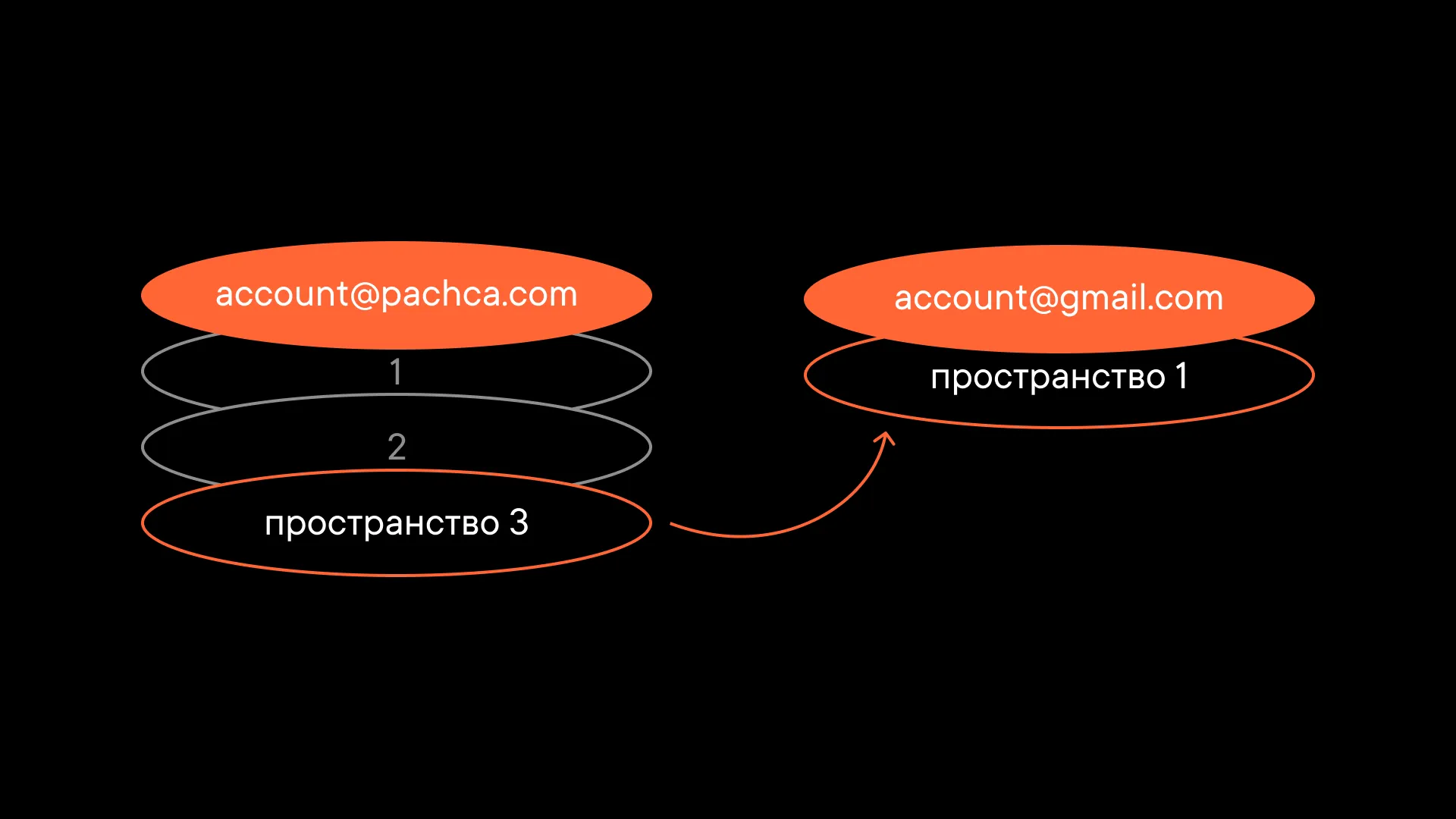
Say we have one account with 3 workspaces. In one of them, we change the email linked to it. One workspace then disappears from the lobby of our original account.
If we log in to Pachca with the email we linked to that workspace, we create a new account, and the workspace is now linked to it.
Here's the result: the lobby shows two accounts. One has two workspaces, and the other has the one workspace where we changed the email. The workspace simply moves from one account to the other.
If we change the email back to the old one, the workspace is linked to the old account again. The lobby then shows two accounts: one with three workspaces and one empty, with no workspaces.
To move all your workspaces to a new email, change the email in each of them.
Email change rules:
-
Administrators and Owners can change the email of other Administrators, Employees, Multi-guests and Guests in the members table without their confirmation (they get a notification at both the old and new addresses). Only the Owner can change the Owner's email.
-
Administrators and Owners can change their own email in their profile settings. They'll need to confirm the change with codes sent to both the old and new addresses. If you change the email of an Employee, Multi-guest or Guest, they'll also need to confirm the new email with a code the first time they log in.
-
Employees, Multi-guests and Guests can't change their own email. They see a hint telling them to contact an Administrator.