Badges in Pachca
What the visual indicators for new activity mean
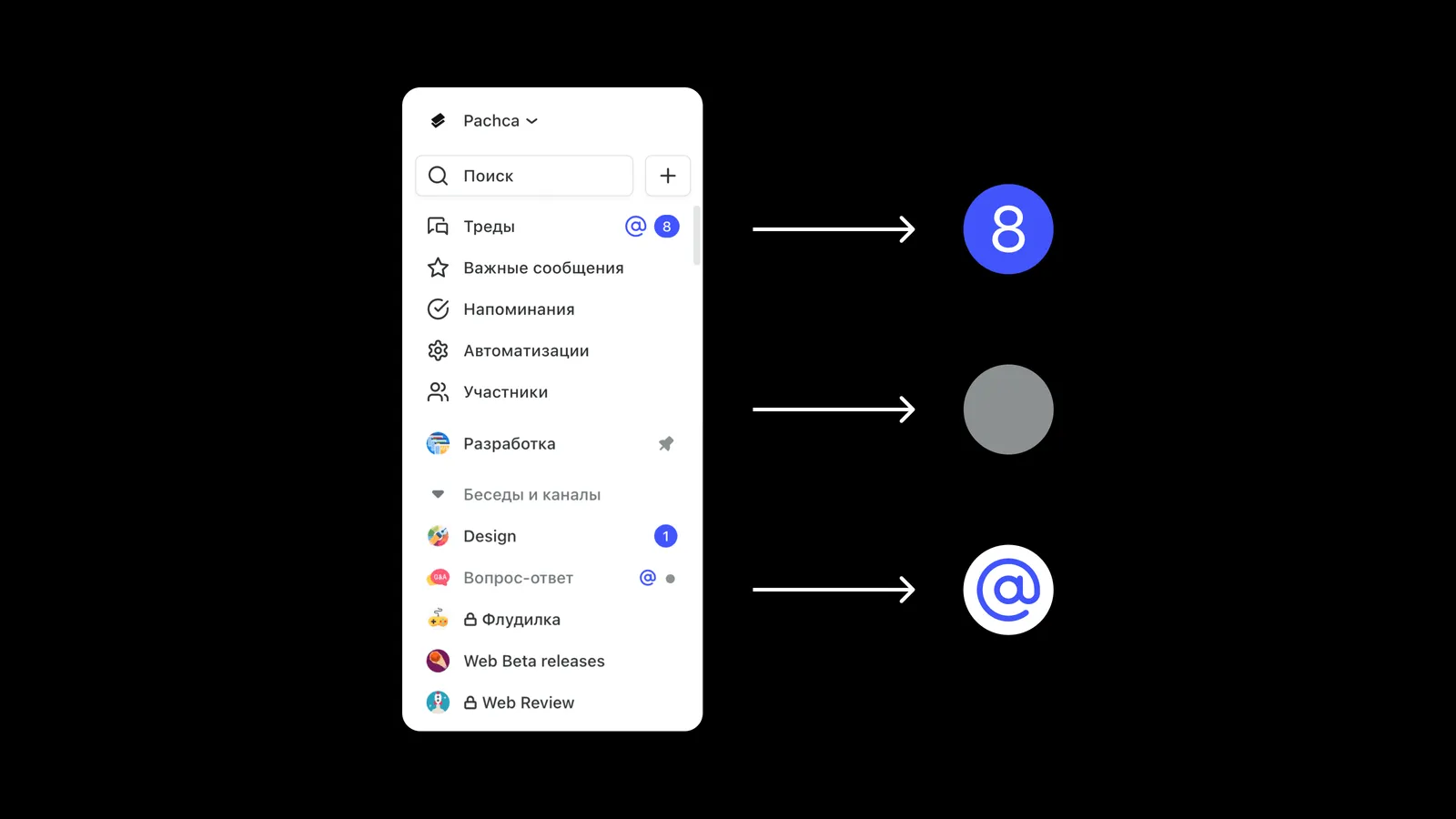
Badges in Pachca work a bit differently than in other team chat apps. Here's a quick rundown of what a badge is and which ones Pachca has:
A badge is an icon next to a section in Pachca where there's new activity. It can mean you've been mentioned (@) or that there are unread messages in a chat with muted notifications.
A counter is a badge that shows the number of new items, like messages in a chat.
Now let's look at how these badges work in Pachca.
New message badges
When you get new messages in Pachca, a counter appears next to the chat or folder they came from. The number on the counter is the number of unread messages.
You'll see counters next to the unread messages folder, the folder containing the chat with new messages and the chat itself.
The new message badge shows up even in chats with notifications turned off. It looks like a gray dot, and the chat name is highlighted in gray too.

Mention badges
-
If you're mentioned in a chat, an "@" badge appears next to it. It shows up whenever you're mentioned, even if you've turned off notifications for that chat.
-
If you get several mentions in a chat, the symbol stays the same. In that case, the counter next to the "@" shows the total number of new messages.
The "@" badge also appears when someone replies to your message using Reply.

New message badges on chat folders
A counter appears when a chat folder is collapsed and there are new messages in its chats.
Good to know:
-
If a folder only has chats with notifications turned on, the folder counter adds up the new messages from all of them.
-
If a folder has chats with notifications both on and off, the counter shows the number of new messages in the chats with notifications turned on.
-
If a folder only has chats with notifications turned off, the folder shows a dot badge.
-
If you're mentioned in any chat in the folder, an "@" symbol appears next to it. It shows up even if the chats in the folder have notifications turned off or if there are several mentions.
Badges for new comments and mentions in threads
When there are new comments in a thread you follow, a counter appears next to Threads in the sidebar. The number on it is the number of unread messages in your threads. An "@" badge also appears there if you're mentioned in one of the threads.
Learn more about how threads work in a separate article

Reminder badges
These appear next to the reminders section when reminders are due. Reminders without a due date are also included in the counter. The counter updates to include these reminders every day at around 9 a.m.